Why Won't My Oven Stay On? A Practical Troubleshooting Guide
Urgent, step-by-step troubleshooting for ovens that won’t stay on. Learn quick checks, safety tips, and when to call a pro, from Oven Cook Pro.


If your oven won’t stay on, start with simple checks: verify the outlet or power source, inspect the door switch, and look for a tripped breaker. A failing control board or thermostat is less common but possible. This 2–3 minute quick path from Oven Cook Pro helps you decide whether you can safely diagnose at home or if a professional diagnosis is needed.
Why your oven won't stay on: common causes
When you ask, "why won't my oven stay on?" the answer usually points to a small set of reliable culprits. The most common problems are a loose or damaged power connection, a tripped circuit breaker, a faulty door switch, or a failing control board. Each of these issues interrupts the oven's power or control signals, causing it to shut off shortly after ignition or during preheat. According to Oven Cook Pro, starting with basic, non-destructive checks is the fastest way to determine if the problem is something you can fix yourself or if professional service is needed. As you work through the checklist, you will often uncover an obvious cause such as a loose plug or a tripped breaker, which can save time and money. If you identify a potential electrical problem, always treat it as urgent and prioritize safety.
Safety and electrical considerations
Electrical and gas appliances carry inherent risks. An oven that won’t stay on could indicate a power fault, a damaged wiring harness, or a failed safety interlock. Never bypass safety features or continue to use an appliance with a known electrical fault. If you smell gas, hear buzzing, or notice scorching smells, shut off power at the circuit breaker and call a qualified tech immediately. In gas ovens, misfiring ignition or gas supply issues can also cause intermittent shutdowns. Always unplug the unit before inspecting accessible components and wear safety gloves when handling sharp edges or hot surfaces. Oven Cook Pro emphasizes that persistent electrical issues should be assessed by a professional to avoid fire or shock hazards.
Symptom-based paths: electric vs gas ovens
Electric ovens typically rely on heating elements and a control board. When the oven won’t stay on, suspect power supply problems, a faulty thermostat, or a bad relay on the control board. Gas ovens depend on a spark igniter, gas valve, and timer. If the oven lights but shuts off, the issue could be a faulty thermocouple, bad flame sensor, or intermittent gas supply. Understanding these paths helps you triage more accurately. In either case, a careful inspection of wiring and sensors is essential, and safety should always come first.
Quick checks you can perform safely
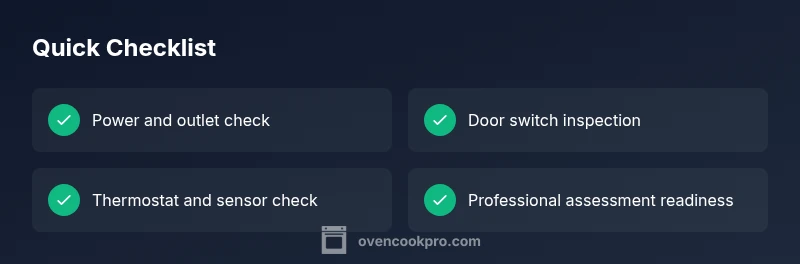
Before calling a technician, perform these checks:
- Ensure the oven is properly plugged into a known-good outlet or check that a wall outlet is delivering power with a multimeter.
- Examine the circuit breaker or fuse box for trips and reset if appropriate.
- Inspect the oven door latch and door switch for misalignment or wear; a faulty switch can shut the oven off as a safety feature.
- Look for obvious signs of damage on the control panel, wiring harnesses, and thermal fuse.
- If your oven has a digital display, listen for relay clicking during startup; a failure here often signals the control board. If any step looks risky (live wiring, gas lines, burning smells), stop and call a professional immediately.
Step-by-step fixes for common causes (detailed)
In this section we dive deeper into fixes for the most common issues. Each fix starts with a quick verification, then a safe, practical repair you can attempt. If a fix requires tools you don’t have, stop and contact a professional. Remember to unplug the unit before removing access panels and to keep children away from the work area.
- Common cause A: Power supply and outlets. Verify outlet power with a meter, flip any tripped breakers, and reseat the plug firmly. If you still have no power, test another nearby outlet on the same circuit to rule out a circuit issue.
- Common cause B: Door switch and interlock. Remove the interior panel and inspect the door switch for alignment. Clean debris, adjust mounting, or replace a sticky or cracked switch. A faulty switch often causes an automatic shutoff even with the door closed.
- Common cause C: Control board or timer. Inspect connectors for corrosion or loose pins. If the board shows burn marks or display issues, replacement is usually necessary. This work is best done by a certified technician.
- Common cause D: Thermostat and temperature sensor. Use an ohmmeter to verify sensor resistance, and compare to the oven's spec. A drifted sensor can cause the oven to power down to protect itself.
- Common cause E: Ignition and gas flow (gas ovens). If ignition is irregular or flames droop, the problem could be with the igniter, valve, or gas supply. Only attempt gas repairs if you are trained; otherwise call a licensed plumber.
When to call a professional and what to expect
If you have ruled out obvious issues and the oven still won’t stay on, it’s time to bring in a professional. A qualified technician can perform a load test on the control board, test the thermostat, verify wiring integrity, and check safety interlocks. Expect a diagnostic visit to include a visual inspection, component testing with specialized tools, and a cost estimate before any replacement parts or repairs. The sooner you involve a pro for ambiguous symptoms, the quicker you’ll regain safe, reliable cooking.
Preventive maintenance to avoid future outages
Prevention is better than cure with appliances. Schedule annual or semi-annual inspections, especially for ovens that are frequently used. Keep the oven clean to avoid sensor and switch interference, replace worn door gaskets to maintain proper sealing, and address nuisance tripping by upgrading the circuit if necessary. Record maintenance dates and any symptoms observed to help technicians diagnose future issues more quickly.
Steps
Estimated time: 60-90 minutes
- 1
Power check and reset
Begin by confirming the oven is getting power. Check the outlet with a multimeter, reset any tripped breakers, and try a different outlet on the same circuit. If the oven powers on and stays on, the issue was a simple power fault. If it doesn't, move to step 2.
Tip: Always unplug before poking around power connections to avoid shocks. - 2
Inspect door switch
Open the oven door and locate the door switch. Ensure it depresses fully when the door is closed. If the switch feels loose or sticks, clean and realign or replace the switch. Test by closing the door and attempting to start the oven again.
Tip: A worn door seal can affect the switch; consider replacing the gasket for a consistent latch. - 3
Check wiring and connectors
Disconnect power and remove access panels to inspect wiring harnesses for loose, frayed, or corroded connections. Reseat any loose connectors firmly. Inspect for scorch marks and replace any damaged wiring.
Tip: Take photos of harness layouts before disconnecting so you can reconnect accurately. - 4
Test thermostat and sensor
With the unit powered safely, test the bake element, thermostat, and temperature sensor with a multimeter. Compare readings to the manufacturer’s specs. If readings are out of range, the sensor or thermostat may be faulty and require replacement.
Tip: If you don’t have testing equipment, consider scheduling a diagnostic visit to avoid risks. - 5
Decision point: repair vs replace
If multiple components show signs of wear or the control board fails tests, weigh repair costs against replacing the oven. A modern unit with high repair bills may justify replacement. Schedule professional evaluation for the final decision.
Tip: Keep a record of parts costs and labor estimates to compare value over time.
Diagnosis: Oven won't stay on after being powered on
Possible Causes
- highPower supply issue (outlet, circuit, breaker)
- mediumFaulty oven door switch
- lowDefective control board or electronic timer
Fixes
- easyCheck outlet and circuit breaker; reset if needed and test a known-good outlet
- easyInspect door latch/switch for misalignment or wear; replace if necessary
- hardInspect control board connections and test for proper relays; call a technician for board replacement if needed
Questions & Answers
Why does my oven shut off mid-bake?
Many ovens shut off due to a power issue, a faulty door switch, or a failing control board. Gas ovens could have ignition or flame sensor problems. Start with basic power and door checks before pursuing professional service.
Ovens often shut off mid-bake due to power issues, a faulty door switch, or a bad control board. For gas ovens, ignition problems can also cause shutdowns.
Could a faulty thermostat cause this?
Yes. A defective thermostat or temperature sensor can cause the oven to misread heat and shut down to prevent unsafe temperatures. Testing sensors with a meter or replacing a faulty part is usually required.
A faulty thermostat or temperature sensor can cause shutdowns; testing or replacement is often necessary.
Is it dangerous to keep using an oven that won't stay on?
Continuing to use a malfunctioning oven can pose fire and electrical hazards. If you suspect a gas leak or faulty wiring, stop using it and contact a licensed technician immediately.
Yes. It's not safe to keep using a faulty oven—stop and call a technician if you suspect gas or wiring problems.
Should I reset the oven's electronics myself?
A soft reset can solve minor glitches. Unplug, wait 60 seconds, plug back in, and retry. If problems persist, avoid repeated resets and seek professional service.
You can try a soft reset, but if it keeps happening, get a pro to diagnose further.
When should I replace an oven rather than repair it?
If repair costs approach or exceed a new unit’s price, or safety components are degraded, replacement is often more economical and safer in the long run.
If repairs cost as much as a new oven or safety parts are degraded, replacement is usually wiser.
Watch Video
Main Points
- Identify power or safety interlocks first
- Differentiate electric vs gas paths for accurate diagnosis
- Call a pro when you encounter control boards or gas components
- Document symptoms to speed up future repairs