Why Is Your Oven Not Turning Off? A Step-by-Step Troubleshooting Guide
If your oven won't turn off, this Oven Cook Pro guide helps homeowners diagnose the cause, perform safe power-cycling, and know when to call a pro. Quick, practical steps for peace of mind.


Most likely the oven is stuck ON due to a faulty control or a blocked door switch. Power off at the outlet and unplug the unit, then wait 60 seconds before plugging back in. If it remains ON, inspect the door latch, control panel, and any relays for sticking or damage, and reset following the manual.
Why is oven not turning off: immediate safety and overview
When an oven fails to turn off, safety becomes the first concern. A device that stays energized can overheat, risk electrical shock, or ignite nearby combustibles. According to Oven Cook Pro, the most common culprits are a stuck switch, a faulty control board, or a loose/shorted wiring connection. Understanding these categories helps homeowners decide whether a quick reset will fix the issue or if a professional is needed. This section breaks down the problem into approachable parts and emphasizes safety steps you can take now without specialized tools.
- Prioritize power-down safety: if you smell electrical burning or see arcing, stop and call emergency services.
- Label and disconnect any nearby appliances or outlets before inspection to avoid compounding risk.
- Keep a log of what you observe (button responses, door latch behavior, and any unusual sounds or heat).
The goal is to quickly reduce risk while gathering information that will help a technician diagnose the root cause. The Oven Cook Pro team emphasizes that most cases can be resolved with methodical checks and patience, not expensive replacements.
Quick checks you can perform safely
Before diving into component inspection, try these low-risk steps. They cover the most common scenarios and are designed to be done with minimal tools.
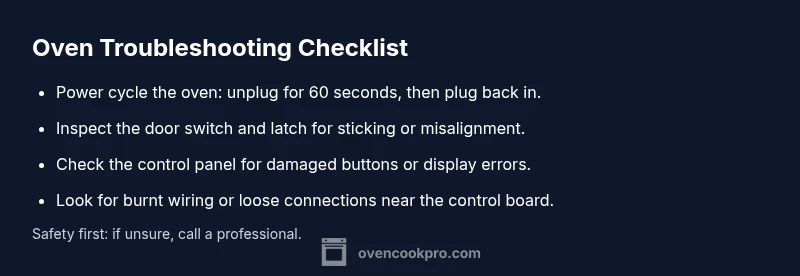
- Power cycle the oven: unplug the unit, wait 60 seconds, plug it back in, and attempt to turn it off again.
- Confirm the clock and timer are not frozen in a mode that keeps heating elements energized.
- Inspect the door latch visually for misalignment or obvious damage that could keep the switch engaged.
- If your oven has a digital service or reset option in the keypad, attempt a factory reset following the manufacturer’s instructions.
If these steps don't resolve the issue, continue with deeper diagnostics described below.
Inspecting the door switch and latch in depth
A common reason for an oven to stay on is a door switch that remains depressed or a latch that won't disengage. This is especially true if you notice the interior light remains on or if the door feels loose when you push it closed. The switch is often a small plunger or leaf switch connected to a wire harness; if it sticks or fails, it can keep the oven circuitry energized.
What to check:
- Look for visible wear on the door edge and latch, including bent or broken springs.
- Gently press the door switch with a nonconductive tool (like a wooden dowel) to see if it returns promptly.
- If the switch feels stuck or slow to return, it may need replacement.
If you identify a faulty switch, replacing it is a straightforward repair for many models, and your technician can source a compatible part quickly.
Examining the control panel and keypad
The control panel is the brain of an electric oven. If the panel becomes fried, water-damaged, or physically cracked, keys may “stick” or fail to register a proper Off command. Digital boards can also fail to reset after a power interruption, leaving the oven in a continuous heating state.
What to check:
- Look for error codes on the display; note them for your technician.
- Gently press all buttons to verify none are physically stuck.
- Check for scorch marks or loose connectors inside the panel if you have access to the rear cover with the power safely disconnected.
If you suspect the control board or keypad is defective, replacement usually requires a professional technician, as it often involves sensitive electronics and precise calibration.
Investigating relays, wiring, and the timer circuit
In some ovens, the relay or timer circuit physically drives the heater on/off cycles. A stuck relay or a power short can keep the heater energized even when the user selects Off. This area typically requires schematic access and careful testing with a multimeter, which should only be attempted by someone with electrical safety training.
What to check:
- Listen for buzzing relays or clicking sounds that occur when you try to turn off.
- Inspect the wiring harness connections to the control board for looseness or damage.
- If you notice a burnt smell or melted insulation, stop immediately and call a technician.
Proactive maintenance, like securing loose harnesses and replacing worn connectors, reduces the risk of a relay failure.
Self-cleaning cycles and other special modes
Some ovens include a self-clean cycle or specialized bake/roast modes that may override normal Off commands if the cycle is initiated incorrectly or becomes interrupted. If your oven is in a high-heat cleaning phase, it might appear to stay lit until the cycle completes.
What to check:
- Verify whether a self-clean or heavy-duty cycle is running and if the timing functions can override user commands.
- Do not interrupt a self-clean cycle by unplugging; many ovens require a safe shutdown sequence that is documented in the user manual.
- If the cycle doesn't complete within the expected time, contact support.
Understanding these modes helps you avoid unsafe attempts to terminate operation.
When to seek professional help
If basic resets and component inspections don't resolve the problem, professional service is advised. An experienced technician can perform load tests, reset or replace the control board, inspect relays, and verify wiring integrity. Delaying this can lead to overheating, wasted energy, or hazardous conditions.
What to expect from a pro visit:
- Confirmation of the exact failure point using model-specific diagnostics.
- Replacement of failed components with OEM parts or equivalent quality parts.
- Safety checks and a post-repair test to ensure the oven turns off normally under all modes.
The Oven Cook Pro team recommends scheduling a visit when the issue persists after basic troubleshooting.
Preventive steps to avoid future issues
Regular maintenance is the best defense against ovens that do not turn off as intended. Keep the control panel clean and dry, check door seals for wear, and address flickering displays promptly. Consider annual professional inspections if your oven is older or subject to frequent use in high-heat modes. Small investments in maintenance can prevent large repair costs down the road.
By staying proactive, you preserve appliance safety, efficiency, and lifespan. The Oven Cook Pro team emphasizes that proactive checks are part of responsible homeownership.
Steps
Estimated time: 45-60 minutes
- 1
Power down and unplug
Turn off at the circuit, unplug the oven, and remove any nearby metal objects or covers. Wait 60 seconds before plugging back in. Reconnect and attempt to turn off again to see if the issue recurs.
Tip: Use a dry, non-conductive tool if you inspect internal components. - 2
Check door switch and latch
Inspect the door latch for misalignment or damage. Manually actuate the switch to ensure it returns to rest position. Replace if it sticks or feels loose.
Tip: Always ensure power is disconnected before handling door components. - 3
Test the control panel and keypad
With power off, remove the panel cover if accessible and look for obvious damage or moisture. Reassemble securely and test each keypad button for stiction.
Tip: Do not touch internal circuitry with bare hands; use insulated tools. - 4
Inspect relays and wiring
Examine visible wiring to the control board for loose connections or burnt insulation. Reseat connectors and replace damaged wires as needed.
Tip: If you see a burnt smell, stop and call a professional. - 5
Consider service mode or factory reset
If the model supports a service reset, follow the manual precisely to avoid misconfiguration. Do not use service menus without authorization from the manufacturer.
Tip: A factory reset can wipe settings; back up any preferred configurations if possible. - 6
Test and verify safety after repair
Plug back in and run a short bake test with the Off control to confirm the oven shuts down properly in all modes.
Tip: Observe for any unusual heat or smells during the test.
Diagnosis: Oven won't turn off after pressing Off or timer ends
Possible Causes
- highStuck door switch or misaligned latch
- highFaulty oven control board or relay
- mediumDefective power switch or wiring short
- lowSelf-clean cycle engaged or stuck in cleaning mode
Fixes
- easyUnplug the oven and perform a power cycle; wait 60 seconds, then plug back in
- mediumTest and replace the door switch or latch if misaligned or damaged
- hardInspect control board connectors and reseat wiring; replace board if needed
- hardCall a licensed technician for relay or board replacement and safety testing
Questions & Answers
Why won't my oven turn off even after unplugging?
If unplugging does not stop the oven, a failing control board, relay, or a stuck door switch could be the cause. Confirm power is disconnected and seek professional diagnosis if the issue persists.
If unplugging doesn’t stop the oven, a control board or door switch may be stuck and needs professional inspection.
Is it safe to reset the oven myself?
A safe reset involves disconnecting power, waiting, and reapplying power according to the manual. Avoid opening the control housing or manipulating live wires.
A safe reset means power off, wait, then power back on per the manual. Do not tamper with live components.
Could a self-clean cycle cause this issue?
Yes, some self-clean cycles can linger if started incorrectly or fail to complete, causing the oven to stay energized. Check the cycle status and avoid interrupting it abruptly.
Yes, misstarted self-clean cycles can cause continuous power. Check cycle status and don’t interrupt the cycle abruptly.
When should I call a technician?
If basic resets and door switch checks don’t fix the problem, a licensed technician should diagnose the control board, relays, and wiring for safety and proper operation.
Call a licensed tech if basic fixes don’t solve it; they’ll test the control board and wiring for safety.
Can a faulty door latch affect safety besides staying on?
A faulty latch can prevent the oven from ending its cycle, leading to overheating and potential hazards. Replace the latch if misaligned or damaged.
A bad latch can keep the oven energized and risk overheating. Replace it if damaged.
What maintenance helps prevent this problem?
Regular checks of the door seal, control panel, and wiring connections, plus professional annual inspections, can reduce the chance of components sticking.
Regular checks and annual professional inspections reduce risk of stuck components.
Watch Video
Main Points
- Power down safely before inspection
- Door switch and control panel are common failure points
- A professional may be needed for board or relay issues
- Regular maintenance helps prevent future failures