Why Is My Oven Not Turning On? A Practical Troubleshooting Guide
Is your oven not turning on? This urgent troubleshooting guide walks homeowners through power checks, door switch tests, and when to call a pro for safe, reliable fixes you can trust.


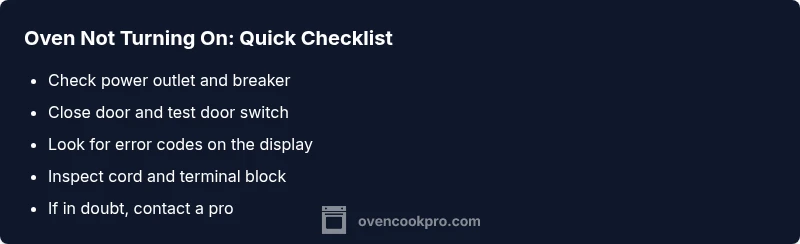
Most oven power-on failures come from a simple power issue or a faulty door switch. Start with the basics: verify the outlet is live and the circuit breaker is not tripped, then reset the oven by unplugging for 60 seconds and plugging back in. If the oven still won't start, inspect the door latch, check for error codes, and proceed to the diagnostic steps or contact a pro.
Quick Overview: Why an Oven Won't Turn On
If you’ve ever asked, “why is my oven not turning on,” you’re not alone. According to Oven Cook Pro, most power-on failures fall into a few practical categories: power supply problems, safety interlocks (like a door latch), or the main control electronics. You don’t need fancy tools to start diagnosing these issues. Begin with the basics, then move to targeted checks. This approach aligns with a safety-first mindset, which is essential for any home cook tasked with oven troubleshooting. The goal is to restore reliable startup without compromising safety or damaging the appliance. Oven Cook Pro analysis shows that many startup issues are resolved by simple resets, proper door closure, and verifying uninterrupted power. By following a structured plan, you’ll identify whether you can fix it yourself or if you should call a professional. Always prioritize safety first, especially when dealing with electrical components.
Safe, First-Round Checks You Can Do
Before you touch any internal components, perform quick, non-invasive checks. Start by ensuring the oven is plugged into a live outlet and that the circuit breaker for the kitchen circuit hasn’t tripped. If you have a GFCI outlet in the same circuit, confirm it hasn’t tripped or require resetting. Check the oven door: is the door fully closed and the latch engaging? A faulty door switch can prevent the oven from powering up even if the appliance appears idle. If there are visible signs of damage or burning smells, stop and seek professional help. Keep children and pets away from the area while testing. If the basics check out, move to more detailed diagnostics. Oven Cook Pro recommends documenting any error codes displayed on the control panel, as they guide troubleshooting steps and potential component faults.
Common Causes and Diagnostic Clues
Many startup problems boil down to three broad categories: power delivery, safety interlocks, and electronic control. A tripped breaker, a blown fuse in the oven’s internal circuit, or a loose power cord can cut power to the control board. A faulty door switch or misaligned latch can block startup even when power is present. In some cases, a failed thermal fuse or damaged control board will prevent the oven from booting. If you hear a hum or see lights flicker when trying to power on, that can indicate power or board issues. As you test, note which symptoms are present so you can communicate them clearly to a technician if needed. Based on Oven Cook Pro research, the absence of power at the control panel is the most common signal of a non-start condition, followed by door interlock problems.
Diagnostic Flow: Symptom → Diagnosis → Solution
This section lays out a logical path from observed symptoms to a practical fix. Start with a power check: is the outlet live and is the circuit breaker on? If yes, test whether the control panel responds after a reset. If the control panel remains dark, inspect the door latch for proper engagement and test the door switch with a multimeter if you have one. If the panel powers up but shows error codes, consult the manual for fault codes and address those components accordingly. If there’s no power at all after reset, the root cause is likely a power delivery issue or a failed fuse. For persistent issues, the next step is to check internal components or call a professional. Remember, if you smell burning or see melted plastic, stop immediately and seek expert help.
Step-by-Step Fixes for the Most Common Cause
To address the most common cause—power delivery issues—follow a structured fix. First, unplug the oven, wait 60 seconds, and plug it back in to reset. Second, verify the outlet has power using a lamp or tester. Third, inspect the cord and the terminal block for looseness or damage. Fourth, check the circuit breaker and reset if tripped. Fifth, test the door switch by gently pressing the door as you attempt to power on; if there’s no response, the switch may be faulty. If the oven powers up but shows error codes, refer to the user manual for code-specific steps. Sixth, if none of these steps resolve the issue, a professional diagnosis is required to check the control board and thermal fuse.
Prevention Tips to Avoid Future Not Turning On
Prevention is about regular checks and mindful use. Periodically test the outlet and circuit integrity, especially if other devices on the same circuit show dimming or lag. Keep the oven’s power cord and plug clean and free from damage. Ensure the door latch aligns properly and isn’t obstructed by cookware. Schedule annual professional maintenance to catch hidden issues in the control board, wiring, or sensors before they escalate. Oven Cook Pro emphasizes documenting any recurring startup issues so you can address them early and maintain appliance reliability.
When to Call a Professional: Safety and Limits
If basic checks don’t restore power, or you’re unsure about electrical testing, contact a licensed appliance technician. Electrical work poses shock and fire risks, and internal components like the control board or thermal fuse require specialized tools. A pro can safely diagnose and replace the faulty parts, often with a warranty on the repair. If your oven is under warranty, verify coverage and contact the manufacturer’s service line. If you smell burning, notice buzzing, or see smoke, shut off power at the circuit breaker and call emergency support immediately.
Steps
Estimated time: 45-60 minutes
- 1
Power safety check
Ensure you are not near water, unplug from the wall, and inspect the plug and cord for visible damage. Reinsert and plug back in to reset potential minor faults.
Tip: Always start with power before touching internals. - 2
Test the outlet and breaker
Use a different device to confirm the outlet is live. If the breaker tripped, reset it and re-test the oven power.
Tip: If the breaker trips again, stop and call a pro; the circuit may be overloaded. - 3
Inspect the door switch
Gently press the door closed and attempt to power on. If the panel still won’t respond, the switch or latch may be faulty.
Tip: Look for misalignment or obstruction in the latch area. - 4
Check for error codes
If the display shows codes, consult the manual or manufacturer site to interpret them and target components.
Tip: Note down codes before resetting. - 5
Evaluate the control board and fuse
If power is present but no startup, the control board or thermal fuse could be faulty; board testing or fuse replacement often requires a tech.
Tip: Never bypass safety devices; these protect you.
Diagnosis: Oven won't turn on
Possible Causes
- highPower issue (outlet, cord, or breaker)
- mediumDoor switch or latch fault
- mediumInternal electronics (control board/thermal fuse) failure
Fixes
- easyCheck outlet with a test device; reset circuit breaker if tripped
- easyInspect oven power cord and terminal block for looseness or damage
- mediumTest/replace door switch or latch; verify door fully closes when attempting to start
- hardInspect thermal fuse and control board for faults; replace if necessary
- easyIf in doubt, contact a licensed technician for a safe diagnosis
Questions & Answers
What is the first thing I should check when my oven won't turn on?
Start with power: confirm the outlet is live, the circuit breaker is on, and the oven is properly plugged in. Then look for an engaged door latch or error codes on the display.
First check power and door latch, then look for error codes on the display.
Can a faulty door switch prevent the oven from starting?
Yes. A defective door switch or misaligned latch can block startup even if power is available. Inspect the switch and ensure the door closes fully.
Yes, a door switch can stop the oven from starting.
Is a blown thermal fuse common and how do I know?
A blown thermal fuse can cut power to the oven’s controller. If you suspect this, you’ll typically notice no power at the display and potential overheating signs.
A blown fuse can stop the oven from powering on.
When should I call a professional?
If basic checks fail or you notice electrical smells, smoke, or consistent tripping, contact a licensed technician to diagnose internal components safely.
If unsure or you smell burning, call a pro.
Will unplugging the oven reset it?
Unplugging for about a minute can reset some control electronics; replug and test. If it still won’t power on, proceed with deeper checks or professional help.
Unplug to reset and test again.
Could a faulty control board cause the oven not to turn on?
Yes. A defective control board can prevent startup even with power present. This often requires professional testing and replacement.
Yes, the control board might be at fault.
Are there safety risks opening the back panel?
Opening electrical panels can be dangerous. Avoid touching live parts; call a professional rather than risking shock or fire.
Don’t touch live parts; call a pro.
Watch Video
Main Points
- Verify power first; it’s the most common cause
- Door latch and switch can block startup
- Follow a safe, stepwise approach before calling a pro
- Know when to stop and seek professional help