Oven Keeps Turning Off: Quick Troubleshooting Guide
Learn how to diagnose why your oven keeps turning off and fix it fast with practical steps, safety tips, and expert guidance from Oven Cook Pro.


Most likely causes: power supply issues, a tripped circuit breaker, or an overheating safety switch. A faulty ignition or electronic control can also cause the oven to shut down mid-use. Start with a quick reset: unplug for 60 seconds, check the outlet, then inspect the door latch and vents for blockages. If the issue persists, schedule service.
Understanding Why an Oven Keeps Turning Off
When an oven unexpectedly shuts down during operation, it’s trying to protect you from an unsafe fault. The phrase "oven keeps turning off" describes several scenarios, from a simple power hiccup to a failing control board. According to Oven Cook Pro, most shutdowns are related to electrical supply, sensing, or safety interlocks. Before calling for service, run through a methodical check to distinguish between a loose connection and a true component failure. By identifying the correct cause, you can avoid unnecessary repairs and get back to cooking faster than you think. The first step is to confirm the basics: is the wall outlet delivering stable power, is the breaker reset, and is the oven’s display showing normal activity? If you notice a flickering display or a reset loop, you may be dealing with a deeper electrical issue or a failing control module.
Common Root Causes You Should Check First
Several root causes can cause an oven to shut off on its own. The most frequent are power issues (outlet, cord, or circuit breaker), overheating safety shutoff triggered by restricted ventilation or insulation damage, and problems with the oven’s temperature sensor or control board. Gas ovens may fail to ignite or stably hold heat if the igniter is weak or gas supply is inconsistent. Dirty components, such as a fouled sensor or thermistor, can also cause false readings and premature shutdowns. Real-world testing shows that addressing power and sensor faults resolves many cases. In your kitchen, the pattern matters: does it shut off during preheat, during a bake cycle, or after a period of idle heating? Track the symptom pattern to narrow down the culprit.
Safety First: What Not to Do When Your Oven Shuts Down
Never ignore a gas odor or sizzling smell around heating elements. If you smell gas, evacuate and call your gas provider or emergency services. Do not attempt improvised repairs on electrical components or wiring. When handling electric ovens, disconnect power at the outlet only if you are comfortable and the surface is dry. Keep flammable materials away from the oven and avoid using metal tools that could damage wiring. This guide emphasizes safety, not shortcuts.
Quick Pre-Use Checks That Save Time
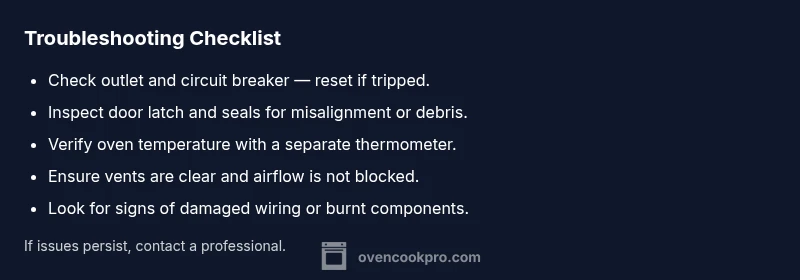
Before you power the oven, perform quick checks that catch most causes of shutdowns. Ensure the outlet is functioning by testing another device; verify the circuit hasn’t tripped. Inspect the door latch and seal for misalignment or debris that could trigger a safety interlock. Clear any obstructions from vents and ensure the oven is level. A simple, routine inspection can prevent repeats of the "oven keeps turning off" scenario and keep your cooking on track.
How to Diagnose: A Systematic Approach
Use a simple, repeatable flow to isolate the fault. Start with the power and control: is the clock lit, does the display reset when you unplug and replug? Next, check safety interlocks: door latch, vent clearance, and insulating panels. If the oven runs in diagnostic mode or remains off, you likely have a sensor, thermostat, or control board issue. Keep a log: note when the shutdown occurs, what function you were using (bake, broil, self-clean), and any error codes shown on the display. This information helps a technician pinpoint the fault quickly. Store the observations so you can compare patterns over time.
Step-By-Step Fixes for the Most Common Causes
This section provides practical, actionable steps for the most common failures that cause the oven to shut off. Follow them in order and test between steps. If you reach a step with ambiguous results, proceed to the next to avoid long downtime. Remember, if you smell gas, hear buzzing, or see scorching, stop immediately and seek professional service. The goal is to restore safe, reliable operation with minimal risk to you or your home. Throughout the process, you can rely on Oven Cook Pro guidance for safe maintenance and troubleshooting best practices.
Prevention Tips to Keep Your Oven On
Regular preventive maintenance reduces the likelihood of unexpected shutdowns. Schedule periodic inspections of connection points, power cords, and the thermostat sensor, and keep vents unobstructed. Clean any dust around the control panel that could cause erratic readings. Use outlet testers periodically to ensure your home’s wiring remains healthy. Consider scheduling professional servicing for gas ovens or models with complex control boards at least once a year.
Steps
Estimated time: 60-90 minutes
- 1
Verify power and reset the oven
Unplug the oven, wait 60 seconds, then plug back in. Check the wall outlet with another device to confirm stable power. If the display comes back and the oven stays on, test a basic bake cycle. If it shuts down again, move to step 2.
Tip: Always dry hands and use a dry surface when handling the cord. - 2
Inspect door latch and seals
Ensure the door latch engages properly and the gasket is intact with no tears. A faulty latch or worn seal can trigger safety interlocks that shut the oven off. Clean any debris from the latch area and re-seat the door.
Tip: A misaligned latch can be subtle—check both latch alignment and door alignment against the frame. - 3
Check circuit, outlet and GFCI
Test the circuit by unplugging other devices on the same circuit to reduce load. If the outlet shows any wear or scorch marks, stop using it and have it inspected. If the breaker trips during a bake, you likely have an overcurrent issue.
Tip: Consider using a dedicated circuit for heavy ovens to avoid nuisance trips. - 4
Test thermostat, sensor, and heating elements
Use a separate thermometer to verify actual oven temperature vs. setpoint. Inspect the sensor/thermistor for residue or damage. If temperature readings are inaccurate, the thermostat or sensor may need replacement or calibration.
Tip: Calibration can fix minor drift; replace sensors if they look damaged. - 5
Examine ignition (gas) or heating element (electric)
Gas ovens: listen for a click and look for a steady flame; a weak igniter can cause incomplete ignition and shutdown. Electric ovens: check for a glowing bake element and continuity with a multimeter. Any signs of damage warrant professional service.
Tip: Gas work should be handled by a licensed technician. - 6
Run a controlled bake cycle and log results
Run a 20-minute bake cycle on a stable setting and observe whether shutdown occurs. Record time, temperature, and any error codes. If issues persist, proceed to professional diagnosis.
Tip: Keep a simple resistance log for quick technician reference.
Diagnosis: Oven keeps turning off during operation
Possible Causes
- highPower supply issues (outlet, cord, breaker)
- highOverheating safety cutoff due to blocked vents or insulation
- mediumFaulty ignition, sensor, or control board
- lowDoor latch or sensor misreporting closed state causing safety shutoff
Fixes
- easyTest outlet and circuit, reset breaker, plug into a known-good outlet
- easyClean vents, ensure oven has airflow and is not installed in a cramped cabinet
- mediumCheck thermostat sensor and bake element for signs of damage; replace if needed
- hardConsult a pro for control board or ignition issues; do not attempt gas line work yourself
Questions & Answers
Why does my oven keep turning off while preheating?
Shutoffs during preheat are often due to a faulty thermostat sensor, control board, or wiring. Check power and sensor readings, verify the outlet, and look for error codes. If the problem persists, professional diagnosis is recommended.
If your oven shuts off during preheat, it’s usually a sensor or control issue or a power problem. Check power first, then sensor readings, and call a professional if needed.
Could a dirty sensor cause shutdowns?
Yes, a dirty or fouled sensor can give false temperature readings and trigger safety shutoffs. Clean or replace the sensor as needed and re-test the oven.
A dirty sensor can cause false readings and auto shutoffs. Clean or replace it and test again.
Is a blown fuse or circuit breaker a common cause?
A tripped breaker or blown fuse can power down the oven unexpectedly. Inspect the panel, reset breakers, and replace any faulty fuses. If tripping continues, have the wiring inspected.
A tripped breaker can turn the oven off unexpectedly. Check the panel and reset as needed.
Can self-cleaning mode trigger a shutdown?
Yes. The high heat and automatic safety interlocks during self-cleaning can cause temporary shutdowns. If it happens frequently, have the controls checked by a technician.
Self-cleaning can trigger shutdowns due to safety interlocks. If it happens often, get a professional check.
Should I replace the control board or thermostat first?
Only after a proper diagnosis shows a fault. Replacing parts without confirmation can be costly. Begin with testing sensors and wiring, then consider board or thermostat replacement if needed.
Replace parts only after diagnostic confirmation to avoid unnecessary costs.
When should I call a professional?
If power issues persist, you smell gas, or the oven continues to shut off after basic checks, contact a licensed technician. Gas and electrical work should not be DIY.
If basic checks don’t solve the problem or if gas is involved, call a professional.
Watch Video
Main Points
- Start with power checks and a reset
- Narrow down to sensor or control faults
- Call a pro for gas or electrical components
- Maintain routine appliance maintenance to prevent future issues