Why Oven Not Working: A Troubleshooting Guide
Urgent, step-by-step troubleshooting for why your oven not working. Learn quick checks, diagnostic flow, and safe fixes to get back to cooking fast.


If your oven won’t heat, the most likely causes are a blown fuse or tripped circuit, a faulty heating element or igniter, or a door switch that isn’t engaging. Start by verifying power (breaker on, outlet live), then inspect the bake element and door latch. If it still won’t heat, follow the full guide for safe, step-by-step fixes.
Why the oven not working: common causes
When a kitchen staple like the oven goes cold, homeowners often wonder why oven not working. The culprits are usually power-related, heating elements or igniters, temperature sensing, or control components. A blown fuse, a tripped circuit, or a faulty outlet can stop the oven from receiving power entirely. If the unit powers on but won’t heat, the problem is typically the bake/broil element, igniter, or a faulty thermostat. Less obvious but possible are a misaligned door switch, control board fault, or aging wiring. Understanding these common causes helps you triage safely, save energy, and decide when to call a professional. The goal is to restore reliable heating while avoiding dangerous DIY mistakes. Throughout this guide, we’ll balance quick checks with deeper diagnostics so you can move from “why oven not working” to a precise fix.
Key terms to know:
- Bake element and broil element: the coils that heat the oven.
- Igniter: (gas ovens) lights the gas; if it glows faintly or doesn’t glow, heating won’t start.
- Temperature sensor: tells the control board the actual temperature.
- Door switch: prevents heat if the door isn’t detected as closed.
- Control board: brain of the oven; a fault can stop heat altogether.
Safety note: never bypass safety switches or wiring. If you’re unsure, skip to professional help.
Quick checks you can perform safely
Before you crack open panels, perform quick, non-invasive checks that often solve the issue. First, confirm the oven is receiving power: ensure the circuit breaker hasn’t tripped and the outlet is live by testing a small appliance in nearby outlets. If the oven is gas-powered, listen for the igniter’s click and observe whether it glows; a quiet or absent glow indicates an igniter problem. For electric ovens, inspect the exterior indicators—if the display is dark or unresponsive, the problem could be a power supply or control board not waking up. Check the door latch alignment; a misaligned latch can trigger a safety shutoff. Finally, reset the oven according to the manufacturer’s instructions. These quick checks cover most beginner-level issues and help you decide whether to proceed with deeper diagnostics.
Pro tip: Always unplug first if you plan to inspect any internal components beyond the power switch. Safety should come first.
Diagnostic flow: symptom to diagnosis map
Symptom: Oven powers on but won’t heat. Possible causes and likelihood:
- Power issue: high
- Faulty bake element/igniter: high
- Faulty thermostat or sensor: medium
- Door switch fault: medium
- Control board fault: low
Symptom: Oven won’t power on at all. Possible causes and likelihood:
- Tripped breaker or blown fuse: high
- Damaged power cord or outlet: high
- Control board or display failure: medium
- Safety switch fault: medium
Symptom: Oven heats unevenly or won’t hold temperature. Possible causes and likelihood:
- Faulty thermostat/sensor: high
- Worn heating element: medium
- Oven door seal or hinge issues: medium
- Calibration needed: low
Diagnosis path:
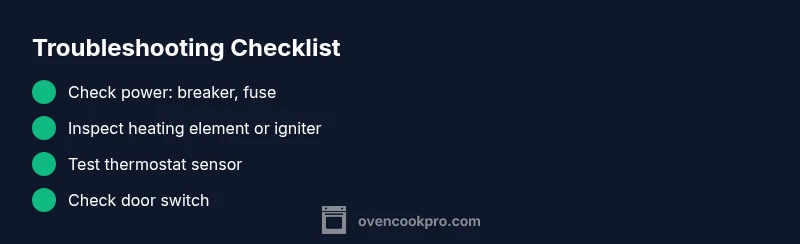
- Confirm power and reset the unit. 2) Inspect heating element/igniter visually for breaks or dull glow. 3) Test thermostat sensor with a multimeter or professional device. 4) Inspect the door switch and safety interlock. 5) If the issue persists, consider the control board or wiring as a possible cause and seek professional help.
If this doesn’t reveal the cause, move to the step-by-step fixes.
Step-by-step: detailed fixes for the most common causes
- Check power supply and reset
- Verify the circuit breaker is ON and the outlet serves power. Test with a known-good appliance. If the breaker repeatedly trips, there may be an overload or a short. Reset the breaker; if it trips again, stop and call a licensed electrician.
- Tip: Keep a simple outlet tester handy to confirm live voltage quickly.
- Inspect the door latch and door gasket
- Open the door and locate the latch mechanism. A misaligned latch can trigger safety interlocks, stopping heat. If loose, gently adjust or replace the latch. Inspect the door gasket; a damaged seal can affect heat retention and sensor readings.
- Tip: Don’t force the latch; misalignment may stem from a warped door frame.
- Test the bake and broil elements (electric ovens)
- With the unit unplugged, remove the back panel if you’re comfortable. Check for visible breaks or blistering on the coils. A multimeter can verify continuity. If the element is open or shows visible damage, replace it using manufacturer-approved parts.
- Tip: Use heat-resistant gloves and follow service manual guidance.
- Check the igniter (gas ovens)
- Gas ovens rely on a glowing igniter to light gas. If it glows weakly or not at all, it won’t heat. Replace a weak or burnt igniter with an OEM part. After replacement, re-test for proper ignition.
- Tip: Gas work requires proper ventilation; if you smell gas, evacuate and call the gas company.
- Calibrate or replace the temperature sensor
- The sensor informs the board of actual oven temp. If readings are off, calibration or sensor replacement may be needed. Test resistance with a meter (value varies by model). Replace if out of spec.
- Tip: Consult the service manual for the correct resistance range and calibration procedure.
- Reset or reprogram the control board
- A glitch in the control board can cause unresponsive heating; performing a factory reset may restore normal operation. If issues persist, a professional may need to update or replace the board.
- Tip: Note any error codes shown on the display; these guide parts and service needs.
Estimated total time: 45-60 minutes depending on model and comfort with disassembly.
Safety tips & warnings
- Always unplug the oven before inspecting electrical components. Never bypass safety devices.
- If you smell gas or suspect a gas leak, evacuate and contact the gas company or emergency services immediately.
- Use the proper replacement parts from the manufacturer to maintain safety and warranty.
- If you’re uncomfortable with any step, call a licensed technician rather than risking injury or fire.
Preventive maintenance to avoid future issues
- Schedule periodic oven inspections and clean the interior and door seals to maintain heat efficiency.
- Avoid slamming doors or dropping heavy racks that misalign hinges and switches.
- Keep the oven’s front vents clear and avoid Blockages near the control panel to prevent overheating.
- Calibrate the oven temperature yearly or as recommended by the manufacturer to ensure accurate heating.
When to call a professional: red flags and smart timing
If you’ve attempted the steps above and the oven still won’t heat, or if you detect unusual noises, burning smells, smoke, or a recurring tripping breaker, it’s time to call a pro. A licensed technician can safely diagnose control board faults, wiring issues, or gas-safety concerns. Early professional assessment can prevent bigger problems and protect your home.
FAQ: quick answers to common questions
- FAQ 1: What should I check first when my oven won't heat? Answer: Start with power, then check the heating element or igniter, depending on electric or gas, followed by the door switch and sensor. If nothing looks wrong, consult the diagnostic flow for next steps. Voice: Start with power and a visual check of heating components.
- FAQ 2: Can a faulty door switch prevent heating? Answer: Yes; a defective door switch can prevent heating as a safety measure. Inspect and replace if needed. Voice: A bad door switch can stop the oven from heating for safety.
- FAQ 3: Is it safe to repair the oven myself? Answer: Only if you have the proper tools and knowledge. Always unplug first and avoid high-voltage areas; call a professional if unsure. Voice: Safety first—if unsure, call a pro.
- FAQ 4: Why does my oven heat unevenly after replacement parts? Answer: Inconsistent heating can come from a faulty sensor, calibration issues, or door seals. Recalibrate or replace sensors as needed. Voice: Calibrate and verify door seals for even cooking.
- FAQ 5: How long should an oven last before replacement? Answer: Lifespan varies by model and use; consult a professional if frequent failures occur or performance declines markedly. Voice: If failures recur, seek evaluation for replacement timing.
mainTopicQuery
Steps
Estimated time: 45-60 minutes
- 1
Verify power and reset
Confirm the oven is plugged in and the circuit breaker is ON. Use a different outlet to ensure the circuit is live. Reset the breaker and the oven according to the manufacturer’s instructions.
Tip: A quick power reset cures many transient faults. - 2
Check the door latch and seal
Inspect the door latch alignment and the door gasket for damage. A faulty latch can trigger safety interlocks that prevent heating.
Tip: Never force the door; misalignment often requires minor adjustment or replacement. - 3
Inspect heating element or igniter
For electric ovens, look at the bake/broil coils for breaks or blistering. Use a multimeter to test continuity; replace a damaged element. For gas ovens, observe the igniter glow.
Tip: Handle heating coils with insulated tools and wear eye protection. - 4
Test the temperature sensor
Disconnect power and access the sensor. Measure resistance at room temperature and compare with the model’s spec. Replace if out of spec or if readings jump erratically during cooking.
Tip: Accurate sensor readings are critical for even cooking. - 5
Consider the control board
If lights and displays function but heat is absent, the control board may be faulty. Check for error codes in the display; consult the manual for code meanings and recommended replacement.
Tip: Only professionals should diagnose board faults; risk of electric shock is high. - 6
Reassemble and test
Reinstall all panels and re-connect power. Run a test bake at a low temperature to confirm heat stability and cycle behavior.
Tip: Document any codes or symptoms to share with a technician if needed.
Diagnosis: Oven won't heat or reach the set temperature
Possible Causes
- highPower supply issue (tripped breaker, blown fuse, faulty outlet)
- highFaulty heating element or igniter
- mediumDoor switch interlock or misalignment
- mediumThermostat sensor or temperature sensor fault
- lowControl board or wiring fault
Fixes
- easyCheck and reset the circuit breaker; test outlet with a known-good device
- mediumInspect heating element/igniter for visible damage and test continuity with a multimeter; replace if open
- easyInspect and secure door switch; replace if wiring or switch is damaged
- mediumTest thermostat sensor resistance; replace sensor if out of spec
- hardReset or service the control board; replace if persistent faults occur
Questions & Answers
What should I check first when my oven won't heat?
Begin with power checks (breaker, outlet). Then inspect the heating element or igniter based on electric or gas model. If you still have no heat, proceed through the diagnostic flow.
Start with power, then heating elements; if unresolved, follow the diagnostic flow.
Can a faulty door switch prevent heating?
Yes. A defective door switch can prevent heating for safety. Inspect and replace if necessary.
A bad door switch can stop the oven from heating.
Is it safe to repair the oven myself?
Only if you’re comfortable with electrical components. Always unplug first and avoid high-voltage parts; seek a professional if uncertain.
Safety first—if unsure, call a pro.
Why would the oven heat unevenly after fixes?
Uneven heating can result from a faulty thermostat, calibration needs, or door seal issues. Recalibrate or replace sensors as needed.
Calibration and sensor checks help with even heating.
When should I replace the oven?
If failures persist after fixes and the oven is aging, it may be time to evaluate replacement options with a professional.
Persistent failures plus age suggest replacement evaluation.
What safety precautions are essential?
Always disconnect power before any inspection, wear eye protection, and avoid working near gas lines without a pro.
Disconnect power, wear protection, call a pro for gas work.
Watch Video
Main Points
- Check power first before any internal diagnosis
- Inspect heating elements or igniters for obvious faults
- Test the door switch and thermostat sensor for misreads
- Reset or replace control board only with professional guidance
- Call a pro if safe DIY steps don’t restore heat