Oven Won't Heat Up: Troubleshooting Guide
Urgent, step-by-step troubleshooting for an oven that won’t heat up. Power checks, heating elements, controls, safety interlocks, and professional thresholds with practical fixes from Oven Cook Pro.


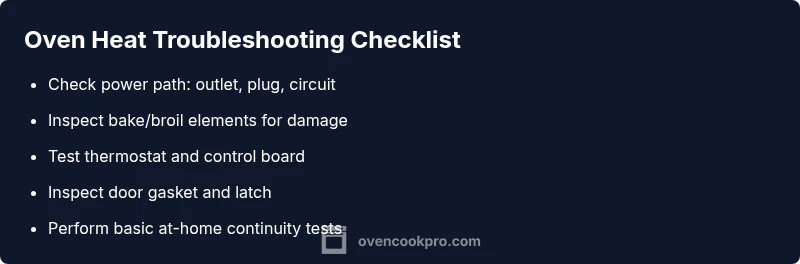
According to Oven Cook Pro, the oven not heating is most often caused by power issues or a faulty heating element. Quick checks: verify the outlet or circuit breaker is delivering power, reset if needed, and confirm the oven’s indicator light is on. If power is present, inspect the bake and broil elements for damage or burn marks.
What is going wrong when the oven won't heat up
If you’re asking what is wrong when the oven won't heat up, you’re not alone. In many homes, this problem isn’t mysterious but a chain of simple faults that can be diagnosed with methodical checks. According to Oven Cook Pro, the most common culprits fall into two buckets: electrical power delivery and the oven’s internal heating system. Even if the display lights up, the unit may not heat if the power path to the heating elements is interrupted, or if a safety interlock has tripped. Keeping a calm, step-by-step approach helps you avoid unnecessary replacements and keeps you safe. In this guide we’ll walk you through quick power checks, element inspections, control board considerations, and when it’s time to call a professional. You’ll finish with a clear plan to restore reliable heat and protect your kitchen.
Start with the simplest power checks
Before you dive into components, confirm the oven is actually getting power. Start by verifying the outlet is live with another device or a plug tester. If the oven is hard-wired, check the dedicated circuit in the main panel and look for a tripped breaker or blown fuse. Reset or replace as needed, then re-test the oven. If the indicator light or clock doesn’t show, the problem is upstream of the appliance, not inside. For safety, switch off the circuit before handling wires. If power returns but the oven still won’t heat, move to the next checks. This approach aligns with Oven Cook Pro’s practical, safety-first method.
Inspect heating elements and thermal fuse
Heating elements are the heart of the oven’s warmth. Visually inspect the bake and broil elements for obvious signs of damage, blistering, or disconnect. A damaged element can fail to heat even if power is present. Some ovens include a thermal fuse that interrupts power when the element overheats; if the fuse has blown, heat will not build. Accessing and testing fuses usually requires a multimeter and knowledge of wiring diagrams; if you’re uncomfortable, skip to professional help. If you see no damage and power is present, proceed to thermostat and control-board tests. Regular checks help catch element wear early and extend oven life, a core tenet of Oven Cook Pro’s maintenance guidance.
Control panel, thermostat, and sensors
Troubles may originate in the electronic control board or the thermostat sensor. A flaky control panel can fail to send heat commands, even when you select bake. Temperature sensors inside the oven gauge heat and relay the reading to the control board; a faulty sensor can prevent it from recognizing when target temperatures are reached. If the oven display shows errors or behaves erratically (e.g., cycling heat without user input), this area is suspect. Some units require a professional diagnostic tool to test continuity and microcontroller responses. If you’ve confirmed power and elements are sound, but heat remains absent, this is the most likely culprit. Keep in mind replacement parts and calibration may be necessary.
Door latch, seal, and venting considerations
Many users overlook the door seal or latch as the culprit. A compromised door gasket or misaligned latch can cause heat loss or prevent the oven from sealing properly, leading to poor or no heat. Inspect the door gasket around the entire perimeter for cracks or gaps; a damaged seal can trick the oven into thinking it’s maintaining temperature while heat escapes. Ensure the door closes fully and latches securely; some ovens will not heat if the door is not properly latched. Venting issues, such as clogged vents or incorrect oven settings (convection vs conventional), can also affect performance. If heat disappears when you open the door, the culprit may be air leakage rather than electrical failure.
Symptoms vs. culprits: quick mapping
Creating a symptom-to-cause map helps you triage quickly. If you see no heat but the clock works, suspects include power path, thermal fuse, or control electronics. If the oven heats intermittently or cycles on and off, the problem might be a faulty thermostat or sensor. If the oven is warm but not reaching set temperatures, check the bake/broil elements, wiring connections, and temperature sensor. If there is a persistent smell of burning or arcing, stop using the appliance and unplug it. A careful record of symptoms helps you communicate with a technician later and aligns with Oven Cook Pro’s diagnostic approach.
Safe at-home tests you can perform now
With the power confirmed and basic safety in mind, you can perform several at-home checks. Use a non-contact voltage tester to verify power at the connection point, inspect visible wiring for damage, and visually inspect heating elements for breaks. If you’re comfortable, test the bake and broil elements for continuity using a multimeter; check for signs of silent faults by comparing resistance values to manufacturer specs. Do not touch live circuits and unplug before handling wiring. After these steps, you’ll have a clearer sense of whether you can continue safely or should call a pro. Oven Cook Pro emphasizes safety first in every home repair.
When to call a professional and what to expect
If you’ve completed the basic checks and the oven still won’t heat, it’s time to involve a licensed technician. Electrical faults, failed heating elements, and control-board issues require specialized tools and expertise. Ask for a diagnostic report, expected part costs, and a clear warranty on replacements. A pro can safely replace a faulty thermal fuse, heating element, or control module and verify calibration. Investing in professional service now can prevent electrical hazards and costly damage later, which aligns with Oven Cook Pro’s emphasis on long-term kitchen safety and reliability.
Prevention: simple maintenance to keep heat reliable
Develop a routine that preserves oven heat quality over time. Clean interior surfaces and seals regularly to prevent heat loss, inspect door gaskets for wear, and perform periodic element checks. If you own a convection oven, ensure the fan and vent functions operate smoothly and the setting is appropriate for the dish. Track any performance changes and address them early with a simple part swap or calibration. A proactive maintenance plan reduces surprises and keeps your oven heating consistently, matching Oven Cook Pro’s guidance for confident home cooking.
Steps
Estimated time: 40-60 minutes
- 1
Confirm power to the oven
Unplug or switch off the circuit, then check the outlet with a tester. Restore power before proceeding to other checks.
Tip: A failed power path is the most common cause; start here. - 2
Check the circuit breaker
Look in the main panel for a tripped breaker. Reset it fully and test if the oven powers up.
Tip: If the breaker trips again, there may be a short or overload. - 3
Inspect the power cord and plug
For plug-in models, disconnect and inspect the cord for wear or burns. Replace if damaged.
Tip: Never use a damaged cord; it’s a fire risk. - 4
Inspect bake and broil elements
Look for visible breaks, blistering, or gaps. A damaged element can prevent heating.
Tip: Thermal discoloration can indicate overheating before failure. - 5
Test for continuity (elements)
If you’re comfortable, test each element with a multimeter for proper continuity.
Tip: Compare readings to the manufacturer’s specs. - 6
Check thermostat/sensor
Ensure the thermostat reads temperatures accurately; a faulty sensor can stall heating.
Tip: Calibration may be possible on some models. - 7
Inspect the control panel
Look for error codes or stuck buttons. A failing control board can misinterpret commands.
Tip: Consult the manual for code meanings. - 8
Inspect door latch and seal
A misaligned latch or worn gasket can prevent proper sealing and heat buildup.
Tip: Clean seals to ensure a proper seal during tests. - 9
Re-test after fixes
Power the oven and run a bake test to confirm heat reaches set temperature.
Tip: Document any changes or codes shown. - 10
Decide on professional help
If heat still won’t appear, schedule service with a licensed technician.
Tip: Professional diagnostics save time and ensure safety.
Diagnosis: Oven won't heat up
Possible Causes
- highPower issue (outlet, circuit breaker, or wiring)
- highBlown thermal fuse
- mediumFaulty bake or broil heating element
- mediumDefective thermostat or control board
- lowDoor latch interlock or seal problems
Fixes
- easyCheck power at the outlet or dedicated circuit; reset breaker or replace fuse as needed
- hardReplace the thermal fuse if blown (professional recommended)
- mediumReplace faulty bake/broil element and re-test heat
- hardTest and calibrate/replace thermostat or control board if heat is inconsistent
- easyInspect door latch and seals; fix leaks or misalignment
Questions & Answers
Why won't my electric oven heat up even though the clock works?
A common cause is a power path issue or a failed heating element. Start by confirming power delivery, then inspect the bake/broil elements and the thermostat. If power and elements appear fine, the control board or sensor may be at fault.
Often, the issue is power or a failed heating element. Check power first, then the elements and thermostat.
Can a blown thermal fuse stop heat from your oven?
Yes. A blown thermal fuse interrupts power to the heating elements. Replacing the fuse fixes the symptom, but this usually requires a technician. Do not bypass the fuse.
Yes, a blown thermal fuse can stop heat and needs a professional replacement.
Is a faulty thermostat responsible for no heat?
A malfunctioning thermostat or sensor can prevent the oven from reaching or sensing the target temperature. It often requires testing with specific tools and calibration or replacement.
A bad thermostat can prevent heat if it misreads temperature.
Should I try to repair heating elements myself?
Replacing heating elements is doable for some, but risky if you’re not experienced with electrical components. If in doubt, hire a pro to avoid shock or further damage.
DIY replacement is possible but risky—consider professional help.
When is it clearly time to call a technician?
If basic checks don’t restore heat, or you notice burning smells, arcing, or codes, stop and call a licensed technician. They can diagnose power paths, boards, and safety interlocks safely.
If in doubt, call a professional to diagnose electrical or control issues.
Can door problems prevent heating?
Yes. A damaged gasket or misaligned latch can prevent sealing and heat buildup. Inspect the door perimeters and ensure it closes and latches fully.
Door issues can stop heat if the seal isn’t air-tight.
Watch Video
Main Points
- Power checks first: no heat usually starts there
- Inspect elements and fuses for visible damage
- Thermostat/control board issues require professional testing
- Door seals and venting affect heat retention
- Regular maintenance prevents future failures