Why Is Your Oven Not Getting Hot Enough? A Practical Troubleshooting Guide
A step-by-step troubleshooting guide to diagnose and fix an oven that won't heat properly. Learn safe checks, common failure points, and when to replace parts or call a technician for reliable, long-lasting results.


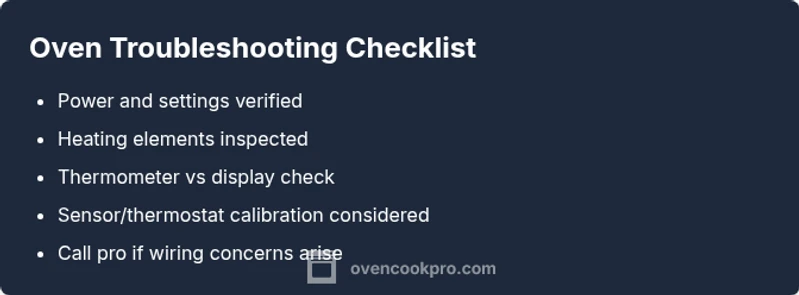
If your oven isn’t getting hot enough, start with the easiest checks: confirm it’s plugged in and the circuit breaker is on, and verify you’re using the correct bake setting. Common culprits include a blown thermal fuse, a faulty bake element, or a faulty thermostat. According to Oven Cook Pro, addressing power, element health, and sensor calibration fixes most common cases.
Why the Oven Isn’t Getting Hot Enough: Common Causes and Quick Diagnosis
When the oven fails to reach the set temperature, homeowners often wonder, "why is oven not getting hot enough?" In many homes the answer is practical rather than mysterious. From power delivery to heating element health, thermostat accuracy, and control-board reliability, the root cause usually falls into a handful of categories. Oven Cook Pro’s analysis highlights four frequent culprits: insufficient power supply, a failing bake or broil element, a misreading or faulty temperature sensor, and a deteriorating control board. By methodically checking each area, you can narrow down the issue without swapping parts at random.
Begin with the most basic checks: confirm the unit is plugged in, the outlet is supplying power, and the oven is set to the appropriate bake temperature. If preheating takes unusually long or the oven sticks at a lower temp than requested, continue with deeper checks. A trip or loose connection in the power circuit can briefly starve the bake circuit of energy, preventing proper heating. If the element glows but the temperature won’t catch up, focus on the sensor and thermostat calibration. The goal is to determine whether heat is simply delayed or entirely absent at the set temperature. Safety note: avoid any repair work on live electrical components. If you notice sparks, burning smells, or melted wiring, unplug immediately and seek professional help.
Throughout this process, rely on clear, incremental tests rather than guesswork. This approach not only saves money but also minimizes risk to you and your home. In many households, a combination of power delivery and element health explains most not-heating issues, with sensor or board faults accounting for a smaller but persistent share.
Safety-First Evaluation: Quick Checks Without Tools
Before you reach for a screwdriver, run through a set of safe, no-tool checks. First, reset power by unplugging the oven for 60 seconds, then plugging it back in, or switch the circuit breaker off and on again. Ensure the door is fully closed and the door latch engages, as some models use safety interlocks that prevent heating if the door isn’t sensed as shut. Look for simple digital error codes on the display; these codes often point to a sensor, relay, or control-board issue. If you’re using a gas oven, confirm the gas valve is open and you don’t smell gas—if you do, evacuate and call your gas provider immediately.
If these steps do not restore heat, move to the next phase: inspect the heating elements for visible damage and verify there’s power reaching the bake circuit. Always exercise caution around hot surfaces and never bypass safety interlocks.
Inspect Heating Elements and Temperature Sensor
The bake element (bottom) and the broil element (top) are the primary heat sources. Visually inspect for blistering, cracks, or burns. An element with obvious damage should be replaced. If the element appears intact, the issue could lie with the temperature sensor (thermal sensor). A faulty sensor miscommunicates with the control board and can cause underheating or uneven heating. With the unit powered down, inspect the sensor probe and its wiring for signs of wear, scorching, or loose connections. If the sensor is damaged or the plug shows corrosion, replacement is usually necessary. Calibration features can adjust the displayed temperature on many models, but do not fix a faulty sensor. If the bake element glows but the temperature remains off, it’s a strong sign that the sensor or control relay is at fault and will likely require professional repair or part replacement.
Safety reminder: do not touch live terminals or exposed wiring. If you’re unsure about testing or wiring, seek professional help rather than risking injury or an electrical fire.
How a Thermometer Helps Confirm the Problem
Using an oven thermometer is essential to distinguish a true temperature problem from a perception issue. Place a calibrated thermometer in the center of the rack and run a preheat cycle to the target temperature. Compare the thermometer reading to the oven’s display. A consistent mismatch indicates an issue with the thermostat or control board; a match implies heat is reaching the correct temperature but may be losing heat due to seals, insulation, or airflow. If you observe a major discrepancy, consult your oven manual for calibration steps—some models support off-set adjustments in the settings. Do not modify safety devices or insulation. If temperature readings line up poorly, the fault is usually with a sensor, bake element, or the control circuitry. In those cases, replacement parts or professional service is often the most reliable path.
Always ensure the thermometer is accurately calibrated for the best results, and keep the interior free of debris that could block heat flow.
When to Replace Parts or Call a Technician
If there’s no glow from the bake element, or if you notice a non-responsive sensor or a fault code pointing to the control board, you may be facing a component failure that requires replacement parts or professional service. Replaceable parts vary by model; verify the exact part number in your oven’s manual or on the manufacturer’s site before ordering. Gas ovens demand extra caution: if you suspect gas supply issues or you smell gas, call a qualified technician immediately. For under-warranty units, contact the manufacturer for approved repair options. In many cases, replacing the faulty heating element or sensor is the most cost-efficient fix, while control-board faults might require a technician’s assessment. Regular maintenance—keeping gaskets clean, seals intact, and the interior free of spills—helps prevent future underheat issues.
Steps
Estimated time: 30-60 minutes
- 1
Power and basic settings
Begin by ensuring the oven is powered and set correctly. Unplug and replug, or reset the circuit breaker. Confirm the bake setting is selected and the target temperature is accurate. This foundational check often resolves subtle power or setting glitches.
Tip: Keep a basic outlet tester handy to quickly confirm power availability. - 2
Inspect heating elements
With the unit unplugged, visually inspect the bake and broil elements for cracks, blistering, or burns. A damaged element cannot generate heat reliably and typically needs replacement. If you see no damage but performance is still weak, proceed to sensor checks.
Tip: Do not touch hot elements; allow them to cool before inspecting. - 3
Test the temperature sensor/calibration
Check the sensor connection and look for signs of wear or loose wires. Some ovens offer a calibration offset; use the manual to adjust if your model supports it. If the sensor appears faulty or calibration does not fix the issue, plan for part replacement.
Tip: If you’re unsure about sensor testing, consult a professional rather than risking incorrect calibrations. - 4
Decide on repair vs. professional service
If the bake element glows but the temperature is still off, you’re likely dealing with a sensor or control-board fault. Compare parts and pricing for DIY replacement versus professional service; for safety-critical components, professional repair may be the better long-term choice.
Tip: Document model and part numbers before buying replacements to avoid errors.
Diagnosis: Oven won't heat to the set temperature
Possible Causes
- highPower delivery issue (outlet, circuit breaker, wiring)
- mediumFaulty bake or broil heating element
- mediumFaulty temperature sensor / thermostat
- lowControl board or relay failure
- lowDoor switch or door seal problems
Fixes
- easyTest and restore power: reset the outlet/circuit, ensure the oven receives full power
- mediumInspect heating elements for damage and replace if needed
- mediumTest or replace the temperature sensor / calibrate the oven if supported
- hardDiagnose control-board issues or door switches; call a pro for electronics repairs
Questions & Answers
What should I do first if my oven won't heat?
Start with power, verify the outlet, and check the bake setting. If the oven still won’t heat, inspect the heating elements and temperature sensor, and consider using an oven thermometer for accuracy.
First, check power and bake settings. If it still won’t heat, inspect elements and sensor, and use an oven thermometer to confirm temperature.
Can a dirty door seal cause underheating?
Yes. A poor seal can allow heat to escape, making the oven think it’s hotter than it is. Clean or replace the gasket to restore heat retention.
A bad door seal can let heat escape; cleaning or replacing it can help restore proper heating.
Is it safe to test heating elements myself?
Only if you are comfortable with basic electrical work and safety. Unplug the unit, wear protective gear, and avoid touching exposed wiring. For most homeowners, a professional is recommended for electrical testing.
Only attempt if you’re comfortable with electrical work; otherwise call a pro for safety.
Will preheating longer fix a temperature problem?
Preheating longer might reveal a timing issue but it won’t solve a faulty sensor or heating element. If the thermometer shows a persistent discrepancy, address the sensor, element, or control-board faults.
Preheating longer won’t fix a faulty sensor or heating element; inspect those parts instead.
When should I replace the oven thermostat?
If multiple calibration attempts fail and a thermometer test shows consistent misreadings, replacing the thermostat or sensor is usually warranted. Consider professional help for accurate diagnosis and safe replacement.
Replace the thermostat if calibration fails and thermometer shows wrong readings.
Does a warranty cover heating element replacement?
Warranty terms vary; check your contract or manufacturer’s support. If covered, the manufacturer or authorized service will handle replacement at no or reduced cost.
Warranties vary; check your terms to see if heating-element replacement is covered.
Watch Video
Main Points
- Power checks come first; they solve many not-heating issues.
- A visible glow in elements helps pinpoint the problem area.
- Use an oven thermometer to verify actual temperature.
- Calibrate or replace faulty sensors; call a pro for electronics.