Why is the Oven Fan On? Urgent Troubleshooting Guide
A practical, step-by-step troubleshooting guide explaining why your oven fan is running, how to diagnose the cause, and safe fixes to restore normal operation. Learn quick checks, fixes, and when to call a pro.


Most likely, the oven fan is running to cool the heating elements after baking or during a self-clean cycle. It can also run if convection mode is enabled, or if the oven detects high temperature or a partially closed door. Start by turning off active cycles, closing the door, and then follow the step-by-step checks below. If it persists, unplug the unit and seek professional help.
Why the oven fan turns on
If you’ve noticed your oven fan kicking on unexpectedly, you’re not alone. The fan is a critical cooling and venting component that protects electrical components and helps vent heat during cooking. According to Oven Cook Pro, fans often run to cool the heater after a high-temperature cycle or during a convection setting. The presence of a fan during a self-clean cycle is also common, as that process produces intense heat that requires active cooling. This isn’t always a fault—sometimes it’s a normal part of oven operation intended to prevent overheating. Understanding these normal behaviors helps you distinguish between harmless cooling and a potential fault that needs attention. In everyday kitchen use, recognizing when the fan should be idle and when it’s doing its job will save you time and worry. The Oven Cook Pro team emphasizes that identifying whether a function like convection or self-clean is active is key to diagnosing why the fan is on.
Common causes of an oven fan turning on unexpectedly
There are several frequent reasons the oven fan may run even when you don’t expect it. First and foremost, convection mode or the convection fan can be engaged via the control panel, causing a steady fan even if you’re not baking with convection. Second, a recent or ongoing self-clean cycle will trigger heavy cooling and venting. Third, a faulty door switch or a door left ajar can fool the oven into thinking it needs to vent and cool. Fourth, the thermostat or control board could misread the oven’s temperature, prompting the fan to activate to protect the electronics. Finally, a loose wire or faulty relay can cause a fan to run continuously. Most of these issues are addressable with safe, at-home checks; however, some require professional service to avoid further damage.
Safety considerations before you start troubleshooting
Truly the most important step is safety. Disconnect power when inspecting wiring or components beyond simple cosmetic checks. Use the main breaker if you’re opening access panels or removing covers. Keep liquids away from electrical parts and wear protective gloves if the oven has recently been hot. If you smell burning plastic, hear buzzing or see arcing, stop immediately and call a licensed technician. Until you identify the cause, do not operate the oven in a way that could worsen the issue. As a reminder, the Oven Cook Pro team notes that professionals should handle any electrical faults or wiring problems.
Diagnostic checks you can perform at home
Start with the simplest checks and work toward more involved steps. Verify that no self-clean or bake cycle is active. Confirm the door is fully closed and the door switch is functioning (you should hear a click when closing). Check the control panel for any symbols indicating convection, delayed bake, or self-clean. If you recently used convection modes, reset the oven to standard bake and observe whether the fan stops. Inspect the fuse box or circuit breaker for any tripped breakers that might be affecting the oven’s electronics. Finally, listen for any unusual sounds that accompany the fan on/off cycles, which can indicate a failing relay or control board.
Step-by-step fixes for the most likely causes
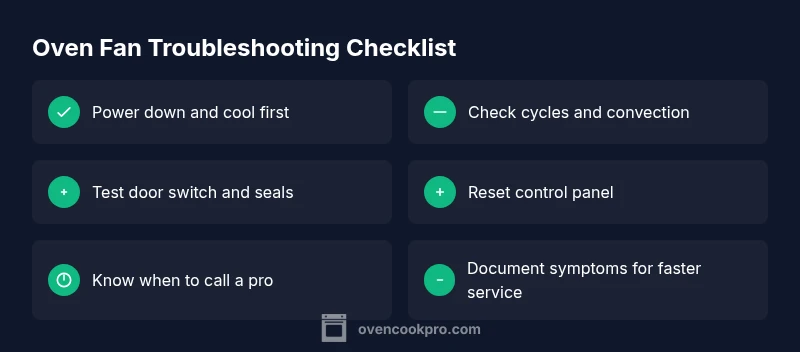
If you’re comfortable with basic electrical safety, follow these steps in order: 1) Power down and unplug the oven, or switch off the circuit breaker for the dedicated outlet. 2) Allow the oven to cool completely. 3) Reset the control panel by powering back on after a 60-second wait. 4) Ensure self-clean is not active; if it is, let it complete its cool-down or cancel the cycle following the manufacturer’s instructions. 5) Check the door and door switch for proper operation; a faulty switch can cause the oven to vent continuously. 6) If fan activity persists, switch off the oven and call a professional to inspect the thermostat and control board. 7) Keep a log of symptoms, times, and any error codes to share with the technician. By diagnosing in this order, you minimize risk and maximize clarity for the technician.
Prevention tips to avoid future fan-on issues
To prevent future fan-on scenarios, maintain a clear oven interior and ensure seals are intact. Use convection mode only when required and disable it when not in use. Schedule regular maintenance checks for the control board and thermostat, and replace damaged wiring promptly. After each cleanup or maintenance, reset the oven to confirm normal cooling behavior. Consistent care reduces the chances of unexpected fan operation and extends the life of your oven.
When to call a professional
If the fan continues to run after normal cooling, if you notice unusual noises or smells, or if error codes appear on the display, contact a licensed appliance technician. Electrical components in ovens are complex and potential issues can pose safety risks. The sooner a pro evaluates the unit, the quicker you can prevent further damage and restore safe operation. In some cases, a stubborn fan issue can be traced to a faulty relay or a failed control board that requires specialized diagnostic tools.
Steps
Estimated time: 45-60 minutes
- 1
Power down and cool
Switch off the oven and unplug or shut off the circuit breaker. Allow the unit to cool completely before handling any components. This reduces the risk of burns and makes subsequent checks safer.
Tip: If you can't access the breaker safely, call a technician rather than attempting internal work. - 2
Check for active cycles
Look at the control panel to confirm there are no self-clean, bake, or convection cycles active. If a cycle is running, let it finish or cancel it following the manufacturer’s instructions before retesting the fan behavior.
Tip: Document any on-screen error codes the moment you cancel a cycle. - 3
Test the door switch
Gently press the door switch with a finger to simulate closing. If the oven panel shows activity or the fan continues to run, the switch might be faulty and require replacement.
Tip: A simple test can be done by closing the door and listening for a distinct click; no click can indicate a faulty switch. - 4
Reset the control panel
With power off, wait 60 seconds, then restore power and observe whether the fan behavior returns to normal. A reset can clear minor control board glitches that trigger fan operation.
Tip: Only perform a reset if you’re comfortable with basic electronics; if uncertain, skip to professional support. - 5
Evaluate convection setting
If convection was recently turned on, ensure it’s turned off for standard bake mode. Some models automatically enable convection after a power surge, leading to persistent fan activity.
Tip: Review the user manual for the exact steps to disable convection on your model. - 6
Inspect wiring for signs of damage
Look for melted insulation, scorch marks, or loose terminals around accessible components. Do not touch exposed wires; if you see damage, disconnect power and call a professional.
Tip: Photographs of any damage help technicians diagnose more quickly. - 7
Call a professional if unresolved
If the fan still runs abnormally after these checks, a thermostat, relay, or control-board fault is likely. Schedule service with a licensed appliance technician to avoid risk of electric shock or further damage.
Tip: Share your symptom log and any error codes with the technician for faster resolution.
Diagnosis: Oven fan runs continuously or unexpectedly when not in active cooking or cooling cycles
Possible Causes
- highConvection mode or convection fan is enabled
- highRecent or active self-clean cycle
- mediumDoor not fully closed or door switch fault
- mediumThermostat or control board fault
- lowElectrical short or wiring fault
Fixes
- easyTurn off any active cycles and unplug or switch off the circuit to stop the fan, then wait for the oven to cool before re-testing
- easyCheck if self-clean is active; if so, cancel or allow it to complete and cool down, then retry normal mode
- easyClose the oven door firmly and verify the door switch engages; replace switch if it sticks or fails
- easyReset the control panel by powering down for 60 seconds and then restoring power; observe if the fan behavior returns to normal
- mediumInspect wiring and terminals for signs of damage; if unsure, contact a professional
Questions & Answers
Why does my oven fan run after cooking when there is no convection cycle active?
The oven may be cooling after use or venting residual heat. If the fan runs without a clear reason, check for convection mode, lingering self-clean activity, or a faulty door switch.
If the fan runs after you finish cooking, it’s usually cooling the oven. If it won’t stop, inspect for active convection mode or a door switch issue and follow our steps.
How can I tell if convection is on by mistake?
Look at the control panel for a convection icon or indicator. If it’s active, switch back to standard bake and observe whether the fan stops.
Check the control panel for a convection icon. If it’s on, switch to standard bake to see if the fan stops.
Is it safe to use the oven when the fan is on?
Yes, it’s generally safe as long as the oven isn’t showing signs of fire, burning smells, or heat damage. If the fan stays on unusually, stop using it and troubleshoot or call a pro.
It’s usually safe, but don’t ignore unusual heat or smells. Troubleshoot or get a technician if the fan won’t stop.
What should I do if the fan won’t stop after steps?
Document the symptoms, perform a reset, and inspect the thermostat and control board. If unresolved, contact a licensed technician for deeper diagnostics.
If the fan won’t stop, reset the panel, check the thermostat and board, and call a technician if it persists.
Could a door seal cause the fan to run constantly?
A damaged seal or door latch can cause the oven to vent more, which may trigger the fan. Inspect for gaps or misalignment and replace if needed.
A bad door seal can cause extra venting, making the fan run. Check for gaps and replace if necessary.
Watch Video
Main Points
- Power down safely before any inspection.
- Convection/self-clean cycles are common causes of fan operation.
- Verify door closure and door switch functionality.
- Reset the control panel to clear minor glitches.
- Call a professional for unresolved or risky issues.