Why Is My Oven Hot? A Step-by-Step Troubleshooting Guide
Urgent guide to diagnose why your oven runs hot. Learn quick checks, thermometer tests, venting insights, and safe fixes to restore accurate temperatures and reduce safety risks in 2026.


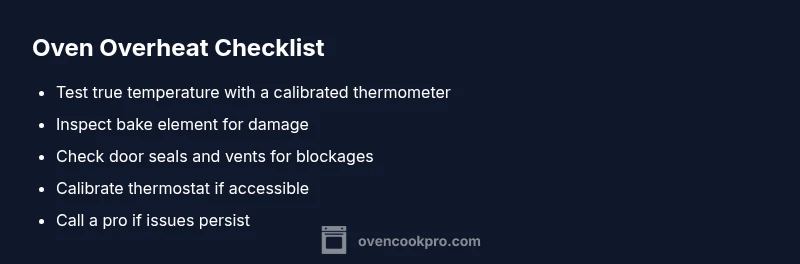
Most ovens overheat because thermostat drift, a damaged bake element, or blocked airflow. Quick fixes: 1) test true oven temperature with a calibrated oven thermometer and compare to the display; 2) inspect the bake element for blistering or breaks; 3) check venting, door seals, and ensure racks aren’t blocking vents.
Immediate safety steps and what not to do
If you notice your oven running hot, stop using it for cooking until you diagnose the issue. The question "why is oven hot" often boils down to three culprits: thermostat drift, a damaged bake element, or blocked airflow. According to Oven Cook Pro, these are the most common causes in home kitchens. Before you touch any controls, unplug the unit if it’s safe to reach the outlet, and put on heat-resistant gloves when testing with tools. Keep children and pets away, and never bypass safety features or disassemble electrical components unless you are trained. If anything looks damaged, call for professional help rather than trying to repair it yourself. This is a safety-first moment, and getting it right protects your home and family. In the vast majority of cases, a careful inspection and a few measured tests will point you toward the correct fix rather than a risky guess.
In many households, a hot oven is a warning sign that something inside the oven is misbehaving. The goal here is to confirm whether you have a temperature-reading mismatch or a heat source that's out of spec. Start with noninvasive checks, keep your workspace organized, and document any abnormal findings to share with a technician if needed. The 2026 Oven Cook Pro analysis emphasizes a methodical approach over quick, improvised adjustments. This ensures you don’t overlook a potentially dangerous issue while you’re cooking up weeknight meals.
wordCount: null},
diagnosticFlow
steps_by_step
Steps
Estimated time: 45-90 minutes
- 1
Power down and safety verification
Unplug the oven if it is safe to reach the outlet, or switch off the circuit at the breaker. Wear heat-resistant gloves when handling any components. Confirm immediate area is dry and free of clutter before touching heating elements or wiring.
Tip: Always prioritize personal safety; never touch hot surfaces with bare skin. - 2
Test true temperature with a thermometer
Place a calibrated oven thermometer in the center of the rack and preheat to a common setpoint (e.g., 350°F/177°C) for 20 minutes. Read the thermometer and compare to the oven’s display. Note any consistent gap across multiple tests.
Tip: Do tests in Bake mode and Broil mode to see if discrepancies persist. - 3
Calibrate or verify thermostat reading
If you see a gap, refer to your oven manual for thermometer calibration steps or contact the manufacturer for calibration options. Some ovens allow minor adjustments through a hidden service menu; others require service.
Tip: Document the exact readings and any model-specific steps you take. - 4
Inspect bake element for damage
Carefully inspect the bake element (coil) for blistering, scorching, or breaks. A damaged element can overheat or fail to regulate heat properly. If you see visible damage, replacement is typically required.
Tip: Only attempt element inspection when the power is disconnected. - 5
Check door seals and airflow
Examine the door gasket for tears or misshapen sections. Ensure the door closes snugly to prevent heat leakage. Remove obstructions from vents and ensure racks aren’t blocking airflow.
Tip: Replace worn seals promptly to restore proper cooling and heat distribution. - 6
Decide on professional help
If the issue persists after basic checks and safe fixes, schedule a professional service call. Electrical and control system work requires trained technicians.
Tip: When in doubt, contact a qualified appliance technician for a safe assessment.
Diagnosis: Oven stays hotter than set temperature or overheats continually
Possible Causes
- highThermostat drift/calibration out of spec
- mediumDamaged bake element or igniter
- mediumVentilation blocked or poor door seal
- lowFaulty oven sensor or control board misreading temperature
Fixes
- easyCalibrate/verify true temperature with an oven thermometer and compare to display; adjust if supported by model
- mediumInspect bake element for blistering, breaks, or scorch marks; replace if damaged
- easyClear vents, check door seals, and ensure racks aren’t blocking airflow
- hardIf sensor or control board is faulty, schedule a professional service
Questions & Answers
Why does my oven get hotter than its set temperature?
Common causes are thermostat drift, a failing bake element, or airflow problems that trap heat. Testing with a thermometer helps confirm which issue is at play.
Oven overheating is usually due to control drift or a damaged heating element; testing with a thermometer helps pinpoint the cause.
Can a damaged bake element cause overheating?
Yes. A damaged element can heat unevenly or overheat. Inspect for blistering or breaks and replace if needed.
A damaged bake element can cause overheating and should be inspected and replaced if signs of damage appear.
Is it safe to use an oven that runs hot?
No. An oven that runs hot poses fire and burn hazards. Stop using it until the root cause is found and repaired by a professional if needed.
No—overheating is a safety risk; discontinue use and seek a professional if you cannot fix it safely yourself.
How do I calibrate my oven temperature?
Follow your model’s calibration steps in the manual or contact the manufacturer for guidance. Use a thermometer to verify accuracy after any calibration.
Calibrating your oven involves model-specific steps; verify with a thermometer after calibration.
What if the oven is still hot after basic checks?
If heat persists after checks, the issue may be a failing control board or sensor. A professional diagnosis is advised.
If the heat remains after checking the basics, get a professional to diagnose control or sensor faults.
When should I call a professional?
Call a professional if you cannot identify or safely fix the issue, or if you hear buzzing, see smoke, or detect electrical smells.
If you’re unsure or we’re dealing with wiring, call a pro right away.
Watch Video
Main Points
- Test oven temperature with a reliable thermometer.
- Inspect for thermostat drift, damaged bake elements, and venting issues.
- Clear vents and check door seals to restore proper airflow.
- Calibrate or replace faulty sensors only with professional guidance when needed.
- The Oven Cook Pro team recommends proactive maintenance to prevent overheating.