Why Is My Oven Overheating On Its Own? A Comprehensive Troubleshooting Guide
Discover why your oven overheats by itself and how to diagnose safely. This Oven Cook Pro guide covers common causes, quick checks, and when to call a professional.


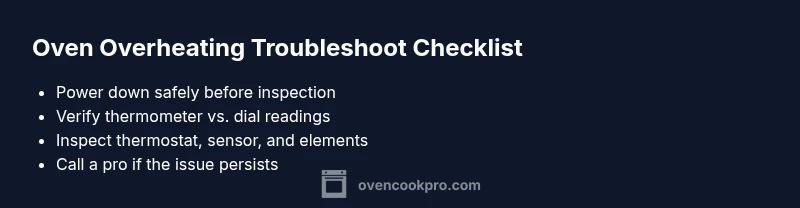
Most oven overheating on its own is usually caused by a faulty thermostat, a stuck bake element, or an inaccurate control board. Start by turning off the oven, unplugging if safe, and allowing it to cool. Then test the temperature with an oven thermometer, compare to the dial, and proceed to the diagnostic flow if the readings differ.
Understanding the risk and what overheating looks like
When an oven runs hotter than its setting, it can compromise food safety, damage bakeware, and even pose a fire hazard. In this guide we tackle the core question behind the symptoms: why is my oven overheating on its own, and what practical steps can a homeowner take to diagnose and address the issue safely. The Oven Cook Pro team emphasizes that early, methodical checking is the most reliable path to a safe fix. You’ll learn to separate symptoms from root causes, and to act with a calm, safety-first mindset that minimizes risk while you investigate.
Safety first: before you touch the oven
Safety is non-negotiable when dealing with electrical appliances. Begin by cutting power to the unit: turn off the oven at the control panel, switch off the circuit breaker if accessible, and, if it’s safe, unplug the oven. Keep a clear space around the appliance, use insulated gloves when handling hot surfaces, and never attempt repairs beyond your comfort zone. If you smell burning insulation, hear buzzing, or notice damaged wiring, evacuate and call a licensed technician immediately. This approach aligns with best practices for oven safety and reduces the chance of injury during troubleshooting.
Quick checks you can perform safely
Start with the simplest possibilities and work toward more complex checks. Verify that the oven is fully powered and that the display responds normally. Confirm the door thermometer and seal are intact and the door closes firmly; a damaged seal can cause heat loss or uneven heating that reads as overheating elsewhere. Ensure the interior is clean, especially around the sensor probes and heating elements. Finally, check that the rack position is appropriate for the recipe; improper positioning can imitate overheating by concentrating heat in one area. These checks help you rule out obvious faults without disassembly.
Common causes in order of likelihood
From the stove top to the control board, several issues can cause runaway heat. The most common culprits are a faulty thermostat or temperature sensor, and a stuck or damaged bake/broil element. Less frequent but possible factors include a miscalibrated oven, a faulty control board, or damaged wiring that causes power fluctuations. Keep in mind that multiple issues can exist simultaneously, especially in older units. By focusing on the most likely causes first, you can diagnose more efficiently and reduce unnecessary parts replacement.
How to test the temperature vs the dial
A key step is verifying the actual oven temperature with a reliable thermometer. Place the thermometer in the center of the oven on the rack and run the oven to a standard setting (for example 350°F) for 15–20 minutes. Compare the thermometer reading to the display setting. If there’s a consistent drift (e.g., the thermometer reads 375°F at a 350°F setting), the thermostat or temperature sensor may be faulty and require recalibration or replacement. Document discrepancies to share with a technician. This systematic check prevents guesswork and guides targeted fixes.
What to do about a faulty thermostat or bake element
If temperature readings differ from the setting and you’ve ruled out door seals and wiring, focus on the heating components. A thermostat or sensor that misreads temperature can cause the oven to heat aggressively. A bake or broil element that is stuck in a closed or partially energized position can also produce overheating symptoms. For safety and reliability, professionals typically replace faulty thermostats or heating elements and re-test after service. If you’re handy and have the right tools, you can perform non-destructive tests, but avoid manipulating live heating components without guidance.
When to call a professional and what to expect
If basic checks do not identify the cause or if you encounter signs of damage (smell of burning, unusual heat around wiring, or the control panel behaving erratically), it’s time to schedule professional service. An appliance technician will typically diagnose the control board, thermostat, and heating elements using voltage testing and component checks. Expect to provide your model number, a detailed symptom timeline, and any readings from your thermometer. The right pro will confirm the root cause and present safe, code-compliant repair options.
Prevention tips to avoid future overheating
Routine maintenance dramatically reduces overheating risk. Clean the interior and sensor areas every few months to prevent false readings. Calibrate the oven if your model allows it, or have it calibrated during a preventive service visit. Keep the oven door seal intact and address signs of wear promptly. Use proper bakeware and avoid obstructing vents. Finally, set up a simple maintenance calendar to remind you to inspect heating elements and sensors at least once per year. These steps help maintain accurate temperatures and extend oven life.
Documentation for service visits
When you’re preparing to call a technician, create a concise log: note when the overheating occurs, any corresponding thermostat readings, the exact temperature settings used, and how long the oven stayed hot after being turned off. Include photos of damaged components if you can do so safely. This documentation speeds up diagnosis and ensures you don’t overlook relevant details. Keep a copy for each service visit to track recurring issues and outcomes.
Steps
Estimated time: 60-90 minutes
- 1
Power down and cool safely
Turn off the oven at the control panel and switch off the circuit breaker if accessible. If safe, unplug the unit and wait for at least 15–20 minutes to cool completely before handling any components. This reduces the risk of electric shock and heat-related injury.
Tip: Always prioritize safety—never touch live wiring. - 2
Verify power and outlet status
Test that the outlet is delivering power with another device, and ensure the oven control panel is responding normally when powered on. If the outlet is a GFCI or overloaded, address that circuit first. A flaky power supply can masquerade as a sensor or thermostat fault.
Tip: If the outlet is suspicious, do not use the oven until inspected by a professional. - 3
Check door seal and fit
Inspect the door gasket for cracks or misalignment and confirm the hinge operates smoothly. A compromised seal can cause heat imbalance that seems like overheating. Replace a damaged gasket before testing further.
Tip: A hairline crack can cause heat loss and skew temperature readings. - 4
Test temperature with an independent thermometer
Place a calibrated oven thermometer in the center of the rack and preheat to a standard setting (e.g., 350°F) for 15–20 minutes. Compare thermometer reading to the display setting. Record the difference for later reference.
Tip: Run the test at a middle rack position to avoid air-pocket bias. - 5
Inspect heating elements and wiring safely
Look for visible signs of damage on the bake/broil elements (burn marks, warping) and unplug the unit before touching conductors. If you’re trained, check continuity with a multimeter; otherwise, skip to professional help.
Tip: Do not attempt to disassemble live heating components. - 6
Assess thermostat calibration
If readings consistently drift, the thermostat or temperature sensor may be faulty. Some models offer calibration modes; consult your manual. If unsure, schedule professional calibration or replacement.
Tip: Keep a log of all readings and settings during calibration. - 7
Decide on next steps and safety readiness
If the issue persists after checks and basic fixes, contact a licensed technician. Explain symptoms, share thermometer data, and provide the model number. Do not bypass safety protocols by attempting risky repairs.
Tip: Prepare your service history and photos to speed diagnosis.
Diagnosis: Oven overheats or runs hotter than the set temperature
Possible Causes
- highFaulty thermostat or temperature sensor
- highStuck or failing heating element (bake/broil)
- mediumInaccurate calibration or control board issue
- lowWiring fault causing power fluctuation
Fixes
- easyPower cycle the oven: turn off, unplug (if safe), wait 60 seconds, then plug back in and test
- easyTest with an independent thermometer and compare to setting; note any systematic drift
- mediumReplace faulty thermostat or sensor if readings are consistently off
- mediumInspect or replace the heating element if it shows signs of damage or failure to cycle properly
- hardRepair or replace the control board if the oven control is erratic or readings are inconsistent
Questions & Answers
What are the most common causes of an oven overheating on its own?
The most frequent culprits are a faulty thermostat, a stuck heating element, and an inaccurate control board. These issues can cause the oven to run hotter than set, posing safety risks. Start with safe checks and thermometer verification before considering part replacement.
Common causes include thermostat or sensor faults, a stuck element, or a control board error. Start with thermometer checks and basic safety steps.
Can mis-calibrated settings cause overheating?
Yes. If the oven's temperature sensor or calibration is off, the oven may heat beyond the selected setting. Use an independent thermometer to verify real temperature and consider recalibration or professional service if persistent.
Yes. A mis-calibrated sensor can make the oven heat more than you set. Check with a thermometer and seek service if needed.
Is it safe to keep using the oven while overheating occurs?
No. Overheating can damage food, racks, and safety systems. Stop using the oven, unplug if safe, and call a technician if the issue continues after basic checks.
No, stop using it and unplug if safe. If it keeps overheating, get a professional inspection.
What should I test first to confirm the problem?
Begin with an independent thermometer to verify the actual temperature and compare it to the display. If temperatures drift consistently, focus on the thermostat or sensor as the likely cause.
Test with a thermometer and see if the reading matches the display. If not, the thermostat or sensor is likely at fault.
When should I call a professional?
If basic checks do not identify the cause or you notice wiring damage, odors, or smoke, contact a licensed appliance technician. Provide symptom details and thermometer readings to speed diagnosis.
Call a professional if checks don’t reveal the cause or you see signs of damage. Share numbers and symptoms.
Can overheating damage food or racks?
Excess heat can ruin bakeware and food; prolonged overheating may stress electronics and wiring. Replace faulty parts promptly and avoid continued use until diagnosed.
Yes, overheating can ruin food and potentially damage parts. Replace faulty components after diagnosis and don't keep using it.
Watch Video
Main Points
- Power down safely before inspection.
- Test real temperature with a thermometer.
- Compare thermometer readings to the dial to confirm drift.
- Replace faulty components only with professional help.
- Schedule preventive maintenance to avoid future overheating.