Why is My Samsung Oven Overheating? A Practical Troubleshooting Guide
Learn how to diagnose and fix a Samsung oven that overheats. Step-by-step tests, safety tips, and when to call a tech—backed by Oven Cook Pro insights.


An overheating Samsung oven is most often caused by a faulty temperature sensor or control board. This misreads heat and can push the oven beyond the setpoint. Try a power reset (unplug for 60 seconds or switch off at the breaker) and run a basic bake test with a thermometer. If temperatures stay high, schedule service.
What overheating looks like in a Samsung oven
According to Oven Cook Pro, overheating in Samsung ovens commonly presents as temperatures that shoot past the display's setpoint, a chattering or louder cooling fan even when not actively cooking, and signs of heat on the exterior or burnt smells during normal baking cycles. You may notice skewed bake results (edges far hotter than centers), excessive preheat times, or warning codes on the panel. These symptoms are often intermittent but can escalate quickly if the root cause isn’t addressed. Understanding the pattern—whether it happens during preheat, bake, or broil—helps narrow down the likely culprits and ensures you take the safest, most effective next steps.
This guide prioritizes practical, immediate steps you can take at home, followed by when to seek professional help. The goal is to restore accurate temperature control and prevent safety risks in your kitchen. Keep in mind that working with electrical appliances carries hazards; if you feel unsure at any point, stop and call a professional.
Immediate safety steps and what to avoid
Safety comes first. If you notice smoke, a burning smell, or a panel that feels unusually hot, power down the oven and disconnect from power. Do not poke around live electrical components or attempt DIY fixes beyond basic inspection. Open the oven only after it has cooled, keep children and pets away, and never operate the oven if you suspect a wiring fault. When in doubt, contact a qualified appliance technician. For safety, always unplug the unit or switch off the dedicated circuit breaker before inspecting sensors or wiring. Finally, never bypass safety features or remove the back panel unless you are trained to do so. These precautions help prevent shocks, fires, and further damage.
Common causes of overheating in Samsung ovens
- Faulty temperature sensor or sensor wiring can send incorrect heat signals to the control board, causing the oven to heat beyond the target. 2) A failing control board or sticky relay can keep the heating element energized even after you set a lower temperature. 3) Calibration drift or miscalibration after service can create a permanent offset. 4) A damaged door seal or misaligned door can trap heat near the front, making readings unreliable and encouraging the oven to work harder. 5) Wiring faults or loose connections inside the control cluster can create intermittent heat surges. 6) A stuck bake/broil function selector can leave the element on inadvertently during idle periods.
Some of these issues require professional diagnosis, but many early signs can be spotted with careful observation and basic testing. Watching how the oven behaves during preheat and bake modes can reveal whether the problem originates with the sensor, the control board, or a mechanical fault like the door seal.
How to test temperature accuracy safely
A simple at-home test can differentiate overheating from misreadings. Place an oven-safe thermometer on the middle rack. Preheat to 350°F (175°C) and monitor the actual heat with the thermometer for 15–20 minutes. If the thermometer reads substantially higher than the setpoint (e.g., 50–100°F/30–60°C off), the sensor or control electronics are likely faulty. Recheck by testing at multiple setpoints (e.g., 350°F and 400°F) to see if the error is consistent. If readings deviate, perform a power reset and re-test. Document the results with dates and temperatures to share with a technician. Always power off before touching any internal components, and avoid touching heating elements while the oven is energized.
Diagnostic flow you can follow
This flow helps you quickly filter out simple causes before contacting a professional:
- Symptom: oven overheats beyond the set temperature. Is the oven showing error codes? 2) Check power: does a reset fix the behavior? 3) Test sensor: is the temperature reading consistent with the thermometer? 4) Inspect electronics: are there signs of damage on the control panel or wiring? 5) Calibrate or replace: if readings are off but sensor tests pass, calibration drift or board fault is likely. 6) Safety check: confirm door seal integrity. 7) If unresolved: schedule service. For safety, treat persistent overheating as a potential fire risk and avoid prolonged high-temperature use while awaiting service.
Step-by-step fixes for the most common cause (sensor-related)
- Power down the oven completely and unplug or switch off the circuit breaker for 60 seconds. This resets digital components and can clear minor sensor glitches. 2) Access the temperature sensor located near the back wall inside the oven cavity. Disconnect with care and visually inspect for damage (frayed wires, corrosion). 3) If you have a multimeter, test resistance per the manufacturer’s spec. Replace the sensor if resistance is out of range or if the wiring shows wear. 4) Reconnect wiring, replace the sensor securely, and reassemble the panel. 5) Plug in and run a thermometer test again to confirm if the readings align with the setpoint. 6) If misreadings persist, the control board or relay might be faulty; stopping here and contacting service is advised.
Tip: Keep a spare sensor on hand so you can perform a quick swap if you have prior electronics experience. If you’re unsure, skip sensor replacement and call a technician to avoid accidentally damaging the control board.
Prevention and maintenance to keep your oven cool
Regular maintenance reduces overheating risk. Clean the interior and vents to prevent airflow blockages, check the door gasket for wear, and ensure the oven has proper ventilation space around it. Schedule professional inspections every 1–2 years, especially after a service visit. Calibrate your oven according to manufacturer guidelines, and avoid placing metal objects or foil over the sensor area, which can cause skewed readings. Finally, if you notice recurring high temperatures, address the problem early to avoid more costly repairs.
Steps
Estimated time: 60-90 minutes
- 1
Power down and safety check
Unplug the oven or switch off the dedicated circuit breaker for at least 60 seconds. This resets most microcontrollers and can clear minor glitches. Ensure the area around the oven is dry and free of any liquids before touching wiring or panels.
Tip: Label and disconnect power before removing any panels to avoid accidental shorts. - 2
Test with a thermometer
Place an oven-safe thermometer on the middle rack and preheat to a standard setpoint (e.g., 350°F). Compare the thermometer reading with the display. Run a second test at another setpoint to verify consistency and rule out a one-off error.
Tip: Document readings with time stamps for reference. - 3
Inspect the temperature sensor
Remove interior panels only if you are comfortable. Locate the temperature sensor near the back wall. Check for visible damage, frayed wiring, or corrosion. If you have a multimeter, test resistance per the service manual; replace if out of spec.
Tip: If you’re uncertain, skip to step 5 to avoid internal damage. - 4
Test the control board and relays
With power still disconnected, gently inspect visible wiring for loose connections. If accessible, reseat connectors. Do not probe inside the control module; this requires a trained technician. Look for obvious signs of heat damage or burning.
Tip: Loose connectors are a common cause of intermittent heat surges. - 5
Check the door seal
Inspect the door gasket for cracks, tears, or compression. A compromised seal can trap heat and skew readings. If damaged, replace the gasket following the manufacturer’s instructions and re-test temperature accuracy.
Tip: Avoid using metal putty or adhesive on the gasket; replacements are designed for a snug seal. - 6
Decision point and service
If the problem persists after sensor and wiring checks, upgrade to a professional diagnostic. A service technician can test the control board, relay, and safety systems with specialized equipment and confirm warranty options.
Tip: Document all tests and results to share with the technician.
Diagnosis: Oven overheats beyond set temperature
Possible Causes
- highFaulty temperature sensor or wiring
- mediumSticking relay or faulty control board
- lowCalibration drift or miscalibration after service
- lowDamaged wiring or loose connections inside control cluster
- lowDoor seal issues causing heat buildup near the front
Fixes
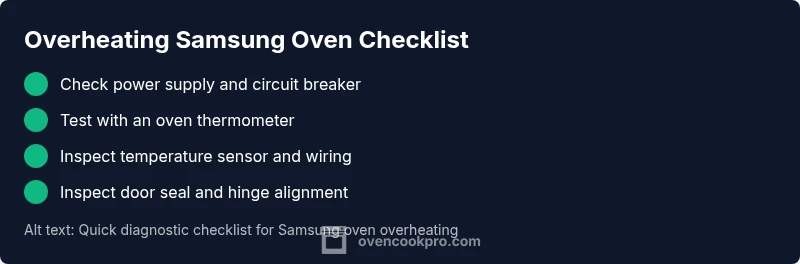
- easyPower reset the unit (unplug for 60 seconds or switch off at the breaker) and retest
- easyTest with an oven thermometer to compare actual temperatures to the setpoint
- mediumInspect temperature sensor and wiring; replace if damaged or out of spec
- easyCheck door gasket and alignment; replace if damaged to restore proper seal
- hardIf readings persist, have a technician inspect the control board or relay
Questions & Answers
What are the most common signs that a Samsung oven is overheating?
Common signs include temperatures higher than the setpoint, rapid heating, burnt odors, and error codes on the display. If these happen repeatedly, your oven likely has a faulty sensor or control board.
Look for temperatures that run higher than what you set, odd smells, or error codes. A faulty sensor or control board is usually the culprit.
Can I keep using the oven if it overheats occasionally?
No. Overheating poses a fire risk and can damage components. Power down, cool, and diagnose or call a technician before using again.
No, it's unsafe to keep using it. Turn it off and get a professional check before the next use.
Will replacing the temperature sensor fix the problem?
Often, replacing a faulty temperature sensor corrects overheating. If the issue persists after sensor replacement, the control board or relay may be at fault and require service.
Sensor replacement fixes overheating in many cases, but if it continues, a professional should check the control board.
Is overheating a safety risk right now?
Yes. Heat build-up can cause fires or electrical shocks. Power down immediately if you notice smoke or excessive heat and have it inspected before further use.
Yes, there is a safety risk. Power down and get it checked before using again.
How long does Samsung warranty cover overheating issues?
Warranty terms vary by model and region. Check your purchase documents or Samsung support for eligibility and needed service.
Warranty terms vary; check your documents or contact Samsung support for specifics.
When should I call a technician instead of DIYing?
If sensor tests are inconclusive, there are burning smells, signs of wiring damage, or unfamiliar error codes, schedule service rather than attempting risky DIY fixes.
If tests aren’t conclusive or you see damage or burns, call a technician.
Watch Video
Main Points
- Identify symptoms and pattern before testing.
- Start with a safe power reset and thermometer test.
- Sensor or control-board faults are the most common culprits.
- Call a technician if tests don’t resolve the issue.