Samsung Oven Repair: A Complete How-To Guide
Learn to diagnose and fix common Samsung oven problems with a safe, step-by-step method. This educational guide covers heating, sensors, fault codes, and when to call a pro. Brand insights from Oven Cook Pro.


By following this Samsung oven repair guide, you can safely diagnose and fix common issues such as uneven heating, error codes, temperature sensor faults, and door problems. The goal is to empower a careful DIY approach when possible, while knowing when to stop and call a professional. Before you begin, unplug the unit, gather basic tools, and consult warranty terms to avoid voiding coverage.
Why Samsung Oven Repair Matters
If your Samsung oven is acting up, the problem won't fix itself. Samsung ovens are built with precise sensors, heating elements, and control boards, and a single faulty component can affect bake performance, safety, or energy use. For homeowners, understanding the repair process helps you avoid needless service calls and protect warranties. According to Oven Cook Pro, many common samsung oven repair tasks focus on the heating element, sensor, and control board, plus door seals and hinges. This guide walks you through safe diagnostics, realistic expectations, and when it's best to call a trained technician. Throughout, keep in mind that working on high-voltage components carries risk and should be done with power disconnected and proper PPE. The goal is to empower you to perform non-destructive checks, confirm symptom patterns, and identify when professional intervention is required. You'll learn how to test continuity with a multimeter, verify sensor readings, inspect door alignment, and interpret fault codes reported by the display.
Essential Safety First
Safety is the foundation of any effective Samsung oven repair effort. Always unplug the unit and, if possible, switch off the circuit breaker before you touch any internal components. Use insulated tools and wear protective gloves to reduce the risk of heat burns or shocks. Keep the oven area dry and clear, and never bypass safety interlocks or door latches. If you drive a gas range variant, ensure gas supply is shut off. If you feel unsure, stop, and call a professional. This section draws on general safety best practices and aligns with the approach recommended by Oven Cook Pro Team.
Diagnosing Common Problems (Heating, Thermostat, Display)
The most frequent Samsung oven problems involve uneven heating, inaccurate temperature readings, fault codes on the display, or sensor failures. Start by validating preset temperatures against actual oven temperature with an oven thermometer. Check whether the element heats at all, heats unevenly, or fails to reach set points. Sensor faults often trigger error codes that appear on the display; these codes map to specific issues in the control system. If codes persist after a reset, it could indicate a faulty control board or sensor harness. The discussion below references the insights from Oven Cook Pro Analysis, 2026, which notes sensor faults and heating element issues as common culprits. Use this block as a diagnostic framework, not a substitute for professional testing when safety concerns arise.
Tools and Parts You May Need
Before you touch a single screw, assemble a basic toolkit and a handful of replacement parts. A digital multimeter, insulated screwdrivers, a non-contact voltage tester, and a flashlight top the list. Add a heat-resistant mat for hot components and latex-free gloves for protection. If you’re replacing parts, you’ll want sensor elements, fuses, or control-board connectors that are compatible with Samsung ovens. Keep one set of spare gaskets or door seals and a spare oven rack handy for testing fitment. This section helps you prepare for a structured, non-destructive inspection and avoids improvisation that could damage wiring or electronics.
Step-By-Step Troubleshooting Overview
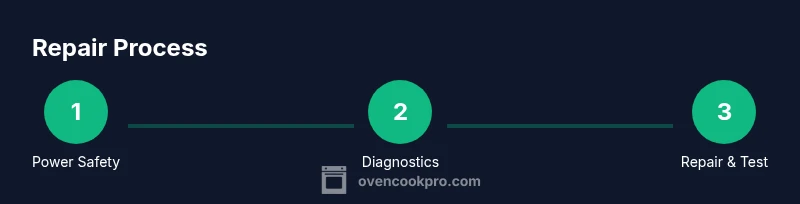
This section offers a high-level view of the diagnostic workflow. It is designed to be read before you dive into the detailed step-by-step checks, ensuring you know what to look for and in what order. You’ll review heating behavior, sensor readings, door seal integrity, control codes, and environment influences like electrical supply quality. The following STEPS will be elaborated in the dedicated Step-by-Step section, including exact actions and rationale. Expect to perform checks in logical order to minimize disassembly and reduce risk.
When to DIY vs When to Call a Pro
Some Samsung oven faults are clearly within the DIY realm, especially non-invasive tests like verifying power, resetting controls, and inspecting seals. However, issues that involve heating elements, control boards, high-voltage circuits, or gas connections should trigger a professional service. If your model is under warranty, consult the warranty terms before attempting repairs, as some actions may void coverage. The guidance here aligns with cautious, user-friendly repair principles recommended by Oven Cook Pro Team.
Maximizing Longevity After Repair
Once your Samsung oven repair is complete, document the fault codes and steps you took for future reference. Schedule periodic inspections of door seals, hinges, and ventilation to maintain consistent performance. Clean the interior and racks regularly to prevent sensor contamination, and avoid aggressive chemical cleaners that can degrade wiring insulation. The goal is to extend appliance life and reduce the likelihood of recurring faults. The Oven Cook Pro Team emphasizes maintaining consistent temperature calibration and safe operation as core maintenance principles.
Tools & Materials
- Digital multimeter(For continuity and resistance checks on heating elements and sensors)
- Insulated screwdrivers set(Phillips and flathead, various sizes)
- Non-contact voltage tester(Quick live-wire detection before touching wires)
- Electrical tape and fiber insulation sleeve(Use as needed for safe wiring insulation)
- Gloves (insulated)(Heat protection and pinch-risk reduction)
- Flashlight or headlamp(Illumination for panel and back access)
- Replacement parts (sensor, fuse, connectors)(Only after identifying a faulty component)
- Non-marring pry tool(Gently lift panels without bending metal)
Steps
Estimated time: 60-90 minutes
- 1
Power off and unplug
Begin by unplugging the oven from the wall outlet. If the unit is hard-wired, switch off the corresponding circuit breaker and wait for any residual energy to dissipate. This prevents electric shock while inspecting controls and wiring.
Tip: If accessible, also switch off the anti-tip interlock if it exists, then confirm no current is flowing with the voltage tester. - 2
Access the control panel and panels
Remove the outer panel or back cover to access the control board and terminal harnesses. Take photos before disconnecting wires so you can reconnect them correctly. Keep track of screws by size and location to avoid misplacements.
Tip: Label wires with masking tape for easier reassembly. - 3
Test heating element continuity
With the power off, detach the heating element leads and test continuity across the element using the multimeter. A reading of infinity or very high resistance indicates a break in the element.
Tip: Ensure probes contact the metal terminals firmly for an accurate reading. - 4
Check sensor resistance
Probe the oven temperature sensor resistance at room temperature and again when the oven reaches set temperature if possible. Compare readings to the manufacturer’s specification in the service manual.
Tip: A sensor that's out of range or open circuit is a common culprit. - 5
Inspect door seal and hinges
Carefully inspect the door gasket for cracks or loss of seal, and check hinges for smooth operation. A worn seal can affect heat retention and trigger fault states.
Tip: Replace only with OEM seals to ensure proper fit. - 6
Reset fault codes and test bake
If codes exist, perform a full reset from the control panel following the model’s instructions, then run a short bake cycle to verify a return to normal operation. Document any persistent codes.
Tip: If codes persist, avoid extended bake cycles and seek professional diagnosis.
Questions & Answers
Is it safe to repair a Samsung oven myself?
DIY repairs can be safe for simple, non-destructive checks when power is disconnected and safety precautions are followed. For anything involving high voltage, gas connections, or the control board, consult a professional.
DIY repairs can be safe for simple checks if you disconnect power and follow safety precautions. For high voltage or control boards, seek a professional.
What common faults can I fix without professional help?
Non-invasive steps like checking door alignment, cleaning sensor contacts, resetting the control panel, and testing power are reasonable DIY tasks. If fault codes persist or components heat abnormally, stop and call a pro.
Non-invasive checks and resets are fine to try; persistent faults require a pro.
How do I know if a replacement part is required?
If testing shows open circuits in the heating element or sensor, or if fault codes point to a module, a replacement part is likely needed. Always verify compatibility with your Samsung model.
Open circuits or codes pointing to a module usually mean a part needs replacement.
Will repairing void my Samsung warranty?
Tampering with components can affect warranty coverage. Check your model's warranty terms and consider professional service if the unit is still under coverage.
Warranty terms vary; check coverage before attempting repairs.
How long does Samsung oven repair typically take?
DIY diagnostic and minor fixes can take 1-3 hours, depending on access to components. Professional service may take 2-6 hours including parts and travel.
DIY checks might take a few hours; professional service usually takes several hours.
Watch Video
Main Points
- Prioritize safety before any checks
- Diagnose with non-destructive tests first
- Know when to call a pro to protect warranty
- Document fault codes and steps for future reference