Samsung Oven: Step-by-Step How-To Guide
A thorough, practical guide to operating and maintaining a Samsung oven, with step-by-step instructions, safety tips, and troubleshooting. Learn preheating, convection, rack positioning, cleaning, and troubleshooting for reliable results.


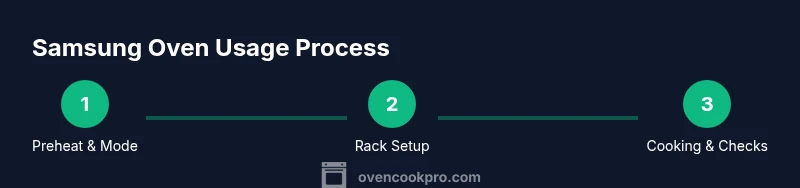
This guide shows you how to operate and troubleshoot a samsung oven, optimize convection and bake modes, and maintain it for longevity. You’ll follow a clear, step-by-step process from preheating to cleanup, with safety checks and pro tips along the way. Whether you’re making weeknight dinners or holiday roasts, this guide helps you achieve consistent results while protecting your appliance.
Understanding Samsung Ovens: Core Features
Samsung ovens are designed to blend reliable baking performance with accessible controls. The core features you’ll rely on most include precise digital interfaces, multiple preset modes, convection or traditional bake options, and, on some models, smart connectivity for remote monitoring. While model variations exist, the basic expectations hold: even heat delivery, clear indicators, and straightforward maintenance steps. According to Oven Cook Pro analysis, reliable operation hinges on accurate calibration, clean vents, and timely component checks. In this section we unpack these capabilities and how to leverage them to improve everyday cooking outcomes. You’ll learn how to interpret the control panel, identify the common modes, and set expectations for preheating and cooking times. By understanding these fundamentals, you can reduce trial-and-error and start cooking with confidence.
Next, we discuss how to read your User Manual and locate model-specific features like child-lock, Sabbath mode, or energy-saving settings. Always consult your model’s manual for exact button names and safety instructions. For general usage, begin with simple bake at 350F, verify using an oven thermometer, and adjust for altitude if necessary. Finally, recognize that regular maintenance, including vent cleaning and periodic seal checks, contributes to consistent results and longer appliance life. Oven Cook Pro’s team emphasizes that investing a little time in calibration and periodic inspection pays off in accuracy and efficiency.
Preheating and Temperature Control: Getting the Right Start
Preheating sets the stage for reliable outcomes. Start by selecting the correct mode—bake, convection bake, or broil—then set the target temperature precisely. Many Samsung ovens warm quickly, but temperature accuracy still varies by model and calibration. To ensure consistency, verify the oven temperature with an oven-safe thermometer placed near the center of the rack. Avoid opening the door during preheat, as every interruption can cause temperature fluctuations that affect rise and browning. If your oven displays a signaling ready indicator, use it rather than guessing. For best results, plan for a 5–15 minute preheat window depending on the model and ambient kitchen temperature. According to Oven Cook Pro analysis, regular calibration checks help maintain accuracy across seasons and heavier cooking loads. If you notice persistent gaps between set and actual temperature, consult the manual about calibration procedures or contact service if the door seal or heating elements show wear.
Convection, Bake, and Special Modes: Maximizing Performance
Convection is a powerful tool for even browning and faster cooking, but it can overcook delicate items if misused. Start by using convection bake for roasted vegetables, sheet-pan dinners, and baked goods that benefit from even air circulation. When following a traditional bake recipe, you may switch to standard bake to preserve moisture or to avoid excessive browning. For models with extra modes like warm, rapid preheat, or a vegetarian setting, refer to the user guide to understand which foods benefit most. The goal is to match the mode to the dish’s needs and to adjust temperature by 10–25F as a starting point if you notice uneven results. With practice, you’ll learn which foods respond best to convection versus conventional bake, and you’ll know when to rely on pre-set programs. This approach aligns with Oven Cook Pro’s guidance on tailoring mode selection to food type and desired texture.
Rack Placement, Pan Sizes, and Even Cooking
Rack placement affects heat exposure and browning. For most baking tasks, use the middle rack to balance top and bottom heat. If you’re roasting meat or large vegetables, placing the rack one level higher or lower can influence crust formation and juiciness. Use rimmed baking sheets to catch drippings and prevent spills on lower racks. When cooking multiple items, rotate pans halfway through to promote even browning. Keep adequate space between items so air can circulate freely. For pan compatibility, prefer heavy-duty metal pans over glass on high heat to prevent uneven heat absorption. Consistent results come from following these positioning guidelines alongside your model’s fan-assisted settings.
Cleaning, Safety, and Routine Maintenance
Clean as you go to minimize buildup. Wipe splatters with a soft cloth after cooling and before the next use. For baked-on residue, a non-abrasive cleaner suited for enamel or glass can help without scratching surfaces. Regularly inspect the door seal for wear; a damaged seal can cause heat loss and longer preheating times. Run a light clean cycle only after removing racks and ensuring the interior is dry. Always allow the oven to cool completely before any cleaning or maintenance work, and unplug or switch off power during deep cleaning for safety. Following a routine maintenance schedule extends the oven’s life and keeps performance steady, a point echoed by Oven Cook Pro in their 2026 analysis.
Troubleshooting Common Issues and Quick Fixes
If the oven fails to reach the set temperature, check the door seal, ensure no heavy spills are blocking vents, and verify that the chosen mode aligns with the recipe. If inconsistent heat is observed, consider recalibrating the oven or using an external thermometer to cross-check temperatures. A common issue is uneven browning due to rack placement or improper preheating. If the control panel becomes unresponsive, perform a quick reset by turning off power and back on after a minute, and consult the manual for any model-specific codes. If issues persist, contact customer support with your model number and a brief description of the symptom. Always avoid opening the door during the initial hot phase, as this can lead to temperature swings and uneven cooking.
Energy Efficiency and Longevity Tips for Your Samsung Oven
Energy efficiency comes from a combination of proper preheating, accurate temperature, and avoiding unnecessary door openings. Keeping the oven clean reduces heat absorption by grime and improves airflow. Consider running it with convection when appropriate, as it often lowers cooking times and reduces energy use. Regular maintenance, including inspecting door seals and replacing worn components, helps maintain performance and can extend the oven’s life. Based on Oven Cook Pro analysis, consistent care minimizes energy waste and keeps temperatures stable, delivering reliable results over many cooking seasons.
Tools & Materials
- Oven-safe thermometer(Place near the center of the food to monitor internal temperature.)
- Silicone or heat-resistant oven mitts(Use when handling hot racks or trays at high temps.)
- Baking sheets and/or rimmed pans(Choose dark metal for faster browning; avoid warped pans.)
- Parchment paper and aluminum foil(For easy release and cleanup; use non-stick parchment when possible.)
- Soft cloth or sponge(Keep interior surfaces free of buildup without scratching enamel.)
- Non-abrasive cleaner or degreaser(Use only on cool surfaces; avoid abrasive scrubs.)
- Oven rack puller or tongs(Helpful for adjusting racks without burning yourself.)
Steps
Estimated time: 60-90 minutes
- 1
Power on and select mode
Turn on the oven, choose bake or convection bake based on your recipe, and confirm the mode aligned with your dish. This initial step sets the foundation for accurate heat delivery.
Tip: Always verify the mode displayed on the panel before proceeding. - 2
Set temperature and preheat
Enter the target temperature precisely and allow the oven to preheat. Use the built-in indicator or thermometer to confirm when the target is reached rather than relying on the display alone.
Tip: Reserve extra time for thick cuts of meat or cold oven starters. - 3
Load racks and pans
Place racks at the recommended level for your dish and arrange pans with space for air to circulate. Use parchment or foil to protect surfaces as needed.
Tip: Keep at least 1 inch of clearance around items for even heat. - 4
Utilize convection when suitable
If the recipe supports it, enable convection for even browning and shorter cook times. If browning is too intense, reduce the temperature by 25F as a starting point.
Tip: Rotate trays halfway through to ensure uniform results. - 5
Set timer and monitor
Use the oven timer or a separate kitchen timer to track cooking progress. Check doneness a little early and rely on internal temps for accuracy.
Tip: Don’t rely solely on color; measure internal temperature for meats. - 6
Check doneness and adjust
Use an oven thermometer in the food or a probe for doneness checks. If undercooked, consider tenting with foil to prevent over-browning while finishing.
Tip: Let carryover cooking finish for roasts to a safe internal temp. - 7
Finish, rest, and vent
Remove from heat, rest if applicable, and allow steam to escape before cutting. This helps retain moisture and improves texture.
Tip: Rest periods vary by protein; use a meat thermometer to guide timing. - 8
Cool, wipe, and maintain
Cool the oven, then wipe the interior with a damp cloth. Schedule routine maintenance and replace worn seals as needed.
Tip: Regular cleaning prevents buildup that hampers performance.
Questions & Answers
What is the best way to preheat a Samsung oven?
Set the oven to the target temperature, close the door, and wait for the preheat indicator or signal. Avoid opening the door during this phase to prevent heat loss. Use an oven thermometer for precise verification.
Preheat to the target temperature, keep the door closed, and verify with a thermometer.
How do I use convection mode effectively?
Convection works well for roasting and baking with even browning. Start by reducing the recipe temperature by about 25F and check for doneness a bit earlier than usual.
Use convection for even browning and shorten cooking time; reduce temperature by about 25F and monitor doneness.
Is self-cleaning safe for all Samsung models?
Self-cleaning cycles can be helpful but may affect door seals and enamel if overused. Always consult the manual for model-specific guidance and run cycles with an empty cavity and minimal food residue.
Self-cleaning can be helpful but isn’t suitable for every model; follow the manual and use sparingly.
Why won't my oven reach the set temperature?
Possible causes include a worn door seal, incorrect thermostat calibration, or vent blockage. Check the seal, verify with a thermometer, and consider recalibration or service if readings stay off.
If the oven won’t reach temperature, check the seal and calibration, and consult support if needed.
Can I bake on multiple racks at once?
Yes, but ensure space between items and rotate pans halfway through to promote even cooking. Darker pans can brown faster, so adjust time accordingly.
Yes, with space and rotation, multi-rack baking works well.
How often should I clean the oven?
Wipe spills after use and perform a deeper clean periodically based on usage. Regular maintenance keeps heat consistent and prolongs the oven’s life.
Clean spills after cooking and do a deeper clean as needed to maintain performance.
What should I do if the display shows an error code?
Note the code and refer to the manual for model-specific meanings. If persistent, contact customer support providing the model number and context of the error.
Record the error code and check the manual; contact support if it persists.
Watch Video
Main Points
- Preheat accurately and match mode to the dish.
- Rack placement and spacing drive even cooking.
- Regular cleaning extends life and efficiency.
- Verify doneness with a thermometer for consistent results.