Samsung Over-the-Range Microwave: A Practical How-To Guide
Learn how to choose, install, and use a Samsung over-the-range microwave oven with expert guidance from Oven Cook Pro. This comprehensive how-to covers features, installation considerations, daily use, maintenance, and troubleshooting for reliable kitchen performance.


A Samsung over-the-range microwave oven can save counter space while offering built-in venting and optional convection cooking. This guide covers how to choose the right model, install it safely, use it effectively, and maintain it for years of reliable service. Whether upgrading from a basic microwave or replacing an old unit, you’ll gain practical, step-by-step guidance.
What is a Samsung over-the-range microwave oven?
A Samsung over-the-range microwave oven (OTR) is designed to mount above your stove, combining microwave cooking with kitchen ventilation. These units free up counter space and help manage steam, smoke, and odors from cooking. Samsung offers a spectrum of OTR models that include sensor cooking, auto reheat, lighting, and, in some variants, convection cooking. Venting options typically include ducted exhaust to outside air or recirculating venting that uses a charcoal filter to purify air returning to the kitchen. When evaluating a Samsung OTR, consider ceiling clearance, outlet availability, vent routing, and the width of the cutout to ensure a proper fit. In daily use, these appliances can act as a microwave, a vent hood, and a compact convection oven in one compact unit. This section will help you understand the core design, expected performance, and how it fits into common kitchen layouts.
Placement matters: the unit should be installed at a height comfortable for your typical tasks and safe access to the controls. Electrical requirements vary by model, but a dedicated circuit is commonly recommended to avoid tripping the main breaker during peak use. Venting choices influence how the unit vents air and where lines run through cabinetry. Before purchasing, measure the width and height of the intended space, note any obstructions (cabinet crown molding, light fixtures), and ensure you have a path for venting that aligns with your home’s architecture. This guide will outline distinctive Samsung features, practical fit considerations for different kitchens, and what to expect in hygiene, safety, and daily operation.
Core features to look for in Samsung OTR microwaves
Samsung’s over-the-range microwaves are recognized for combining microwaving with venting and, in some models, convection cooking. Key features to look for include sensor-based cooking that adjusts time and power automatically, multiple power levels for precise heating, and interior lighting for visibility while you cook. If you plan to bake or roast, a convection-capable Samsung OTR can simulate a small oven, helping with cookies, reheats, and evenly browned vegetables. Venting efficiency, noise levels, and the filter system (including charcoal filters for recirculation) are important to consider for kitchen air quality. User-friendly controls, a clear display, and compatibility with other smart home devices (like Samsung’s ecosystem and app options) can enhance everyday use. Also evaluate the size of the turntable, interior capacity, and how easy it is to access and clean the interior after spills. When choosing a model, balance these features against your typical meals, space constraints, and budget to determine the best fit for your home.
Another consideration is energy efficiency and standby power. Many Samsung OTR models include a low-energy standby mode and automatic shut-off for safety, which saves energy over time. If you rely on quick reheating, pay attention to sensor-cook presets that tailor power and duration to specific foods. In sum, focus on how you’ll use the unit most frequently—reheating staples like coffee and leftovers, venting during stove-top cooking, and, if you want, baking or roasting on occasion—and select a model that aligns with those needs.
How to choose the right Samsung model for your kitchen
To select the best Samsung over-the-range microwave for your space, start with measurement and layout in your kitchen. Determine the available width, height clearance above the stove, and the location of the nearest electrical outlet and venting route. If you already have ductwork for a vent hood, confirm compatibility with a Samsung OTR that can connect to a ducted exhaust. If ducted venting isn’t feasible, choose a recirculating model with an effective charcoal filter and easy-to-clean vent. Consider whether you want convection capability, which enables browning and more even cooking beyond standard microwaving.
Assess your cooking style. For a busy family, sensor-based models with auto-reheat and easy defrost are valuable, while households that bake small batches or cookies may benefit from convection functionality. Look for convenient features like a wide turntable for larger dishes, interior lighting, a large and legible control panel, and a door design that fits your cabinet face. Compare noise levels, finish options (stainless steel is common), and the quality of the vent cover. Finally, estimate lifetime costs related to filters, maintenance, and potential professional installation if you’re unsure about electrical or venting work. A thoughtful selection reduces the chance you’ll replace the unit soon and supports smoother daily use.
Safety and installation readiness are essential. If you’re not confident handling electrical connections, drilling mounting holes, or routing ductwork, hiring a licensed professional is a wise investment. This section helps you map your needs to a Samsung model that matches your kitchen’s size, your typical meals, and your long-term maintenance plan.
Installation considerations and safety tips
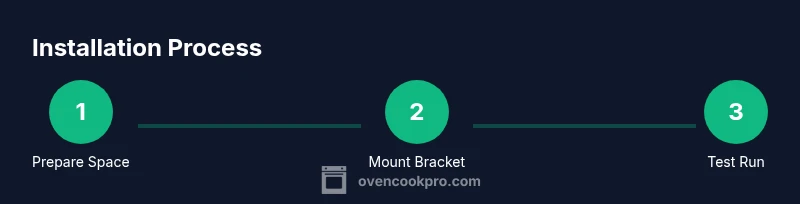
Installing a Samsung over-the-range microwave involves securing a sturdy mounting bracket, aligning the unit with the cabinet line, and ensuring proper venting and electrical connections. Start by confirming the wall studs behind the cabinet, preparing a stable mounting surface, and verifying that the chosen model is compatible with your kitchen’s structure. Venting choices are critical: a ducted exhaust requires an unobstructed path to the outside, while a recirculating vent uses a charcoal filter. Always disconnect power before any wiring steps and follow the manufacturer’s electrical guidelines. If there is any doubt about wiring or vent routing, consult a licensed electrician or professional installer. Clear the area of obstacles and ensure there’s adequate workspace to maneuver the microwave onto the mounting bracket without bumping into cabinets or the stove.
During installation, keep safety gear handy and be mindful of weight and balance. Use a helper for lifting and wiring tasks, and use proper lifting techniques to avoid injury. After mounting, verify that the unit sits level and square, reseal vent ducts where necessary, and test the ventilation function along with the microwave’s basic cooking settings. Finally, confirm that all screws are tight and the unit is secured to prevent movement. Regularly check the vent filter and replace when dirty; a clogged filter reduces vent performance and can increase humidity in the kitchen. These steps promote a secure, efficient setup and long-term reliability.
Everyday cooking with Samsung over-the-range microwaves
In day-to-day use, Samsung OTR microwaves simplify meal prep with sensor-based cooking that adjusts time and power automatically for common foods like popcorn, beverages, and reheated leftovers. Convection-enabled models let you bake small batches, achieving browning and a crisper finish comparable to a compact oven. When reheating, choose the auto-defrost or sensor defrost options for better texture preservation, especially for proteins and bread. For best results, use microwave-safe dishes and lids that trap steam appropriately, and avoid metal or containers with metallic trim. The venting system helps clear steam during stovetop cooking, but proper vent routing and periodic filter cleaning are essential to maintain air quality.
Daily maintenance is straightforward: wipe the interior after spills, rotate items halfway through cycle for even heating, and periodically clean the exterior, control panel, and door seal. If you rely on baking, preheat the convection mode as needed and monitor food closely the first few times to calibrate timing. Keep an eye on energy use and power settings—saving power when reheating or cooking small portions can reduce overall electricity consumption while keeping results consistent. In routine use, a Samsung OTR microwave can become a reliable, space-saving workhorse in the kitchen.
Maintenance, cleaning, and safety reminders
Regular maintenance ensures your Samsung over-the-range microwave operates safely and efficiently. Clean the interior with a mild, non-abrasive cleaner and wipe spills promptly to prevent odors or residue buildup. Periodically check the door seals for signs of wear and tear, as a compromised seal can affect performance and safety. Clean the vent filter or charcoal filter according to the model’s guidelines, and replace filters when the manufacturer recommends or when airflow noticeably declines. For venting, ensure the duct path remains clear of obstructions, and inspect the exterior vent cover for dust buildup. If your model includes a convection feature, calibration checks are prudent to maintain even heating.
Safety reminders include unplugging the unit before cleaning or servicing, keeping hands away from hot surfaces during operation, and avoiding placing metal objects inside the oven. Use cookware labeled microwave-safe and avoid using containers that can trap heat or explode under pressure. If you notice unusual noises, smoke, or an error code on the display, power down the unit, unplug it, and consult the user manual or a qualified technician. A well-maintained unit not only improves performance but also reduces the risk of electrical or fire hazards. Regular checks and mindful use will extend the life of your Samsung OTR microwave.
Troubleshooting common issues and when to call a pro
Common issues with Samsung over-the-range microwaves include inconsistent heating, error codes, or ventilation inefficiency. If the microwave isn’t heating evenly, ensure the turntable is positioned correctly and that sensors aren’t obstructed by oversized dishes. If the display shows an error code, consult the user manual for precise meanings and reset steps; many codes resolve with a simple power cycle (unplug, wait, plug back in). Ventilation problems—such as persistent steam or poor airflow—may indicate a clogged filter or misaligned vent duct. Check the vent cover and replace filters as recommended. If the unit won’t power on or you hear unusual noises or smells, shut it off and disconnect power, then contact a licensed technician to diagnose electrical or mechanical faults. For users unsure about electrical work or vent routing, professional installation ensures code compliance and safety. When in doubt, consult Samsung’s official support resources or a qualified service provider to avoid compromising safety.
Final considerations and how to maximize your Samsung OTR microwave experience
A Samsung over-the-range microwave oven offers a practical blend of cooking flexibility and space-saving design. By selecting a model with the right features—sensor cooking, convection option, and an appropriate venting method—you tailor the appliance to your kitchen workflow. Regular maintenance, mindful operation, and adherence to safety guidelines will help you extract maximum value over years of use. Your investment should pay dividends in easier weeknight meals, better ventilation during stove-top cooking, and the convenience of having a small oven on standby when needed.
Tools & Materials
- Phillips head screwdriver(Essential for mounting screws and panel removal)
- Measuring tape(Verify width, height clearance, and vent alignment)
- Level(Ensure unit sits evenly for stability and proper venting)
- Electrical outlet tester(Confirm outlet is grounded and wired correctly)
- Ducting kit or vent piece (if venting externally)(Needed for ducted vent paths; choose compatible size)
- Safety gloves(Protect hands when handling edges and tools)
- Utility knife(Trim packaging or vent tape as needed)
Steps
Estimated time: 45-90 minutes
- 1
Prepare the installation space
Clear the area above the stove and verify the cabinet cutout matches the oven’s width. Use a measuring tape to confirm vertical clearance and mark mounting points for the bracket. Make sure there is enough room to maneuver the unit during installation.
Tip: Have a helper ready to assist with lifting and alignment; misalignment can damage cabinetry. - 2
Power down and verify outlet
Turn off power to the dedicated outlet or circuit you’ll use for the OTR unit. Use an outlet tester to confirm proper wiring and grounding before proceeding. Do not rely on an extension cord for permanent installation.
Tip: If the outlet is not up to code, arrange a compliant installation or consult a licensed electrician. - 3
Attach the mounting bracket
Secure the mounting bracket to wall studs behind the cabinet using the provided screws. Use a level to ensure the bracket is perfectly plumb and aligned with the cabinet edge. Tighten all fasteners securely to support the weight of the unit.
Tip: Double-check that the bracket is anchored into studs, not just drywall anchors. - 4
Prepare venting and duct path
If using ducted venting, connect the exhaust duct to the vent opening and route it through the cabinet and wall to the exterior. Seal joints with foil tape and ensure there are no kinks in the duct. If recirculating, install the charcoal filter and ensure the vent path ends with a clean exhaust opening.
Tip: Avoid sharp bends in the duct to maximize airflow and reduce noise. - 5
Install the microwave and connect electrical
Carefully mount the microwave onto the bracket, then plug into the dedicated outlet. Confirm the unit sits level and locks securely to the mounting frame. Keep hands clear of the door as you align it with the cabinet face.
Tip: Do not squeeze wires or cables in confined spaces; allow slack to prevent damage. - 6
Program basics and test run
Power on the unit and set basic preferences (time, clock, vent mode). Run a short test cycle with a safe, microwaveable item to verify heating and vent operation. Check that the display responds to controls and that the exhaust is venting properly.
Tip: Keep a nearby towel to catch any initial condensation during the first use.
Questions & Answers
Do I need a professional to install a Samsung over-the-range microwave?
Installation often involves mounting hardware, electrical connections, and venting. If you’re not comfortable with electrical work or vent routing, hiring a licensed professional is recommended for safety and code compliance.
installation usually requires electrical and venting work. If you’re not comfortable with those steps, hire a professional.
Can Samsung OTR microwaves be vented to the outside?
Yes, many Samsung OTR models support ducted venting to the outside. If outside venting isn’t feasible, you can use recirculating venting with a charcoal filter. Choose according to your kitchen layout and local code.
Yes, most Samsung over-the-range microwaves can vent outside or recirculate air using a filter.
What features make a Samsung OTR microwave worthwhile?
Sensor cook, convection mode, multiple power levels, interior lighting, and a reliable vent system are common features. Look for model compatibility with your cooking habits and space.
Look for sensor cooking, a convection option, good venting, and easy-to-use controls.
How do you choose between convection and standard mode?
Convection mode bakes and browns, giving you oven-like results on small batches. Standard microwave mode heats quickly but lacks browning. If you bake or roast often, a convection-capable model adds value.
Convection gives oven-like results; standard mode heats fast but doesn’t brown as well.
What should I do if the unit stops heating or shows an error?
First, unplug the unit and wait a minute before plugging back in to reset the electronics. If an error code persists, consult the manual or contact Samsung support or a qualified technician.
Unplug, wait, plug back in, and check the manual for error codes. If it continues, contact support.
Watch Video
Main Points
- Know the space and venting options before buying
- Choose features that match your cooking style
- Prioritize safe installation and electrical compliance
- Use sensor and convection modes for flexibility
- Maintain filters and seals for optimal performance