How to Use the Oven Function in a Samsung Microwave
Learn to bake, roast, and finish dishes using the oven function in Samsung microwaves. This expert guide covers preheating, cookware, settings, safety, and troubleshooting to help home cooks achieve oven-like results in a compact appliance. 2026 edition by Oven Cook Pro.


Learn to bake and roast using Samsung microwave oven mode. This guide shows how to activate convection-plus microwave, preheat correctly, choose cookware, set temperatures, and time for reliable results. You’ll need a microwave with convection/oven mode, appropriate bakeware, and a simple recipe to practice. This approach minimizes guesswork and improves browning.
What Samsung calls 'oven mode' and how it works
According to Oven Cook Pro analysis, the oven function in Samsung microwaves blends convection heating with microwave energy to bake, roast, and brown foods in a compact appliance. This hybrid approach lets you cook items that normally need a full-size oven—cookies, small roasts, casseroles—with more even browning than a standard microwave can achieve. Access may be labeled as Convection Bake, Convection Roast, or Oven, depending on the model. Some models combine a traditional microwave cycle with a forced-hot air sequence, while others offer dedicated convection presets. Always consult your owner’s manual for exact menu names and step-by-step navigation.
Tip: Before you bake, verify your cookware is labeled microwave-safe for the oven setting. If you’re unsure, test with a small batch and monitor browning closely.
Preheating and temperature essentials
Preheating in oven mode helps ensure even browning and accurate bake times. Most Samsung convection + microwave combinations benefit from a brief preheat, typically 5–10 minutes, before you place food inside. If your model shows a preheat indicator or beep, wait for that signal rather than guessing. Temperature-wise, use the recipe’s conventional oven temperature as your baseline. In some models, you may need to start a few degrees lower to compensate for microwave power, then adjust in small increments. Always verify heat with an oven thermometer placed in the center of the rack. If you notice spots browning too quickly, rotate the dish or move it to a higher or lower rack.
Safety note: Do not place plastic containers in oven mode unless the manufacturer explicitly says they’re safe at high convection temperatures.
Cookware and rack positioning for best results
Use oven-safe bakeware such as glass, ceramic, or metal that is labeled microwave-safe for oven use. Avoid standard plasticware; even microwave-safe plastics can warp under convection heat. Metal bakeware can be used if your Samsung model supports it in oven mode, but never place aluminum foil or metal objects near the door seal. Place the dish on the middle rack for even air circulation, and use a shallow, wide pan for sheet-bake items to maximize browning. If you’re rewarming leftovers, choose shallow containers to prevent soggy bottoms.
Practical guidance: achieving even browning and reliable bake times
In most Samsung oven modes, bakeware should be centered on the rack to allow hot air to circulate evenly. Start with the recipe’s target temperature and monitor early browning; if the top browns faster than the interior cooks, cover the dish loosely with parchment or a lid and reduce the temperature by 10–20°F (5–10°C) and extend the baking time slightly. Remember that microwave energy dries foods more quickly than a conventional oven, so pacing is essential for even texture. For delicate baked goods, consider a lower rack height and a shorter bake window, checking progress frequently.
Step-by-step overview: baking with Samsung oven mode (high-level)
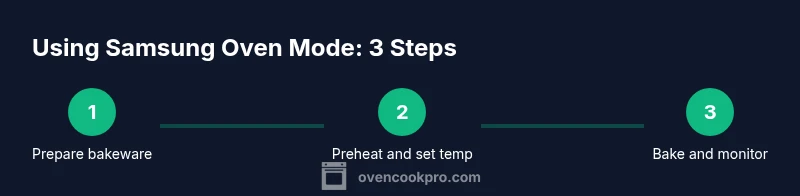
- Prepare your dish and bakeware, ensuring it fits your microwave cavity and is rated for oven use. 2) Power on the unit and select oven mode (Convection Bake or Convection Roast) appropriate for your recipe. 3) Preheat to the target temperature and wait for the indicator to signal readiness. 4) Place the dish in the center of the rack and close the door. 5) Set the timer for the recipe’s bake duration and check progress halfway. 6) When done, remove carefully, rest briefly, and clean the bakeware after cooling.
Authority sources
For safety and best practices, consult trusted sources:
- https://www.fda.gov/food-safety
- https://www.nist.gov/topics/temperature
- https://www.consumerreports.org/cooking-appliances/
Tools & Materials
- Samsung microwave with convection/oven mode(Ensure model supports oven mode and convection bake/roast presets.)
- Oven-safe bakeware (glass, ceramic, or metal)(Choose pieces labeled microwave-safe for oven use; avoid flimsy plastics.)
- Oven thermometer(Place in the center of the dish to verify actual heat.)
- Parchment paper or silicone mats(Helpful for easy release and cleanup.)
- Heat-resistant gloves or tongs(Use when handling hot bakeware.)
- A simple test recipe(Practice with a straightforward bake before more complex dishes.)
Steps
Estimated time: 45-60 minutes
- 1
Prepare bakeware and ingredients
Choose an oven-safe dish that fits your cavity. Arrange ingredients in an even layer and set up parchment or a silicone mat if needed. This ensures consistent heat transfer and prevents sticking.
Tip: Test a small amount on your first try to gauge browning and time. - 2
Power on and select oven mode
Turn on the microwave, navigate to the oven/convection setting, and choose the appropriate preset (Convection Bake or Convection Roast) based on your recipe. This aligns the appliance with conventional oven behavior.
Tip: If unsure, start with the lower convection setting and plan to adjust. - 3
Preheat to target temperature
Set the temperature to the recipe’s conventional oven temperature. Allow 5–10 minutes for the oven to reach temperature, watching for a preheat indicator if available.
Tip: Using an oven thermometer helps confirm the actual heat. - 4
Place dish on center rack
Position the bakeware in the middle of the rack for even air circulation. Avoid crowding and ensure there’s space for convection to move around the dish.
Tip: Centering prevents hot spots and uneven browning. - 5
Set bake time and monitor progress
Enter the recipe’s bake duration. Check halfway through and adjust if browning is ahead of interior cooking.
Tip: If browning is too fast, tent with parchment or reduce temperature slightly. - 6
Finish, rest, and clean
When the timer signals done, remove the dish carefully and let it rest briefly before serving. Once cooled, wash bakeware and wipe the interior to maintain performance.
Tip: Cleaning while cool prevents stubborn residue.
Questions & Answers
Can I use Samsung oven mode to reheat leftovers?
Yes, you can reheat leftovers in oven mode to improve texture, but use lower temperatures and shorter times to avoid drying out. Check that the dish is safe for oven use and monitor closely.
Yes, you can reheat using oven mode, but start with a lower temperature and shorter time to prevent drying out.
Is metal bakeware allowed in Samsung oven mode?
Metal bakeware is model-dependent in oven mode. Check your manual; if allowed, center it on the rack and avoid touching the door seal.
Metal can be used in some models, but verify in the manual and use it with caution.
Why is browning uneven when using oven mode?
Uneven browning usually results from crowded pans, incorrect rack position, or uneven heat. Rotate the dish, adjust rack height, and ensure broad surface contact.
Uneven browning happens when heat doesn’t circulate evenly; adjust rack position and rotate the dish.
Can I bake frozen foods in oven mode?
Frozen foods can be baked in oven mode, but expect longer times and possibly extra steps like increasing temperature slightly or extending bake time. Thawing can improve evenness.
You can bake from frozen, but plan for longer time and potential changes in texture.
How do I clean after using oven mode?
Let the appliance cool, then wipe interior with a damp cloth. Use mild soap if needed and avoid abrasive cleaners on the surfaces.
Let it cool, wipe with a damp cloth, and use a mild cleaner if needed.
Is there a preheat indicator I should wait for?
Many Samsung models show a beep or indicator light when preheating is complete. If your model doesn’t, wait 5–10 minutes and test with a thermometer.
Listen for the beep or indicator, or wait a few minutes and verify temperature with a thermometer.
Watch Video
Main Points
- Know that Samsung oven mode blends convection heating with microwaves for baking.
- Preheat for 5–10 minutes and verify heat with a thermometer.
- Choose oven-safe bakeware and center the dish for even browning.
- Rotate or adjust temperatures if browning is uneven.
- Finish with a brief resting period for best texture.