Electric Samsung Oven: A Practical Step-by-Step Guide
Learn how to operate and optimize an electric Samsung oven. This guide covers preheating accuracy, convection vs bake, rack placement, maintenance, and troubleshooting for consistent, reliable cooking.


With this guide, you will confidently operate and optimize an electric Samsung oven. You’ll learn essential steps for safe setup, preheating accuracy, choosing the right bake mode, rack positioning, and basic maintenance. The goal is even, reliable cooking and fewer cold spots, whether you’re baking bread, roasting vegetables, or reheating leftovers.
Why an electric Samsung oven stands out for home cooks
Electric ovens are known for stable, even heat and predictable results. Samsung adds smart features and thoughtful design that make everyday cooking easier, whether you’re baking bread, roasting vegetables, or reheating leftovers. In this section we cover why Samsung’s electric ovens are a good fit for most kitchen setups and how to approach using them with confidence. According to Oven Cook Pro, reliable oven performance starts with accurate temperature control and proper calibration. This is the foundation for even baking, consistent browning, and fewer burned edges. Start with a clean oven, a thermometer, and a plan for the dishes you cook most often. The goal is simple: dependable results that you can reproduce week after week. By understanding the basics of heating elements, convection fans, and the way Samsung layouts racks and modes, you’ll set yourself up for success before you even begin.
Key features you should know about
Modern electric Samsung ovens combine robust heating elements with a convection fan to promote even air distribution. Typical bake modes include Bake, Broil, Roast, and Keep Warm, plus defrost or specialized settings for pastries. A built-in or external thermometer helps verify temperature accuracy, which matters for delicate bakes and long roasts. Samsung often emphasizes user-friendly controls, clear timers, and efficient insulation to reduce energy use. When you’re planning a meal, think about whether you need moisture retention for bread or a crisp edge for vegetables; your choice of bake mode and rack position will determine the outcome. For best results, select the mode that matches your recipe’s intent and keep the oven’s interior clean to avoid off flavors or smoke.
Preheating and temperature accuracy: calibration steps
Preheating matters more than many cooks realize. Start by selecting the target temperature and allow the oven to reach it fully before loading food. Place a reliable oven thermometer in the center of the middle rack to verify the actual temperature against the dial or digital readout. If you notice a consistent drift (e.g., actual temp 25–30°F off), use the thermostat calibration option in the oven’s settings if available, or make a note to adjust your recipe timing. Temperature drift is more noticeable in long cooks and with large roasts, so check early and recheck as needed. Keep the thermometer away from walls and racks to avoid reading errors, and remember that door openings temporarily lower the interior temperature.
Cooking techniques: bake, roast, and broil with Samsung electric ovens
Different recipes require different heat delivery. For bread and delicate pastries, bake in the center with a mid-rack position and consider using a steam option if your model provides it. Roasting vegetables or meats often benefits from a higher heat and a lower rack position, ensuring browning without scorching the bottom. Broiling should be reserved for finishing touches and should be monitored closely, given the intense direct heat. When you switch between modes, keep the door closed as much as possible to maintain heat and ensure more consistent results across dishes.
Maintenance, safety, and troubleshooting tips
Regular cleaning prevents lingering odors and smoke. Wipe the interior after use once it has cooled, and avoid abrasive cleaners that can damage coatings. Inspect door seals and racks for wear; a loose seal can reduce efficiency and lead to uneven cooking. If you notice unusual noises, odors, or an overheating indicator, stop using the oven and consult the manufacturer manual or a qualified technician. The Oven Cook Pro analysis shows that regular calibration and mindful maintenance reduce drift and help retain consistent performance over time.
Tools & Materials
- Oven thermometer(Place in center of oven to verify actual temperature)
- Baking sheet and shallow roasting pan(Use light-colored pans for even browning)
- Rack guides or ruler(Helps time rack changes precisely)
- Silicone mats or parchment paper(Prevents sticking and makes cleanup easier)
- Soft cloth or sponge(Keep the interior clean; wipe spills after cooling)
- Oven-safe thermometer with probe(Helpful for slow-cook or high-heat recipes)
Steps
Estimated time: 60-90 minutes
- 1
Prepare the oven and safety checks
Clear the interior by removing racks if needed and wipe with a damp cloth. Verify the door seals are clean and intact. If you suspect poor sealing, avoid opening the door during longer cooks and plan shorter, repeated checks instead.
Tip: A clean seal improves heat retention and baking consistency. - 2
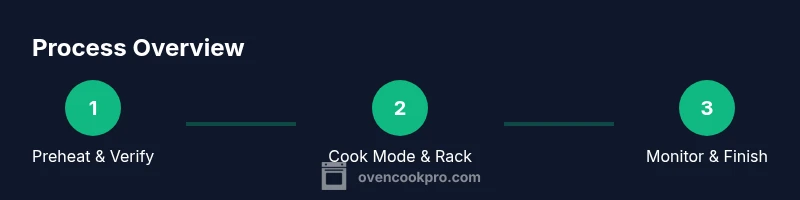
Preheat to target temperature and verify
Select the desired bake mode and temperature, then wait for a full preheat. Insert an oven thermometer toward the center of the oven to confirm actual temperature before placing food inside.
Tip: If you see a drift, use the thermostat calibration option if your model supports it. - 3
Position racks and prepare the cookware
Place cookware on the rack in a position that matches the recipe’s intent (middle for even browning, bottom for crusty bottoms, top for browning). Use parchment or silicone for easy cleanup and even heat distribution.
Tip: Avoid overcrowding to ensure proper air flow. - 4
Load food and select mode
Place food in the center of the oven, away from walls, and choose the appropriate mode (bake for most breads and cakes, convection for quick browning). Set a timer and avoid peeking too often.
Tip: Convection can reduce cooking times; check earlier than the recipe calls for. - 5
Monitor progress and adjust as needed
Use the thermometer to confirm doneness and watch for color cues. If the top browns too quickly, tent with foil. For roasts, rotate at halfway if your model permits, to promote even cooking.
Tip: Trust internal temperature more than color alone for meat. - 6
Finish, rest, and clean
Remove dishes when done and let them rest before slicing to finish carryover cooking. Clean spills after the oven cools to prevent residue build-up, and wipe racks before reusing.
Tip: A quick wipe after cooling saves time at the next cook.
Questions & Answers
How reliable is a Samsung electric oven for daily cooking?
Samsung electric ovens are designed for regular use; overall reliability improves with proper maintenance and calibration. Regular cleaning and periodic temperature checks help prevent drift.
Samsung ovens are reliable when you keep them clean and calibrated.
What’s the best bake mode for even bread and pastries?
For most loaves and pastries, use Standard Bake with a middle rack. Convection can help with even browning, but some delicate items benefit from non-convection bake.
Use standard bake for bread, and convection if you want faster, even browning.
How can I calibrate oven temperature without a professional tool?
Use a reliable oven thermometer to compare readings at a known temperature, like 350°F and 450°F. If your model offers thermostat calibration, follow the manual to adjust bias.
Compare with a thermometer and adjust if your model allows it.
Is it safe to use aluminum foil or metal pans in Samsung ovens?
Yes, but avoid blocking vents and avoid letting foil touch heating elements. Do not cover racks in a way that restricts airflow.
Don’t block airflow with foil and keep it away from heating elements.
What should I do if food is undercooked on top but overcooked on the bottom?
Raise the rack to a higher position, if possible, and consider turning on convection briefly. Check your oven temperature to ensure even heat distribution.
Move the rack up and check temperature, then adjust if needed.
Does Samsung offer Sabbath mode or other special cycles?
Some Samsung models include Sabbath-compatible cycles; check your model manual for availability and safety notes.
Check your model’s manual for Sabbath options and safety limits.
Watch Video
Main Points
- Verify oven temperature with a thermometer.
- Choose bake vs convection based on recipe needs.
- Position racks correctly for optimal results.
- Maintain regular cleaning and calibration for consistency.