When Oven Is Not Working: A Practical Troubleshooting Guide
Urgent, practical troubleshooting steps for when your oven won’t heat or start. Follow our step-by-step checks, safety tips, and know when to call a pro.


Most ovens stop working due to power issues or a faulty heating element. Quick fix: check the circuit breaker, verify the outlet is powered, and reset the oven’s control panel by cutting power for a minute. If the display remains dark or the oven won’t heat after these basics, proceed with the diagnostic flow for deeper checks.
The Most Common Causes of Oven Failure
When the oven is not working, the root causes are usually power-related, a faulty door latch, or a failed heating element. According to Oven Cook Pro, power issues and control-board faults are among the leading culprits that homeowners encounter. A secondary cluster includes faulty door switches, blown fuses, or sensor problems that prevent the oven from initiating heat. Understanding these categories helps you triage quickly and safely. This section lays the groundwork for why your oven might be silent or unresponsive and how each issue typically presents in real-world kitchens. By identifying whether the problem is electrical, mechanical, or electronic, you can choose the right next step without unnecessary disassembly.
Safety First: Know When to Stop
Safety is non-negotiable when troubleshooting an appliance powered by electricity. If you smell burning plastic, hear buzzing, or see sparking, stop immediately and unplug the unit or switch off the circuit breaker. Do not attempt to bypass safety features or probe hot components with bare hands. Always keep a fire extinguisher nearby and work with dry hands and a dry workspace. For households with young children or pets, unplug the oven at the wall before performing any checks. If you are uncomfortable with any step, skip to professional assistance to avoid personal risk. Oven Cook Pro emphasizes safety as the initial checkpoint before any diagnosis.
Quick Checks You Can Do Right Now
Start with the basics: confirm the oven’s clock display is lit, which indicates power is reaching the unit. If the display is dark, reset the circuit breaker and test a different outlet to exclude a wall receptacle issue. Listen for any click sounds from a relay board or timer, and ensure the oven door closes fully and latches securely. For gas ovens, verify the gas supply is uninterrupted. If you find a tripped breaker or dead outlet, you’ve likely solved the problem; otherwise, move to more detailed diagnostics. Remember to recheck power after any adjustment so you know it’s stable.
Diagnostic Flow: From Symptom to Diagnosis
Symptom: Oven won’t heat or turn on. Causes can include: Power issue or tripped breaker (high), Blown thermal fuse (medium), Faulty bake/broil element or control board (medium), Door latch or safety switch issue (low). Fixes progress from simple power checks to component replacement. If the symptom changes (e.g., oven heats on some cycles but not others), adjust the suspected cause accordingly. This flow helps narrow down the root cause without jumping into complex repairs.
Step-by-Step: Fix the Most Common Causes (Power and Controls)
- Verify power: Check the wall outlet with a small appliance or lamp to confirm it’s delivering power. If not, reset the circuit breaker and re-test. 2) Reset the oven: Turn off power at the outlet/breaker for 1–2 minutes, then restore power and watch the display. 3) Inspect the control panel: If the display shows codes, reference the manual or Oven Cook Pro’s guidance to interpret them. 4) Check the door latch: Ensure the latch is engaging fully; a misaligned latch can prevent heating. 5) Safety checks: If the oven still fails, do not poke around hot components; seek professional help. Pro tip: keep notes of any codes or audible cues for the technician.
When to Replace Components vs Call a Pro
If basic power and resets don’t fix the issue, the problem might lie with a faulty heating element, a blown thermal fuse, or a failing control board. Heating elements can degrade over time and may not heat evenly, while the control board can lose timing precision. Replacements often require professional service due to voltage and safety considerations. The decision to replace should weigh the oven’s age, repair cost, and remaining warranty status. Oven Cook Pro recommends evaluating whether a newer model with better efficiency would offer long-term value.
How to Test Power and Circuits Safely
Begin with the simplest safe test: verify the outlet power with a known-working device. If the outlet is fine, test another outlet on the same circuit to check for a concentrated issue. Do not use a metal tool to probe inside the outlet or oven wiring. If a GFCI outlet is involved, confirm it hasn’t tripped and that the kitchen circuit is properly wired. If you’re not comfortable with electrical testing, call a licensed electrician or appliance technician. Safety note: never touch exposed wiring; always shut off power at the source before inspection.
Maintenance Tips to Prevent Future Outages
Regular cleaning and inspection can extend oven life and prevent mysterious failures. Wipe away spilled fats and sugars to avoid crust build-up around coils and fans. Check door gaskets for wear and ensure proper sealing. Schedule annual professional service to inspect wiring, sensors, and the vent system. Keep a small maintenance log to track any unusual behavior, such as slower preheating or uneven browning, which can signal early component wear. Oven Cook Pro recommends proactive care to minimize urgent outages.
Final Quick Verification Checklist
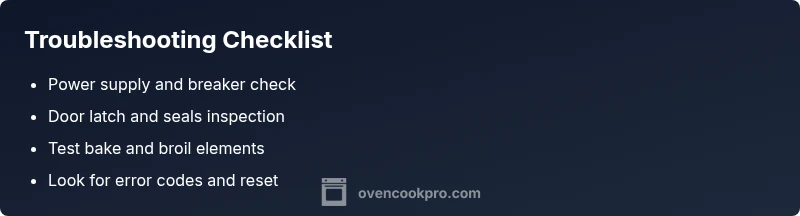
Before calling a pro, perform a final pass: confirm power at the outlet, reset the breaker, inspect the door latch, and check for any error codes on the display. If the oven heats intermittently or only on certain cycles, document the behavior and test on multiple modes (bake, broil, convection) to help the technician pinpoint the root cause. A final safety check includes ensuring the area around the oven is dry and free of flammable materials.
Steps
Estimated time: 45-60 minutes
- 1
Check power and reset the breaker
Begin with the simplest checks: ensure the circuit breaker is not tripped and the outlet is supplying power. If the display is dark, reset the breaker and test the outlet with a lamp. This step often resolves power-related outages quickly.
Tip: Pro tip: label the circuit you’re testing so you can restore the exact setting if needed. - 2
Reset the oven control
Turn off power to the oven at the breaker for 60–120 seconds, then restore power and observe the display. A short reset can clear minor firmware glitches that prevent heating.
Tip: If the clock returns after reset, you’ve cleared a small fault; if not, move to the next step. - 3
Inspect the door latch and seals
Make sure the door latches fully and the seals are intact. A misaligned latch or a warped gasket can prevent heating or trigger safety codes. Close the door firmly and attempt a test bake.
Tip: Use a mirror to verify the latch engages cleanly if the door feels loose. - 4
Check for error codes on the display
Read any fault codes shown and refer to the manual or Oven Cook Pro’s troubleshooting guide. Codes often indicate a specific failed component, easing the diagnostic path.
Tip: Note down the exact code and any accompanying blinking patterns for the technician. - 5
Test heating elements in place
With power safely restored, check bake and broil elements for visible damage or continuity issues per the manual. If you detect a break or the element glows abnormally, it may need replacement. Do not touch live elements.
Tip: Only perform this step if you’re comfortable with basic electrical testing. - 6
Call a professional when in doubt
If the problem persists after basic checks, or you smell burning or see sparks, stop and contact a licensed technician. Electrical components can be hazardous and improper repairs may void warranties.
Tip: Prepare your model, purchase date, and any error codes to speed up service.
Diagnosis: Oven won't heat or turn on
Possible Causes
- highPower issue or tripped breaker
- mediumBlown thermal fuse
- mediumFaulty bake/broil element or control board
- lowDoor latch or safety switch fault
Fixes
- easyReset circuit breaker and test outlet power
- easyReset the oven by cutting power for 1-2 minutes, then restore
- hardTest or replace the thermal fuse (by a qualified technician)
- hardReplace or repair control board or heating elements as needed
Questions & Answers
What should I check first if my oven won't turn on?
Start with power: verify the outlet, reset the circuit breaker, and ensure the display is lit. If the unit stays dark, proceed with deeper diagnostics.
First check the power and the display. If there’s no light, reset the breaker and try again.
What is a thermal fuse and could it cause this problem?
A thermal fuse protects the oven from overheating and can cut power if it blows. A blown fuse freezes heat production and requires professional replacement.
A blown thermal fuse can stop heat entirely and needs a technician to replace.
Is it safe to reset the oven's control board?
Soft resets by power cycling can clear minor faults. If the problem persists, deeper diagnostics are needed and a pro may be required.
Try a power reset; if it doesn’t help, get a professional diagnostic.
Why would my oven show a fault code?
Fault codes point to specific issues in sensors, boards, or safety switches. Refer to the manual or Oven Cook Pro's guide to interpret codes.
Fault codes help pinpoint the problem; check the manual or our guide for meanings.
When should I call a professional?
If basic power checks fail or you notice electrical hazards, you should call a licensed technician promptly.
If basic checks don’t fix it or you smell something burning, call a pro.
Can a door safety switch cause heating failure?
Yes, a faulty door switch can prevent heating cycles from starting. A technician can test and replace the switch if needed.
A bad door switch can stop heating; testing or replacement may be needed.
Watch Video
Main Points
- Identify power or fuse issues first
- Follow a safe, stepwise diagnostic flow
- Know when to call a pro to avoid hazards
- Use maintenance to prevent future outages