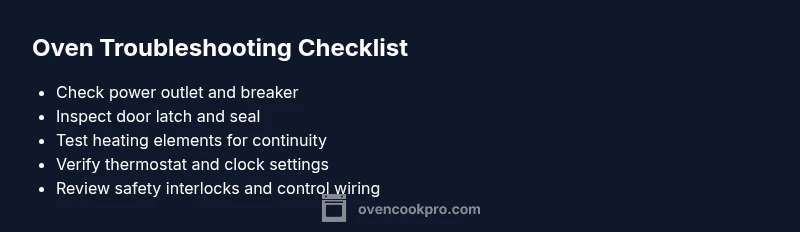
Oven Is Not Working: Fast Troubleshooting for Home Cooks
Learn how to diagnose and fix an oven that is not working with a fast, safety-first approach. Step-by-step checks, practical fixes, and expert tips from Oven Cook Pro.


Urgent: The oven not working is most often a power issue or a tripped breaker. Start with the basics: verify the outlet is live, reset the circuit breaker, and confirm the oven door is fully closed before testing the display and controls. If heat still won’t come, follow the diagnostic flow and step-by-step fixes outlined below.
Why the oven is not working
When an oven is not working, the most common causes are simple power issues, safety switches, or a failed component inside the control system. According to Oven Cook Pro, a non-heating oven is often traced back to a dead outlet, a tripped circuit breaker, or a door switch that prevents the unit from powering up. Before you despair, perform the following quick checks to confirm whether the problem is external (power and wiring) or internal (heater elements or control board). Your goal is to rule out the easy, inexpensive fixes first and avoid unnecessary service calls. If you smell gas, see smoke, or feel a strong electrical burn, stop immediately and contact emergency services. This guide uses a practical, home-friendly approach to give you confidence that you can diagnose and fix common faults safely. Remember: improving your oven's reliability starts with a firm grounding in the basics and a plan for when to escalate to professional help.
Quick checks you can perform right now
Start with safety and the most obvious checks. Verify the outlet is powered by plugging in another small appliance; if it doesn’t run, you’ve got a power issue at the supply side. Check the circuit breaker or fuse box for a tripped breaker or blown fuse; reset or replace as needed. Make sure the oven door closes firmly and the latch engages; a misaligned door can prevent heating or cause the display to go dark. Inspect the power cord for nicks or damage if you have a detachable cord. If you have a smart oven, verify the internal clock and timer aren’t locked in a setting that disables heat. Finally, reset the oven by turning off power at the breaker for 60 seconds and turning it back on. These steps solve most cases and require no tools beyond a basic tester.
Diagnostic flow at a glance
A systematic diagnostic flow helps isolate the cause efficiently. Start with power to confirm the unit is receiving electricity. If power is present, check safety switches such as the door latch and thermal fuse. If those pass, move to heating elements and control board for continuity tests. Document any error codes and cross-check them with the user manual. If the oven still doesn’t heat after the basic checks, follow the step-by-step fixes to address the most common failures first. The key is to progress from simple, safe tasks to more involved diagnostics, and to know when to call a professional.
Step-by-step fixes for the most common causes
Use this sequence to address the most frequent faults that keep an oven from working. Each step includes a clear action, expected result, and safety reminder. Step 1: Power verification and outlet test. Step 2: Breaker and fuse inspection. Step 3: Door switch test and seal check. Step 4: Thermostat setting confirmation and clock reset. Step 5: Heating element continuity check with a multimeter. Step 6: High-limit thermostat or thermal fuse inspection. Step 7: Control board inspection if you can access it safely. Step 8: If all else fails, schedule professional service. Estimated total time: 60-90 minutes. Tip: Keep the manual handy and label any tested components for reference.
Safety considerations and prevention
Working with ovens involves electrical components and high heat. Always unplug before inspecting any internal parts and avoid touching hot surfaces. Wear eye protection and use insulated gloves when handling heating elements. Do not bypass safety interlocks or jump a wire to test functionality. Regular maintenance reduces surprises: keep crumb buildup to a minimum, schedule periodic checkups, and replace faulty gaskets or seals when needed. If you’re unsure about any step, stop and seek professional help. Oven Cook Pro recommends documenting symptoms and the date of any fixes to track recurring issues and plan ahead.
Steps
Estimated time: 60-90 minutes
- 1
Verify power and inspect the outlet
Confirm the oven is receiving power by testing the outlet with a small appliance. If the outlet is dead, reset the circuit breaker and check for any nearby GFCI outlets that may have tripped. If power returns, test the oven controls again.
Tip: Use a plug-in tester to verify voltage presence. - 2
Check the circuit breaker and fuses
Go to the main panel and look for a tripped breaker or blown fuse. Reset the breaker fully and stand back to see if the oven display lights up. If the breaker trips again, stop and call a licensed electrician to inspect the circuit.
Tip: Never bypass a tripped breaker; it protects you from fire risk. - 3
Inspect the oven door and latch
Ensure the door closes completely and the latch engages. A misaligned door can prevent heat from building or cause safety interlocks to stay active. If needed, adjust the door hinge or seal to restore a proper seal.
Tip: A firm door seal helps heat retainment and avoids overheating the components outside the oven cavity. - 4
Test thermostat and clock settings
Verify that the oven is set to bake/broil mode and that the temperature setting is reasonable. Some models have a smart clock that can disable heating if not completed correctly. Reset the clock if necessary and try a short bake cycle at a low temperature.
Tip: Avoid setting temperatures far above normal when testing basic function. - 5
Check heating elements for continuity
Carefully access the back or bottom of the oven to inspect bake and broil elements for visible damage. Use a multimeter to test continuity; replace any element that shows open or shorted readings.
Tip: Only perform electrical tests if you are comfortable and have unplugged power. - 6
Inspect high-limit thermostat and thermal fuse
Older ovens may have a thermal fuse that opens if overheating occurs. If you suspect this, a professional should test and replace it, as it requires disassembly and safety precautions.
Tip: A blown fuse typically triggers a no-heat condition rather than a display error. - 7
Evaluate the control board and wiring
Look for burnt wiring, loose connectors, or damaged circuit traces on the control board. Only investigate if you have the right tools and an understanding of appliance electronics.
Tip: Do not touch solder joints or power rails with bare hands. - 8
Call a professional if unresolved
If the basics check out but heat still won’t come, schedule a service with a qualified appliance technician. They can diagnose board-level faults, unsafe wiring, or failing sensors with proper tooling.
Tip: Document error codes and copy down model/serial numbers for the technician.
Diagnosis: Oven won't heat or start
Possible Causes
- highPower supply issue (dead outlet or tripped breaker)
- highBlown circuit fuse or breaker has tripped
- mediumDoor switch or misaligned door latch
- mediumFaulty control board or heating element
- lowThermal fuse or high-limit thermostat failure
Fixes
- easyTest outlet with a known-working appliance; reset tripped breaker and replace any blown fuse
- easyInspect door latch and door alignment; ensure the door closes firmly and latches fully
- mediumTest heating elements for continuity with a multimeter if accessible; replace faulty element if needed
- hardCheck the control board for visible damage or error codes; service or replace as recommended by a pro
- hardIf the oven uses a thermal fuse/high-limit thermostat, replacement is typically a professional job
Questions & Answers
Why is my oven not heating at all?
Most often the issue is power-related, a tripped breaker, or a failed heating element. Start by confirming power and checking the door latch, then proceed through the diagnostic flow.
Most often it’s power or a faulty element. Start with power and the door latch, then follow the diagnostic steps.
What should I do if the oven light works but there is no heat?
That usually indicates a faulty heating element or a blown thermal fuse. Inspect bake and broil elements for damage and test continuity if safely accessible.
Likely a heating element or thermal fuse; inspect and test as safely possible.
Can a tripped circuit breaker cause the oven not to heat?
Yes. A tripped breaker prevents power to the oven. Reset the breaker and monitor for recurring trips; if trips persist, consult an electrician.
Yes—reset the breaker and watch for trips; call a pro if it repeats.
Is it safe to use the oven while I wait for a repair?
If you suspect a fault, avoid use until inspected. Using it could worsen the problem or pose safety risks.
Better to avoid until it’s checked by a pro.
When should I replace versus repair an oven?
Consider the oven’s age, repair cost, and energy efficiency. If the unit is older than 10-15 years or repairs exceed half the cost of a new unit, replacement may be wiser.
Age and repair cost guide the decision.
Who should I call for a professional repair?
Contact a certified appliance technician or the brand’s service line. Look for a tech with oven-specific experience and proper certifications.
Call a certified appliance technician.
Watch Video
Main Points
- Verify power first to rule out simple faults.
- Follow the diagnostic flow to identify root cause.
- Safety must guide every repair; unplug before touching metal parts.
- Call a pro when heating elements or control boards fail.