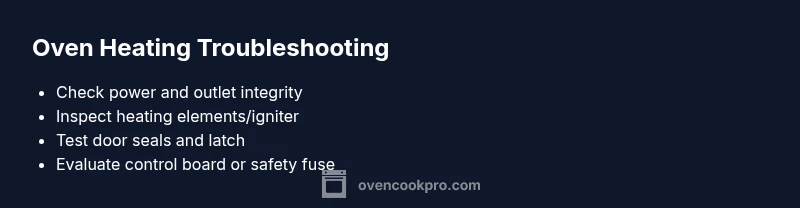
If Oven Is Not Heating Up: Step-by-Step Troubleshooting
If oven is not heating up, follow this urgent, step-by-step guide from Oven Cook Pro. Learn common causes, quick checks, and safe fixes to get back to cooking fast and avoid future failures.


Most likely causes are a faulty heating element, igniter, or thermal fuse, often tied to a power or control-board issue. Quick fix: confirm power at the outlet and reset the circuit breaker; if you hear a click but no heat, stop and call a pro. For a safe, thorough approach, follow our diagnostic flow and step-by-step guide.
If Oven Is Not Heating Up: Immediate, practical checks
If oven is not heating up, start with the basics before diving into components. Ensure the wall outlet is delivering power and the kitchen circuit hasn’t tripped. Unplug the unit for a moment and plug back in to reset the electronics. Listen for any unusual clicks or buzzing when you try to heat—these noises can indicate a faulty control or a failing heating element. According to Oven Cook Pro, most homeowners regain confidence by confirming power and retrying a cold-start test. If the outlet and breaker are fine, proceed to the more specific checks below to diagnose the heat source safely.
Common causes: what to check first
There are several frequent culprits when an oven won’t heat. Power issues (tripped breakers or a dead outlet) are the most common, followed by faulty bake/broil heating elements, a failing igniter in gas ovens, or a blown thermal fuse. Control board faults or faulty door switches can also prevent heat from reaching the chamber. Start with power, then inspect heating elements or igniter, and finally consider the door and seals. This sequence minimizes risk and helps you identify the root cause faster.
Safety comes first: when to pause and call a pro
If you notice sizzling sounds, a burning smell, or exposure to gas, stop immediately and shut off power to the oven at the breaker. Do not attempt internal repairs on electrical components beyond simple unplugging. In these situations, professional service is required. Oven Cook Pro emphasizes safety as the top priority; professionals have the tools and knowledge to diagnose control boards, gas valves, and safety features without risking fire or gas leaks.
Testing the power supply and controls
Begin by confirming the home outlet is supplying power to the oven. Try a different appliance in the same outlet to verify power. If the outlet is fine, check the oven’s interior light and display; if the display is dim or unresponsive, the control board or wiring could be the issue. Verify the clock or bake mode indicator aligns with the timer you set. If this doesn’t reveal a clear fault, move to components inside the oven that actually generate heat.
Inspect heating elements, igniter, and fuse
For electric ovens, inspect bake and broil elements for visible cracks or blistering; a failed element won’t glow when set to bake. In gas ovens, the igniter should glow orange or blue before gas flows. If the igniter or element looks damaged or doesn’t glow, it’s often the culprit. A blown thermal fuse will cut power to the oven’s heating circuit; this usually requires professional service. Remember to disconnect power before touching these parts.
Door, seals, and vent checks
A door that fails to seal can reduce heat retention, making the oven seem unheated. Check the door gasket for tears and the door latch for proper engagement. If the door isn’t sealing, heat can escape, causing longer heat-up times or no heat overall. Ensure hinges are intact, and the door closes fully without obstruction. A poor seal can masquerade as an underlying heating issue.
Quick fixes you can try safely
If you discover a loose wire or a loose terminal plug, gently reseat it with the power off. A tripped breaker can be reset, restoring power to the oven. If you find a damaged heating element or igniter, replace only with a compatible part after confirming the model. Do not bypass safety features or rewire components; these actions are hazardous and should be performed by a qualified technician.
Preventive maintenance to avoid future heat failures
Regular inspection of door seals, racks, and wiring connections helps prevent heat loss and component failure. Clean the interior to avoid debris affecting thermostats and sensors. Schedule periodic professional checkups if you rely heavily on the oven for cooking, especially for family meals or batch baking. Oven Cook Pro recommends documenting error codes and service dates to spot recurring issues early.
Final checks before you cook again
After performing the diagnostic steps, re-test the oven by setting a simple bake cycle and confirm heat reaches the desired temperature. If it still won’t heat, do not force it—contact a licensed technician. Keep a log of symptoms and remedies to streamline future service calls and identify patterns that indicate a failing component.
Steps
Estimated time: 60-90 minutes
- 1
Verify power and reset
Turn off the oven, unplug from the wall for 60 seconds, then plug back in and power on. Confirm the clock or display resets and that a basic bake cycle initiates. This step rules out simple power or software glitches.
Tip: If the outlet or kitchen circuit also powers a high-draw device, stagger usage to avoid tripping the breaker. - 2
Check the heating element/igniter
Visually inspect the bake and broil elements for cracks or blisters. If an electric oven element doesn’t glow when set to bake, it’s likely failing. In gas ovens, ensure the igniter glows before gas flow. Replace any damaged parts with OEM-compatible components.
Tip: Only handle heating parts with the power off to avoid shock. - 3
Inspect the thermal fuse and wiring
A blown thermal fuse cuts power to the heating circuit. This is a safety feature often found in older ovens. Accessing it requires removing panels; if you’re not comfortable, call a professional.
Tip: If the fuse has blown, do not bypass it—replacement is the safest fix. - 4
Test the door and seals
Ensure the door seals tightly and the latch closes fully. A leaky door allows heat to escape, making the oven seem cold even when heating elements work.
Tip: Clean the seal and ensure no objects block the door edge. - 5
Check the control board and sensors
If the display shows error codes or the oven ignores temperature commands, the control board or sensor may be faulty. This step often requires a technician with diagnostic tools.
Tip: Document any error codes shown for the technician. - 6
Reassemble and re-test
After replacements, reassemble panels securely, restore power, and run a test bake at a moderate temperature. Verify the oven preheats to the target temperature within a reasonable time frame.
Tip: Keep a watchful eye for unusual smells or sparks during the test.
Diagnosis: Oven won't heat to the set temperature
Possible Causes
- highPower issue (outlet or circuit breaker)
- mediumFaulty heating element or igniter
- lowBlown thermal fuse
- lowControl board or door switch fault
Fixes
- easyReset the circuit breaker and verify power at the outlet
- easyInspect bake/broil elements or igniter for visible damage and replace if needed
- mediumCheck for a blown thermal fuse and replace if replaced by a professional
- easyTest door latch/seal and replace gasket or door components as required
Questions & Answers
What should I check first if my oven won’t heat up?
Start with power: ensure the outlet has power and the circuit breaker hasn’t tripped. If the display is blank or unresponsive, the control board may be at fault. Then inspect heating elements or igniter for damage.
First, check power and the display. If the oven shows nothing, the problem might be the control board, otherwise inspect ignition or heating elements for visible damage.
Can a door seal cause an oven not to heat?
A damaged door seal can cause heat to escape, making the oven seem unheated. Inspect the gasket for tears and ensure the door closes fully against it.
Yes, if the seal is worn or the door doesn’t close properly, heat leaks and the oven won’t reach the right temperature.
When is it safe to attempt internal oven repairs?
Only perform basic checks and unplug the oven. For components like heating elements, igniters, or the control board, professional service is recommended to avoid shock or gas leaks.
If you’re unsure about any internal parts, don’t DIY. Call a licensed technician.
How long should an oven take to preheat?
Preheat times vary by model, but most ovens should reach temperature in 8–12 minutes under normal conditions. If it takes significantly longer, that’s a red flag.
Most ovens should preheat in under 15 minutes; longer times mean you should troubleshoot or call a pro.
What maintenance helps prevent oven heating problems?
Regularly inspect door seals, vents, and heating elements; clean the interior; and have periodic professional checkups to catch wear early.
Regular checks of seals and elements can prevent unexpected heat failures.
Watch Video
Main Points
- Identify power issues first to save time
- Replace faulty heating elements or igniters promptly
- Do not bypass safety devices or door seals
- Document error codes for future service
- Schedule professional checks for complex faults