How to Replace an Oven Temperature Sensor
Learn how to replace an oven temperature sensor with a safe, practical, step-by-step process. diagnose faults, choose the right sensor, and verify accuracy for reliable baking.


You’ll learn how to replace an oven temperature sensor, diagnose sensor faults, and safely complete the replacement with common tools. This guide emphasizes turning off power, choosing the correct sensor type, and verifying accuracy after installation. By the end, your oven should read temperatures more reliably and bake with consistent results.
What is an oven temperature sensor and why replace it?
The oven temperature sensor is a small device that monitors the actual temperature inside the oven cavity and feeds that data to the oven's control board. If it drifts or fails, temperatures can be inaccurate, leading to undercooked or overcooked food. Replacing the sensor is a common maintenance task that can restore accuracy. When you decide to replace oven temperature sensor, you should approach the job with clear safety steps and careful part selection. According to Oven Cook Pro, a fault in the sensor is a frequent cause of mismatched bake results, making this a practical repair for many households in 2026. In this guide, you’ll learn how to identify symptoms, gather tools, and perform the replacement with confidence.
Symptoms that point to a faulty sensor
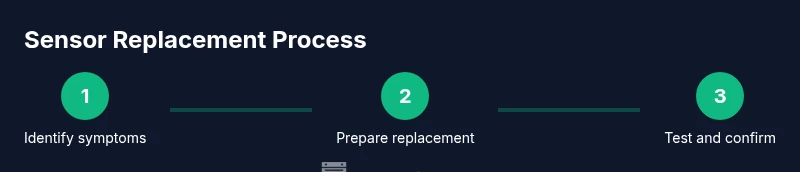
Older sensors can drift, causing preheat and bake temperatures to differ from the setpoint. Common signs include the oven not reaching or holding the target temperature, erratic temperature readings, or error codes on the control panel. If you notice inconsistent results across different recipes, a failing sensor is a logical culprit to test first. This section helps you distinguish sensor faults from burner or wiring problems so you don’t replace the wrong component.
Safety first: risks and precautions when working on ovens
Working with electrical devices and hot appliances carries risk. Always disconnect power to the oven at the circuit breaker before starting any repair. Use insulated tools and wear gloves to protect your hands from sharp edges inside the oven cavity. Avoid touching internal wiring while the unit is energized, and never work alone if you’re unsure about safety protocols. Following these precautions reduces the chance of shock or burns during the replacement process.
Tools and materials you’ll need
Before you start, assemble essential tools and a compatible replacement sensor. A voltage tester ensures the oven is fully de-energized, while a Phillips screwdriver helps remove panels. You’ll also need the replacement temperature sensor that matches your model, a multimeter if you want to test resistance, protective gloves, a flashlight, and a reference manual or diagram for your oven. Having everything ready minimizes delays and helps you stay organized during the repair.
Locating the temperature sensor in common oven layouts
In many electric wall ovens, the sensor sits behind the back panel inside the oven cavity, while in some models it’s near the bottom front of the cavity. Gas ovens may place the sensor in a similar location, but access can differ. If your model uses a front control panel, the sensor could be behind a small access panel. Check the user manual or model diagram for the exact location before removing any panels.
Sensor compatibility and replacement parts: what to know
Sensors come in various resistance values and connectors, so selecting the correct part is critical. Look up your oven’s model number and refer to the parts diagram to identify the right sensor. If you’re unsure, contact the manufacturer or a qualified technician. Using an incompatible sensor can cause incorrect readings or damage to the control board, so accuracy in part selection matters.
Disconnecting power and prepping the oven cavity
Start by turning off the circuit breaker and confirming there is no power in the oven using a voltage tester. Open the door and remove any racks to gain clear access to the internal panels. Having a well-lit work area helps you see small screws and connectors. Keep track of parts as you remove them, so reassembly goes smoothly.
How to test the oven after replacement
Reconnect components, power the oven, and perform a basic test by preheating to several target temperatures (e.g., 350°F and 450°F) while watching the control readout. If available, compare internal sensor readings with an external thermometer placed in the cavity. If readings align across tests, the replacement is likely successful. If not, recheck connections or consider a second inspection.
Maintenance tips to extend sensor life
Treat the sensor gently: avoid rubbing cleaners on the sensor area and keep the cavity dry during maintenance. Periodically run a calibration test if your oven supports it, and inspect wiring for wear or looseness. Regular cleaning of the oven interior can prevent residues from interfering with sensor readings and prolong overall oven health.
Troubleshooting: when to call a pro
If you notice continued temperature discrepancies after replacement, suspect wiring faults, control board issues, or sensor compatibility problems. In complex cases, a certified technician can diagnose wiring harness integrity and module faults without risking appliance damage. Seeking professional help is prudent when you encounter signs of electrical fault or if your oven is under warranty.
A closing note on documentation and model-specific steps
Every oven model differs in sensor access, mounting, and wiring. Always refer to the official manual for model-specific diagrams and torque specs on sensor mounting screws. If you’ve misplaced the manual, manufacturer websites often provide PDFs that show sensor locations and part numbers. Keeping a digital copy of your model details ensures easier future service.
Tools & Materials
- Voltage tester(Use to confirm power is off before touching any internal components)
- Screwdriver set (Phillips #2, flat-head)(Needed to remove back or interior access panels)
- Replacement oven temperature sensor(Ensure compatibility with your oven model (check model number))
- Gloves(Protect hands from sharp edges and heat-resistant surfaces)
- Work light(Improves visibility inside the oven cavity)
- Owner’s manual or wiring diagram(Helpful for identifying sensor location and connector type)
- Magnetic parts tray or small container(Keeps screws organized during disassembly)
Steps
Estimated time: 60-90 minutes
- 1
Power down and unplug
Power off at the circuit breaker and verify no power is present with a voltage tester. This protects you from electric shock during inspection and removal.
Tip: Double-check the display is off before touching any components. - 2
Gain access to the sensor
Remove oven racks and open the interior panels or back cover as required by your model to expose the temperature sensor and wiring harness.
Tip: Label and photograph connectors before disconnecting to simplify reassembly. - 3
Disconnect the sensor wiring
Carefully unplug the sensor’s connector from the control board or wiring harness. Do not pull on wires; use the connector itself to disconnect.
Tip: If connectors are tight, use a small flat-head to ease removal without damage. - 4
Remove the old sensor
Take out the old sensor by unscrewing mounting screws and gently freeing the sensor from its housing. Note the orientation for correct re-installation.
Tip: Keep track of screws; secure them in a labeled tray. - 5
Install the new sensor
Position the new sensor in the same orientation as the old one and secure it with screws. Reconnect the wiring harness firmly, ensuring a clean and stable connection.
Tip: Avoid overtightening screws to prevent sensor stress or damage. - 6
Reassemble and power up
Reinstall interior panels and racks, restore power at the breaker, and confirm the display powers on correctly.
Tip: Take a moment to ensure no tools or debris are left inside the cavity. - 7
Test for accuracy
Preheat to multiple setpoints and compare the readings with an internal or external thermometer if possible. Look for consistent readings across tests.
Tip: If readings stay inconsistent, recheck connections or consider professional evaluation.
Questions & Answers
What is an oven temperature sensor and what does it do?
The oven temperature sensor provides feedback to the control board to regulate heat. If it drifts, the oven may undercook or overcook. Replacing a faulty sensor can restore accuracy and reliable performance.
The temperature sensor tells the oven how hot it really is, and replacement fixes inaccurate readings that affect cooking results.
Can I replace the sensor myself, or should I hire a technician?
If you’re comfortable with basic appliance repairs and follow safety precautions, you can replace the sensor yourself. For complex electrical issues or warranty concerns, a qualified technician is advisable.
DIY is possible if you can safely disconnect power and handle small components; otherwise, seek a professional.
What are common symptoms of a faulty sensor?
Symptoms include inaccurate temperature readings, failure to preheat to the set temperature, inconsistent baking results, or error codes related to temperature sensing.
Watch for readings that don’t match the dial settings or repeat discrepancies across tests.
Do I need any special tools or parts?
Basic tools, a compatible replacement sensor, and a way to confirm the unit is unpowered are typically enough. Exact parts depend on the oven model, so check your manual or model diagram.
You’ll usually need a screwdriver, a voltage tester, and the matching sensor part.
Will replacing the sensor improve energy efficiency?
Replacing a faulty sensor may improve baking efficiency and results but may not directly lower energy use unless inaccurate readings caused excess heating.
Sensor replacement can improve accuracy and cooking results; energy impact varies by model and usage.
How long does sensor replacement take?
Most replacements take about an hour, depending on model accessibility and whether you need to remove any interior panels.
Expect roughly 60 minutes, plus time for testing after installation.
Watch Video
Main Points
- Identify sensor symptoms before replacing the part
- Power down and verify safety before any disassembly
- Choose a compatible sensor tailored to your model
- Test readings with multiple setpoints after installation
- When in doubt, consult a professional to avoid appliance damage