How to Check Oven Temperature Sensor with a Multimeter
Learn to test your oven temperature sensor using a multimeter with step-by-step instructions, safety tips, and troubleshooting guidance from Oven Cook Pro. Improve oven accuracy and avoid under- or over-cooking.


You will learn how to check an oven temperature sensor (thermistor or RTD) with a multimeter, interpret readings, and decide whether a replacement or professional service is needed. This guide covers safety basics, locating the sensor, and step-by-step testing to improve bake accuracy.
What this test covers and when to perform it
According to Oven Cook Pro, a faulty oven temperature sensor is a common cause of inaccurate bake temps. If your oven consistently reads too hot or too cool, or you notice delayed temperature response after you set a new temperature, testing the sensor with a multimeter can quickly reveal whether the sensor is out of spec. This test is relevant for both conventional and convection ovens, as sensor accuracy directly influences how the oven modulates heat. The goal is not only to confirm a fault but also to understand whether the sensor is failing intermittently or consistently. By the end of this section, you’ll understand the signs of sensor trouble, what tools you’ll need, and the overall flow of the diagnostic so you can decide whether to proceed with a repair vs. service.
From a home-cook perspective, sensor issues lead to under- or over-baking, uneven temps between racks, and longer preheat times. The Oven Cook Pro analysis shows that when a sensor drifts, the oven may shut off early or fail to reach the commanded temperature, ruining roasts, cookies, and casseroles. This is why a controlled, repeatable measurement process matters. Keeping your kitchen safe while diagnosing the sensor is essential, and this guide walks you through each step with careful attention to electrical safety and proper handling of oven components.
How the temperature sensor works in most ovens
Most ovens use a temperature sensor connected to the control board to monitor the air or food temperature inside the cavity. The sensor is typically a thermistor or an RTD (Resistance Temperature Detector). As the oven heats, the sensor resistance changes, and the control board uses that data to maintain the set temperature. A failing sensor can present as readings that do not track actual oven heat, delayed response to temperature changes, or a persistent error code. Understanding this mechanism helps you interpret multimeter results more accurately. Oven Cook Pro emphasizes that testing should consider both sensor integrity (continuity) and resistance pattern over a stable temperature.
In some models, the sensor is located near the back wall of the oven cavity or attached to a metal tube that reaches into the air stream. In others, it sits under the control panel or behind a service panel in the back. Regardless of the location, the testing approach remains consistent: verify continuity, then measure resistance with the oven cool and powered off. If the sensor is damaged, readings will deviate from the factory spec or show an open circuit or short.
Safety and prep before testing
Safety is non-negotiable when diagnosing electrical components on your oven. Start by unplugging the unit from the wall outlet and turning off any nearby breakers to prevent accidental energization. Allow the oven to cool completely before touching interior components. Remove racks and any loose items from the oven and give yourself a clear access path to the sensor. Wear insulated gloves if you’re touching metal surfaces or exposed wiring, and use tools with insulated handles. Never work with the oven powered on or hot when testing with a multimeter. If you’re unsure about electrical safety, pause the task and contact a qualified technician. This section sets the stage for a safe, controlled diagnostic environment and aligns with best practices recommended by Oven Cook Pro.
Additionally, have the oven’s service manual available. It may list the sensor type, expected resistance values at a reference temperature, and connector pinouts. If you don’t have the manual, you can typically obtain model-specific guidance from the manufacturer’s support site or a trusted repair guide. The goal here is to minimize risk and avoid accidental damage to control boards or wiring harnesses while you perform measurements.
Locating the sensor and disconnecting harness
With the oven unplugged and cooled, locate the temperature sensor. In many models, you’ll find the sensor secured to the back wall of the oven cavity or behind a panel near the bake element. If you need to access the back panel, use the appropriate screwdriver to remove the screws and gently lower the cover. Identify the sensor’s two leads and the wiring harness. Before disconnecting anything, take clear photos of the connector orientation and note pin placement. Disconnect the sensor’s harness carefully, ensuring you don’t bend or kink wires. Some ovens use a daisy-chained harness with a quick-disconnect plug; in other cases you’ll access the sensor with the leads still intact, requiring you to detach with a small amount of care. Reconnect only after testing is complete to avoid misreads or miswiring. This step ensures you can access the sensor without damaging adjacent components and aligns with prudent troubleshooting.
Testing with a multimeter: step-by-step approach
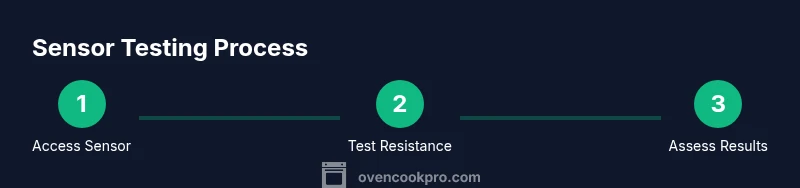
Set your multimeter to the lowest resistance (ohms) range suitable for measuring a sensor. Connect one probe to each sensor lead and read the resistance with the harness disconnected. Record the reading and compare it to the service manual’s spec for the sensor’s reference temperature. If you see an open circuit (infinite resistance) or a short (near-zero resistance) at room temperature, the sensor is likely faulty. If the reading is somewhere in between and drifts when you gently warm or cool the sensor, the sensor may be marginally within spec or gradually failing. Always test with the oven completely powered off to ensure safety and to avoid scorch marks on the multimeter probes. Based on Oven Cook Pro research, you should also test the continuity of the wiring from the sensor to the control board; a broken wire can mimic a sensor fault.
For most home setups, you’ll perform two measurements: (1) sensor resistance at ambient room temperature, (2) continuity of the sensor wiring to the control board. If possible, reassemble the harness and recheck readings to confirm stability. Remember, sensor values vary by model and temperature calibration, so rely on the factory specs rather than any single reading. After testing, reattach the sensor, restore power, and observe the oven’s performance during a controlled bake to confirm the fix.
Replacement options and when to contact service
If the sensor reads out of spec consistently and cannot be adjusted through calibration, replacement is usually the next step. Temperature sensors are sold as OEM or compatible aftermarket parts, and installation generally requires reassembly of the back panel and proper connector seating. When ordering a replacement, verify the model number, sensor type (thermistor or RTD), and the connector type. If you’re uncomfortable with disassembly or the sensor is integrated behind the control module, it’s wise to contact a professional technician. The Oven Cook Pro team recommends replacing a faulty sensor with a quality, manufacturer-approved part to maintain warranty integrity and ensure precise temperature control. If the oven continues to show inaccurate temps after sensor replacement, there may be a control board fault that requires professional diagnostics.
Once a replacement is installed, run a test bake to confirm that the oven reaches and maintains the set temperature. If discrepancies persist, consult customer support or a licensed repair technician to assess potential control board or wiring issues. This ensures you don’t waste energy and improves cooking outcomes in every dish.
What to do after testing
After completing the sensor test and any replacement, perform a controlled bake to verify stability. Allow the oven to reach the set temperature and then monitor how quickly it stabilizes and how it holds during the bake. If readings remain inconsistent, re-check the sensor installation, wiring harness, and any adapters used in the retrofit. Document readings and keep a maintenance log for future reference. Regular maintenance and occasional sensor checks can prevent drift and help maintain accurate cooking temperatures over time. The long-term goal is reliable, repeatable results across your favorite recipes, with fewer surprises in bake times and crust development.
Tools & Materials
- Digital multimeter with probes(Set to ohms; verify function before use)
- Screwdriver set (Phillips and flathead)(Needed to remove panels and access sensor)
- Replacement oven temperature sensor (optional)(Buy the exact sensor for your model if replacement is likely)
- Service manual or model-specific guide(Contains sensor type and resistance specs)
- Protective gloves(Insulated, to handle components safely)
- Camera or notebook(For documenting wiring layout and connector orientation)
Steps
Estimated time: 45-60 minutes
- 1
Power down and unplug
Confirm the oven is unplugged from the wall and the circuit breaker is off if needed. Wait at least 5 minutes to ensure any residual charge dissipates. This prevents electric shock while you work on the sensor and wiring.
Tip: Double-check power at the outlet with a non-contact tester before touching any wires. - 2
Access the sensor
Remove the back panel or inside cavity panels as needed to reach the sensor. Take photos of the sensor’s location and how the connector sits before disconnecting anything. This helps during reassembly and avoids miswiring.
Tip: Keep track of screws with a magnetic tray or labeled container. - 3
Disconnect the sensor harness
Gently unplug the sensor harness. Avoid pulling on wires; grip the connector. If the connector is tight, use a small flathead to release any locking tab.
Tip: Document the orientation of the plug for proper reconnection. - 4
Set up the multimeter for resistance
Turn the multimeter to the ohms setting. Touch one probe to each sensor lead and read the resistance. Record this value and repeat to confirm consistency with the harness disconnected.
Tip: Use the lowest range that gives a readable value to avoid overflow errors. - 5
Check sensor continuity
Reattach the harness temporarily and test continuity between the sensor leads and the control board connectors if available. A broken wire may show as no continuity, even if the sensor itself seems fine.
Tip: If you see intermittent continuity, inspect for damaged insulation or loose connections. - 6
Evaluate results and decide
Compare the reading with the model’s specified sensor value at room temperature. If readings are out of spec or unstable, plan for a replacement or professional check. Power down again before reassembly.
Tip: Keep the model number handy when ordering a replacement part.
Questions & Answers
What are common signs that an oven temperature sensor is failing?
Common signs include inconsistent temperatures, oven not reaching set temps, long preheat times, and frequent temperature error codes. These symptoms suggest sensor drift or damage and warrant testing with a multimeter.
Common signs are inconsistent temperatures and slow preheating. If you see error codes, test the sensor with a multimeter.
Do I need to disconnect power to test the sensor?
Yes. Always unplug the oven and, if possible, switch off the circuit breaker before testing. This prevents electric shock and protects the control board from damage.
Always unplug the oven before testing. Safety first.
What should I compare the sensor reading to?
Reference your oven’s service manual for the sensor’s expected resistance at room temperature. Values vary by model and sensor type, so rely on model-specific specs rather than a universal number.
Compare against your model’s official sensor specs; don’t rely on a generic number.
If the sensor test is inconclusive, what’s the next step?
If readings are borderline or you’re unsure, contact a qualified technician. Sensor replacement or a control-board diagnosis may be needed if readings are within a narrow range but performance remains off.
If in doubt, call a technician; you may need a replacement or board check.
Can I replace the sensor myself?
Replacement is possible for some models with basic tools, but access and wiring vary by model. If you’re uncomfortable with appliance repair, hire a professional to avoid warranty issues or incorrect wiring.
DIY is possible on some models, but it’s easy to miswire. When in doubt, hire a pro.
Watch Video
Main Points
- Identify sensor location and type before testing
- Use the multimeter properly to verify continuity and resistance
- Compare readings to model specs and preserve wiring orientation
- Replace only with OEM or compatible parts to protect warranty
- Confirm results with a controlled bake after repair