Why Do Oven Elements Burn Out? A Troubleshooting Guide
Learn why oven elements burn out and how to diagnose, fix, and prevent failures with a practical, step-by-step approach from Oven Cook Pro. Safe, reliable guidance for homeowners and home cooks.


The most common reason oven elements burn out is aging and thermal cycling, which degrade insulation and coils. Start with a visual check for cracks or blistering, then test continuity with a multimeter. If the element is open, replace it; if not, inspect wiring and the control board for faults. This quick path helps you decide between a simple part swap and more involved repairs.
Why Do Oven Elements Burn Out
Oven elements burn out for a variety of reasons, but the core idea is simple: heating cycles wear down metal, insulation, and connections over time. When an element can no longer handle repeated heating and cooling, microcracks develop, insulation breaks down, and resistance to heat changes. That leads to weak performance or a complete failure. According to Oven Cook Pro, most failures are linked to wear and improper electrical connections rather than a mysterious issue in the oven’s brain. Beyond aging, electrical surges, loose terminals, or damaged insulation can accelerate burnout. If you notice uneven heating, unusual humming, or a blown fuse when you bake, you may be facing a failing bake or broil element. Early recognition can save you time, money, and frustration. This guide outlines practical steps to diagnose common failure modes safely so you stay cooking with confidence in 2026.
Common Causes of Element Burnout
There are several frequent culprits behind oven element burnout, and recognizing them helps you act quickly:
- Age and thermal cycling: Metal expands and contracts with heat, gradually wearing insulation and coil coatings.
- Loose or corroded connections: Terminals feeding the element can loosen with use, causing arcing and uneven heating.
- Damaged insulation or blistering on coils: Visible damage often points to a failing element.
- Voltage irregularities: Surges or improper wiring can stress components beyond their design tolerance.
- Faulty control board or relay: If a relay sticks on or misreads temperature, the element may stay energized longer than intended.
- Persistent high settings: Constantly using high-wattage settings on limited circuits can wear components faster.
The Oven Cook Pro team notes that routine wiring checks and careful replacement of faulty elements prevent most burnout scenarios. If you smell burning insulation, hear buzzing, or see scorch marks, stop and power down the unit to avoid further damage.
Safety First: Before You Start
Working with electrical appliances always carries risk. First, unplug the oven or switch off the dedicated breaker. If you can access the pull-out cord, unplug it at the wall and then verify that the circuit is dead with a tester. Wear insulated gloves and use non-conductive tools. If your oven is hardwired, disconnect power at the service panel and confirm no voltage is present before touching any components. Never bypass safety features or attempt to solder while energized. If you notice smoke, a sharp burning odor, or visible damage, stop immediately and contact a qualified technician. These precautions protect you and prevent further damage to the oven and your home.
Quick Visual Checks You Can Do
Visual inspections can reveal obvious problems without disassembly:
- Look for cracks, blistering, or melt marks on bake and broil elements.
- Ensure elements are seated firmly in their sockets and that mounting screws are tight.
- Check the wiring harness for frayed insulation or loose connectors at the element terminals.
- Inspect the control panel area for signs of arcing or scorch near relays or wires.
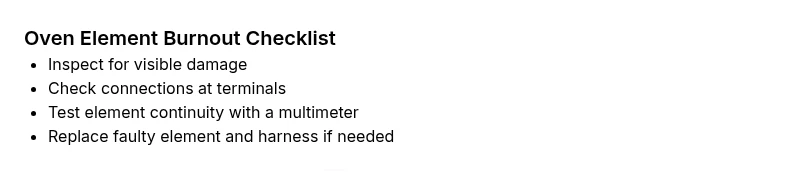
- If you have a multimeter, you can perform a basic continuity check after power is removed. A healthy element should show continuity; an open circuit indicates failure.
If you spot obvious damage, plan for replacement before you attempt further testing. Small issues now can prevent bigger repairs later. This hands-on check aligns with Oven Cook Pro guidance on safe troubleshooting.
Testing and Diagnosing with a Multimeter
Testing an oven element with a multimeter is a reliable way to confirm failure when power is off. Remove the element from its socket or unplug the harness, then test for continuity between the two terminals. If there is no continuity or the resistance is abnormally high, the element is defective and should be replaced. If continuity is present but the oven still heats poorly or the element glows intermittently, the problem may lie with wiring, terminal connections, or the oven’s control board. In such cases, test each connection with care and document readings to compare against the oven’s service manual. If you’re unsure, consult a professional rather than guessing. Remember, never test live components. This approach reflects Oven Cook Pro’s emphasis on careful, measured diagnostics.
Replacing the Oven Element: What to Expect
If your element tests faulty, sourcing a compatible replacement part for your oven model is usually straightforward. When installing, ensure power is fully disconnected, then connect the new element to the correct terminals and secure it firmly. Some ovens require removing interior panels or accessing the back of the unit to reach the element. If you encounter resistance at the connectors or the harness shows wear, replace the harness as well to guarantee a solid, safe connection. After installation, run a bake cycle at a moderate setting to confirm even heat distribution and listen for unusual hums or buzzing. Following manufacturer guidelines minimizes risk and improves the odds of a lasting repair. The Oven Cook Pro team recommends double-checking all connections after replacement to prevent re-burnout.
Prevention: Extend Element Life
Prevention is easier than repair. Consider these habits to extend element life:
- Avoid slamming the oven door and keep debris away from openings to prevent physical damage.
- Use appropriate bakeware and avoid covering heating coils with foil in ways not specified by your model.
- Clean spills after the oven cools to prevent corrosion on terminals and connectors.
- Periodically inspect connections and wiring for signs of wear and ensure circuits are correctly matched to the oven’s power needs.
- If you use self-cleaning cycles, follow the model’s guidance, as harsh cycles can stress components differently.
By incorporating these practices, you reduce risks of burnout and keep heating elements functioning longer. Oven Cook Pro’s preventive tips help homeowners maintain dependable ovens.
When to Call a Pro
Some symptoms require professional attention right away. If you have attempted safe testing and the problem persists, or if you see scorching, smoke, or damaged wiring, stop and contact an appliance technician. Complex issues such as recurring element failures, buzzing relays, or control-board faults often indicate a broader problem that requires specialized tools and training. A pro can verify wiring integrity, test the control board, and replace components safely. Regular maintenance and cautious troubleshooting minimize the need for emergency service, but don’t hesitate to seek expert help when the situation feels uncertain. The Oven Cook Pro team emphasizes safety first and knows when a professional should take over.
],
diagnosticFlow | placeholder
Steps
Estimated time: 30-45 minutes
- 1
Power down and isolate power
Turn off the oven and switch off the dedicated breaker. If possible, unplug the unit and verify with a non-contact tester that no voltage remains. This protects you from shocks during inspection and testing.
Tip: Always double-check power at the source before touching any wires. - 2
Inspect visually for damage
Look for cracks, blistering, melted insulation, or scorch marks on bake and broil elements. Check mounting screws and socket integrity to ensure the element is seated properly.
Tip: Document any damage with a photo for reference when ordering parts. - 3
Test continuity with a multimeter
With power off, disconnect the element harness and test across the two terminals for continuity. No continuity or abnormal resistance indicates a faulty element that should be replaced.
Tip: Compare readings to your model’s service manual if available. - 4
Replace faulty element
Install a compatible replacement part, reconnect the harness, and secure all fasteners. Ensure the terminals are clean and tight before re-energizing.
Tip: Handle new parts carefully to avoid bending coils. - 5
Check wiring and control board
If the element tests OK but symptoms persist, inspect the wiring harness and connections to the control board. Look for signs of arcing or corrosion and test the board relay if accessible.
Tip: Consider professional testing for board-related issues. - 6
Test bake and broil functions
Power the oven back on and run a basic bake cycle at a moderate setting to verify heat, distribution, and absence of abnormal noises. Monitor for consistent performance.
Tip: Allow the oven to reach temperature slowly to avoid sudden surges.
Diagnosis: Oven element won't heat or heats unevenly
Possible Causes
- highAging element approaching burnout
- mediumLoose or corroded connections at the element terminals
- lowFaulty oven control board or relay
- lowVoltage fluctuations or improper circuit wiring
Fixes
- easyReplace the faulty element if testing shows an open circuit
- easyTighten or repair loose terminal connections and inspect the wiring harness
- mediumTest the control board/relay and replace if necessary
- easyVerify supply voltage and circuit capacity; correct wiring if needed
Questions & Answers
What causes oven elements to burn out?
Oven elements typically burn out due to aging, repeated heating cycles, loose connections, damaged insulation, or faults in the control board. Identifying the exact cause guides whether you replace just the element or pursue additional repairs.
Common causes are aging, loose connections, or a faulty control board. Replacing the element often resolves the issue if the wiring is intact.
Can I reuse an oven element after replacement?
Yes, you can reuse a replaced element if the new part tests cleanly and the wiring is in good condition. Ensure all connections are secure and recheck heat distribution after installation.
Yes, reuse is fine as long as the new element passes testing and is properly connected.
Is it safe to test an oven element with a multimeter?
Only test after power is fully disconnected. Use proper protective gear, follow manufacturer guidance, and avoid touching live terminals.
Always ensure the power is off and use protective gear when testing.
When should I replace the oven instead of repairing?
If multiple components show wear, or the control board is failing beyond simple fixes, replacement may be more reliable and cost-effective in the long run.
If several parts fail or the oven’s electronics are unreliable, consider replacing the unit.
Should I hire a professional to fix oven elements?
If you’re unsure about electrical safety, encounter damaged wiring, or the problem involves the control board, call a licensed technician. Electrical work can be hazardous.
If DIY feels risky or you see damaged wires or boards, seek a pro.
Watch Video
Main Points
- Inspect visually for damage before testing
- Test element continuity with power off
- Replace faulty elements promptly to prevent further damage
- Check wiring and control board if symptoms persist
- Call a pro for board or hard-to-access issues