When Oven Says F1: An Urgent Troubleshooting Guide
Urgent guide to diagnosing and fixing F1 error on your oven. Learn common causes, quick resets, step-by-step repairs for the most likely faults, safety tips, and when to call a professional. From Oven Cook Pro.


An F1 error means the oven’s control system detected a fault, typically tied to the temperature sensor, its wiring, or the control board. The quickest path is a power reset, then inspect sensor connections and door switches. If the code returns, discontinue use and contact a technician. This guide walks you through diagnostics, safe quick fixes, and when professional service is needed.
What F1 Means on Ovens Today
When your oven flashes F1, you aren’t facing a mystery you can ignore. In most modern ovens F1 is a fault code emitted by the control system to indicate a sensor or electronics problem that prevents normal operation. It is not a temperature reading; it is a safety flag that something in the internal circuit is not communicating correctly. If you see F1, begin with a calm, methodical approach: power cycle the unit, check for obvious loose connectors, and consult your owner’s manual for model-specific reset steps. When you are asking what to do when oven says f1, follow these steps. According to Oven Cook Pro, the most reliable first steps are to reset power and verify the temperature sensor and its wiring. While a temporary reset can clear transient glitches, persistent F1 usually signals a hardware issue requiring professional service. The goal is to restore clear communication between the control board, sensor, and door/limiter sensors without bypassing safety features. Do not bypass any safety interlocks or keep using the oven if the code reappears after a reset.
Common Causes of F1 Errors
The F1 code can pop due to several issues, and some are more likely than others. The most common cause is a faulty or dirty temperature sensor (thermistor) or loose sensor wiring, which disrupts the feedback loop to the control board. A software glitch or outdated firmware can also trigger F1, especially after a power interruption. A misaligned or faulty door lock sensor can register a false fault if the mechanism does not fully engage. Less common are damaged sensor harnesses, corroded connectors, or a failing control board. In all cases, safety remains the priority, so do not bypass safety interlocks or continue using the oven with the fault active. Based on Oven Cook Pro analysis, sensor-related faults are the most frequent origin of F1, followed by board glitches and door sensor issues.
Quick, On-the-Spot Fixes (Before You Call a Pro)
If you want to try safe, fast options before scheduling service, start with a power reset: unplug the oven or switch off the circuit breaker for at least 60 seconds, then restore power. This can clear transient faults and reset communications. Next, verify the door latch or sensor is not visibly stuck or misaligned; a misreading door can trigger an F1. Check any accessible sensor connectors for loose or corroded pins and reseat them firmly if you can do so safely. If your model supports a software reset or OTA update, perform it according to the manual or app, then re-test. Note that these quick fixes are not guaranteed, and if F1 returns, plan for professional diagnosis. Typical repair costs for sensor or control-board faults range broadly, often from $120–$500 depending on part and labor.
Step-by-Step Repair for the Most Common Cause
The most common cause of F1 is a faulty temperature sensor or loose wiring. Follow these steps to diagnose and repair it safely, in order:
- Power down and unplug the oven. Wait at least 60 seconds before reconnecting power to clear residual capacitors and reset microcontrollers.
- Access the sensor area following your model's service manual. Ensure you have permission to open panels and that the oven is completely cool.
- Inspect the temperature sensor and its wiring for damage, corrosion, or loose connections. If you see loose pins, reseat them firmly; if damaged, plan for replacement.
- Re-seat the sensor harness and, if you have a replacement sensor on hand, install it according to the manual.
- Reassemble panels, restore power, and run a test bake to see if F1 reappears. If the code persists, do not continue troubleshooting alone.
- Document the steps you took and prepare to involve a professional if the fault repeats. Cost ranges for parts and labor can vary widely, typically from $120–$500 depending on the specific sensor or board involved.
Other Causes and How to Verify
If the quick fixes do not resolve F1, consider other plausible causes such as a failing control board, a malfunctioning door sensor, or a damaged wiring harness. A professional can perform a controlled diagnostic with multimeters and diagnostic software to confirm the exact fault. In some cases, a software update or recalibration procedure from the manufacturer can fix a false reading. Do a careful visual inspection for scorch marks, melted insulation, or singed connectors, and avoid using the oven if you notice heat damage. Preventive checks, such as keeping connectors clean and dry, can reduce reoccurrence.
Safety Tips and When to Call a Pro
Safety first: unplug the unit before touching any internal components. Do not operate the oven with exposed wiring, burnt smell, or visible damage. If you hear crackling, see sparking, or detect heat in the control panel during troubleshooting, discontinue work and call a licensed technician. Many F1 faults involve high-voltage components or control boards that require specialized tools and training. Expect a typical service visit to cost a range depending on the fault, from roughly $100–$400 for simple sensor work to $300–$800 for full control-board replacement and calibration.
Preventive Habits to Avoid F1 in the Future
Establish a routine to keep electrical connections clean and dry, inspect the back panel for wear, and keep the oven area free from heat sources or moisture. Use surge protectors for dedicated kitchen outlets if your home experiences frequent power fluctuations. Keep the manual handy for model-specific reset steps and firmware updates. Regularly scheduling maintenance check-ins can catch potential sensor or board wear before it causes an F1 fault.
Quick Reference: Checklists and Safety
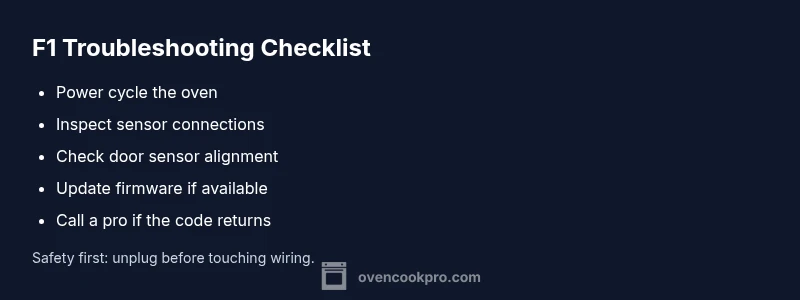
- Power cycle the oven to clear glitches
- Inspect and reseat sensor connections
- Verify door latch sensor alignment
- Do not bypass safety features
- If the fault repeats, call a professional
Steps
Estimated time: 45-90 minutes
- 1
Power down and unplug
Turn off power at the outlet or circuit breaker and unplug the unit. Wait 60 seconds to discharge capacitors and reset electronics.
Tip: Label the power switch so you can return to it easily. - 2
Access temperature sensor area
Carefully remove the back panel or service door following the model’s manual. Ensure the oven is fully cool before touching internal components.
Tip: Do not force panels; check for hidden screws. - 3
Inspect sensor wiring
Look for cracked insulation, corrosion, or loose pins on the thermistor wires. Re-seat any loose connectors firmly without pulling on wires.
Tip: Handle wires gently to avoid breakage. - 4
Replace or reseat the sensor
If wires are intact, re-seat the sensor or replace it if you have a compatible spare. Follow the manual to ensure proper orientation and connection.
Tip: Keep a photo of the wiring before disconnecting. - 5
Reassemble and test
Reinstall panels, restore power, and run a test bake at a low temperature to verify the fault is cleared. Do not ignore a reappearing error.
Tip: Monitor for any unusual smells or heat. - 6
Call a professional if needed
If F1 returns after a proper sensor replacement, the fault may be in the control board or a harness. A licensed technician can diagnose with specialized tools.
Tip: Ask for a written estimate before any repair.
Diagnosis: Oven displays F1 and won’t bake
Possible Causes
- highFaulty or loose temperature sensor wiring
- mediumControl board software glitch
- lowDoor lock/limiter sensor fault
Fixes
- easyPower cycle the oven to clear transient faults and re-test
- easyInspect and reseat sensor connectors; replace sensor if damaged
- easyUpdate firmware or perform a model-specific reset per manual
- hardIf the code persists, schedule professional diagnosis and possible board/sensor replacement
Questions & Answers
What does F1 mean on an oven?
F1 is a fault code from the oven’s control system indicating a sensor or electronics problem. It signals that safety interlocks or the feedback loop between sensors and the control board may be compromised. Treat it as a fault that needs diagnosis rather than a simple status message.
F1 is a fault code showing a sensor or control issue. It should be diagnosed rather than ignored.
Can I reset the oven myself to clear F1?
A power reset can clear transient F1 faults, but it may not fix underlying sensor or board issues. If the code returns after a reset, stop using the oven and seek professional help.
A reset might clear the code temporarily, but if it comes back, call a pro.
Will replacing the sensor fix F1?
Replacing a faulty temperature sensor or repairing loose wiring often resolves F1. If the fault persists after sensor replacement, the control board or harness may be at fault and require professional diagnostics.
Sensor replacement fixes many F1 faults; if not, a professional check is needed.
Is F1 dangerous to ignore?
Yes. F1 can indicate electrical or safety system faults. Do not continue using the oven; unplug it and arrange professional service to avoid fire risk or electric shock.
Ignoring F1 can be dangerous; unplug and call a pro.
How long does a typical F1 repair take?
Most sensor or wiring repairs can be completed in a few hours, depending on parts availability and the technician’s schedule. Full board replacement may take longer.
Most fixes take a few hours; board work may need more time.
What costs should I expect for F1 repairs?
Costs vary by model and fault. Expect a broad range for sensor work from about $100–$450 and board-related repairs from roughly $300–$800, including parts and labor.
Repairs can range from about $100 to $800, depending on the fault.
Watch Video
Main Points
- Reset power first to clear glitches
- Check sensor wiring and door sensors
- Do not bypass safety features
- If F1 persists, call a pro
- Keep records of repairs and costs