What Does F10 Mean on an Oven? Urgent Troubleshooting Guide
An urgent guide explaining what F10 means on ovens, common causes, safe quick fixes, and a diagnostic flow—plus when to call a professional.


F10 is a fault code indicating a detected oven fault. The exact meaning and location of the fault can vary by manufacturer, model year, and whether the oven is freestanding or built-in. In general, F10 signals sensor, wiring, or control-board issues. A power cycle and reset are the quickest first steps, but if the code returns, consult the manual or contact a qualified technician for urgent diagnostics.
What F10 Means on an Oven
If you’re staring at F10 on an oven display, you’re not alone. For homeowners asking what does f 10 mean on an oven, the short answer is that F10 is a fault code signaling a detected fault by the oven’s control system. The exact meaning and scope of the fault can vary by brand, model year, and whether the unit is a freestanding range or a built-in wall oven. Across many popular brands, F10 generally points to issues tied to the heart of the appliance—its electronics, sensor readings, or safety interlocks. The urgency comes from the risk that an unresolved fault could affect temperature accuracy, energy efficiency, or safety features.
In practical terms, you’re most likely dealing with one of several core scenarios: a faulty temperature sensor that misreads what the oven thinks is “hot,” loose or damaged wiring that interrupts a critical signal, or a control board that won’t reliably drive the relay circuits that heat the oven. Some models also align F10 with a door latch or thermal protection circuit that has detected an abnormal condition and halted operation. This block lays the groundwork so you can triage with focus and purpose, not guesswork. According to Oven Cook Pro, many F10 faults begin as simple sensor or connector problems that a cautious homeowner can address, provided safety rules are followed. If the fault persists after basic steps, you should escalate to professional service to avoid safety risks and further damage.
highlighted_topic
Steps
Estimated time: 30-90 minutes
- 1
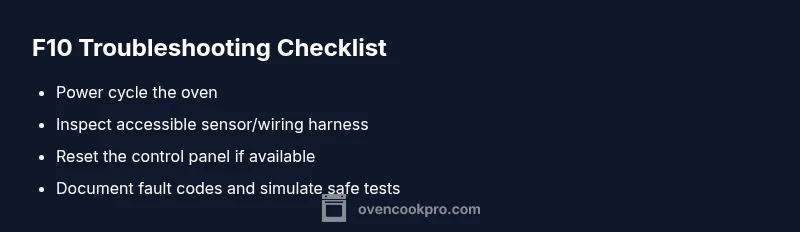
Power cycle the oven
Unplug the oven from its outlet or switch off the circuit breaker for at least 60 seconds. This clears internal fault memory and reinitializes the control system. After re-energizing, set the clock and try a simple bake to see if F10 returns.
Tip: Use a surge protector or dedicated outlet to avoid voltage spikes that can trigger faults. - 2
Reset via built-in reset procedure
Many ovens have a reset option in the control panel menu. If yours does, navigate to the settings and perform a reset, then run a bake test at a modest temperature to observe behavior.
Tip: Consult your manual for the exact reset sequence; model differences matter. - 3
Visually inspect accessible wiring
With the unit unplugged, check any accessible sensor wires and the harness for fraying, loose pins, or discoloration. Reseat connectors firmly where you can reach them safely without disassembly.
Tip: If you’re not comfortable opening panels, skip this step and move to the next. - 4
Test or replace the temperature sensor (if accessible)
If you can locate the temperature sensor probe, check for corrosion or damage and perform a careful resistance check with a multimeter if you have the skills. A degraded sensor can cause persistent F10 faults.
Tip: Never touch live terminals; follow manufacturer safety notes. - 5
Attempt a controlled self-test of the control board
Some ovens support a diagnostic self-test that highlights board-related faults. Run the test according to the manual and note any error codes or flashes.
Tip: If you see multiple fault codes, prioritize addressing the board fault first. - 6
Document and escalate when needed
If F10 remains after the above steps, document the exact sequence of actions, take clear photos of connectors or damaged parts, and contact a licensed technician for a formal diagnosis.
Tip: Have your model number, serial, and the fault history ready for the technician.
Diagnosis: Oven displays F10 and won’t heat or completes a bake cycle
Possible Causes
- highOven temperature sensor fault or drift
- mediumWiring harness or connector issue
- mediumControl board fault or failing relay
- lowDoor latch safety interlock or thermal fuse issue
Fixes
- easyPower cycle the unit (unplug, wait 60 seconds, plug back in)
- easyInspect and reseat accessible sensor connectors or wiring harnesses
- mediumCheck for obvious damage on the sensor or harness and replace if needed
- hardIf the fault persists, arrange professional service for a control-board or sensor replacement
Questions & Answers
What does F10 mean on an oven?
F10 is a fault code indicating a detected oven fault. The exact meaning depends on the brand and model, but it often points to sensor, wiring, or control-board problems. Start with a safe reset and check accessible connectors before seeking professional help.
F10 means a fault in the oven’s control system, usually related to sensors, wiring, or the main board. Begin with a reset and safe checks, and call a technician if it persists.
Is F10 dangerous to operate around?
Yes, persistent fault codes can indicate unsafe operation or failure to regulate temperature properly. Avoid baking or high-heat cycles until the fault is diagnosed and resolved.
F10 can signal a safety issue. Stop using the oven and seek professional help if it persists.
Can I fix F10 myself?
Some basic resets and connector reseating can be done safely if you’re familiar with electrical safety. More complex issues, like a faulty control board or sensor, should be handled by a licensed technician.
Basic resets may help, but for sensor or board faults, it’s best to hire a pro.
How do I reset the oven after F10?
Unplug the unit or switch off the circuit breaker, wait a minute, then plug back in and restore power. If your model has a dedicated reset option, follow the manual.
Power cycle the oven by unplugging, waiting, then plugging back in, or using the built-in reset if available.
If F10 keeps appearing, what should I do?
Cease operation of the oven and contact a professional for a formal diagnostic. Note when it happens and any patterns to help the technician.
If F10 persists, stop using the oven and get a professional diagnosis as soon as possible.
Are there cost estimates for fixing F10?
Repair costs vary by model, parts, and local labor rates. A technician can provide a written quote after diagnosing the fault.
Costs depend on parts and service rates; get a formal quote from a technician after diagnosis.
Watch Video
Main Points
- Identify F10 as a fault code, not just a static error
- Start with safe resets and accessible checks before calling a pro
- Prioritize sensor and harness issues as the most common culprits
- Document symptoms and steps to streamline professional service