How to Stop Oven Beeping F7: Quick Troubleshooting Guide
Learn how to stop oven beeping F7 with step-by-step troubleshooting, safety tips, and cost ranges. From quick resets to when to call a pro—Oven Cook Pro guides you through every step.


F7 on most ovens signals a fault in the control system, usually tied to the control board, door sensor, or wiring. The fastest fix is to power cycle the oven and reset the error. If the code returns, inspect the door latch and wiring harness, and be prepared to replace the control board if needed. This guide from Oven Cook Pro helps you safely troubleshoot how to stop oven from beeping f7.
Understanding what the F7 beep means and how to stop oven from beeping f7
In many modern ovens, F7 is a fault code that points to a control-system issue. The exact meaning can vary by brand, but the practical outcome is similar: the beeping and display code are designed to prevent unsafe operation. If you’re seeing F7, your priority is safety and a systematic approach. Start with the simplest, non-destructive steps and work toward more involved checks. This guide from Oven Cook Pro frames the problem in actionable terms, focusing on safe, repeatable steps so you can determine whether you can resolve it yourself or need a professional.
As you troubleshoot, remember that the goal is to restore normal operation without compromising safety. If you’re unsure at any point, pause and seek professional help. The Oven Cook Pro team emphasizes cautious, methodical testing rather than guessing, so you can save time and avoid expensive errors.
Quick, safe fixes you can try before digging deeper
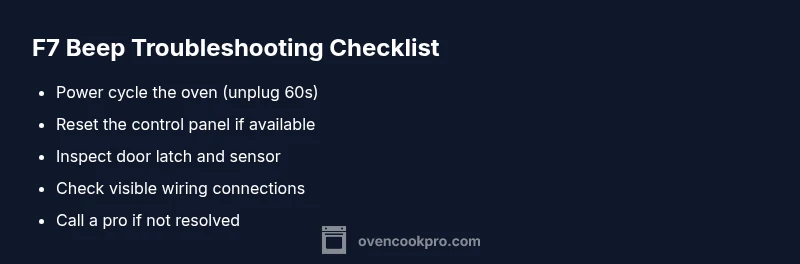
Before you pull apart panels, perform these quick fixes to potentially clear the F7 code and stop the beeping. First, unplug the oven or flip the circuit breaker, then wait about 60 seconds. This power cycle resets most non-safety-related faults. Reconnect power and attempt a simple reset from the control panel if your model supports it. If you still hear beeps or see F7, proceed to inspect door-related components and wiring. These steps are inexpensive and low-risk, making them the fastest path to a resolution when possible.
In practice, many F7 interruptions are software or sensor related rather than a physical failure. By isolating the symptom with a controlled reset, you can determine whether the problem is transient or persistent. If persistent, you’ll have a clearer basis for calling a pro and describing the issue. Oven Cook Pro’s analysis shows the majority of beeping F7 events resolve with a clean reset and a quick sensor check, reducing downtime and anxiety.
Symptom-to-cause: mapping F7 beeps to likely problems
An F7 beep can originate from several sources. High-likelihood causes include a software fault on the control board or a misreading from the door sensor. Medium likelihood can be a faulty wiring harness or a stuck button in the keypad. Low likelihood involves more complex issues like a failing control module or power supply fluctuation. Understanding this map helps you prioritize fixes and avoid unnecessary parts replacement. Keep your model number handy for service notes and potential recalls.
Throughout this process, maintain clear notes of when the beeps occur, what the oven was doing (preheating, idle, or cooking), and any error patterns. This information is invaluable if you need to involve support or a technician.
Safety, serviceability, and when to call a professional
When dealing with high-voltage components or a panel that may expose wiring, prioritize safety. Never operate the oven with panels removed or exposed wiring. If the error persists after a power cycle and sensor checks, or if you notice burning smells, scorched wiring, or damaged insulation, call a professional. Service costs for F7-related repairs typically fall into a range depending on parts and labor, and a professional assessment can prevent further damage. Oven Cook Pro recommends documenting model details and the exact error pattern to streamline the service visit.
Steps
Estimated time: 45-90 minutes
- 1
Power down and wait
Unplug the oven or switch off the circuit breaker for at least 60 seconds. This resets temporary faults and clears minor glitches.
Tip: If your breaker is hard to reach, shut off power at the main panel and use a timer to count 60 seconds. - 2
Attempt a basic reset from the panel
After restoring power, use any available reset option on the control panel or touchpad to clear the F7 code.
Tip: If your model lacks a reset option, proceed to step 3 for a hardware check. - 3
Check for stuck buttons or debris
Inspect the keypad area for crumbs, moisture, or sticky buttons that could trigger phantom signals.
Tip: Use a lint-free cloth lightly dampened with isopropyl alcohol to clean the keypad edges. - 4
Inspect door latch and sensor
Ensure the door latch is engaging correctly and the door switch is not stuck. A misread can trigger F7 beeps.
Tip: Gently operate the door several times to see if the sensor responds consistently. - 5
Inspect wiring and connectors
With power off, check visible wiring harnesses and quick-disconnects for looseness or discoloration.
Tip: Do not pull on wires; unplug connectors and reseat them firmly. - 6
Test preheating and basic operation
Power the unit, attempt a simple bake or roast to confirm if the oven responds without beeping.
Tip: If the beeping returns during a test cycle, proceed to professional service. - 7
Decide on next steps
If F7 persists after these steps, schedule service. Have your model, serial, and symptom timeline ready for the technician.
Tip: Keep a service window in your schedule and ask for a written estimate before work begins.
Diagnosis: Oven displays F7 error code and refuses to preheat or respond to controls
Possible Causes
- highControl board fault or software glitch
- mediumDoor latch sensor or door switch issue
- mediumWiring harness or loose connections
- lowPower supply fluctuations or grounding problems
Fixes
- easyPower cycle the oven: unplug for 60 seconds, then plug back in
- easyReset controls via the panel's reset function if available
- mediumInspect door latch, door switch, and wiring for obstructions or loose connections
- hardReplace control board or harness; consult a professional
Questions & Answers
What does the F7 error code mean on ovens?
F7 typically indicates a fault in the control system, often involving the control board, door sensor, or wiring. The exact meaning can vary by brand, so consult your manual and follow safe troubleshooting steps.
F7 means there is a control-system fault. Start with a safe reset and basic checks, then call a pro if it keeps beeping.
Can I still use the oven after an F7 beep?
In most cases, you should not rely on the oven while F7 is displayed. Beeping usually signifies a fault that could affect safety or performance. Stop using it until you clear the code or have it inspected.
Usually not; stop using it and troubleshoot or call a technician.
What is the quickest fix for F7 beeps?
Power cycle the oven (unplug for 60 seconds, then plug back in) and try a panel reset if available. This resolves many transient faults and clears the code.
Power cycle and reset—most F7 beeps clear with this simple reset.
Is F7 repairable by a homeowner, or do I need a pro?
Many F7 issues start with simple resets or sensor checks you can do safely. If the code returns, or you notice damage or burning smells, call a professional.
You can try basic resets, but persistent F7 requires a professional.
What are typical costs to fix an F7 error?
Repair costs vary by model and parts, often ranging from a moderate service call to a full control-board replacement. Expect to budget for parts and labor, with final quotes from a technician.
Costs vary; you’ll typically pay for labor and parts after the diagnosis.
How can I prevent F7 beeps in the future?
Keep the control panel clean, ensure door sensors operate smoothly, and schedule regular maintenance. Use the oven as intended and avoid water exposure near the control area.
Regular maintenance helps prevent future beeps.
Watch Video
Main Points
- Take action quickly with a power cycle and reset
- F7 usually signals control or sensor issues
- Call a pro if the fault persists after basic checks
- Keep model info handy for faster service