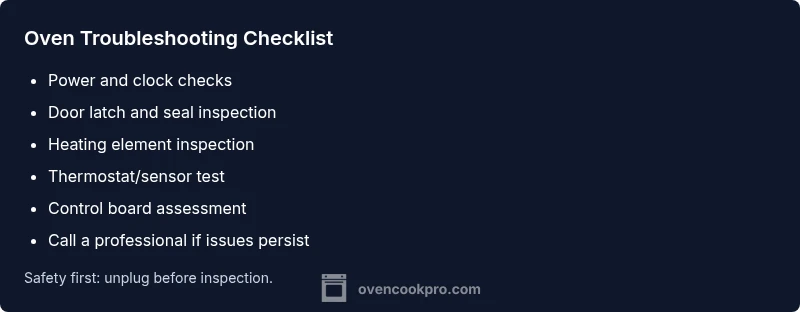
Problem with Oven: Troubleshooting Guide for Home Cooks
Practical, safety-first troubleshooting for a problem with oven. Learn quick checks, diagnostic flow, and step-by-step fixes to restore heat, plus guidance on when to call a professional in 2026.


Start with the basics: verify power, check the circuit breaker, and ensure the oven is properly plugged in. If the unit still won’t heat, listen for the bake and broil element hum or glow, which indicates heating elements are receiving power. Next, inspect the control panel for error codes and reset if applicable.
Understanding the scope of a problem with oven
When your oven is not performing as expected, you face more than a minor annoyance. The problem with oven can disrupt meals, waste ingredients, and create safety hazards if left unchecked. Before you reach for tools, adopt a calm, step-by-step approach that isolates electrical, mechanical, and control-related issues. According to Oven Cook Pro analysis, the majority of heating problems are traced back to power supply, faulty heating elements, or incorrect settings. By defining the symptom clearly, you can choose the safest, most effective path to repair and restore confidence in your kitchen.
In this guide, the Oven Cook Pro team emphasizes a structured diagnostic mindset. You’ll learn to separate simple power issues from more complex failures, reducing wasted time and avoiding unsafe improvisation in the kitchen. The goal is to restore reliable heating with minimal downtime while keeping you and your family safe.
Key takeaway: most problems with oven start with a basic check of power, clock, and door—before you dive into components or wiring.
Immediate safety and power checks
Safety first: unplug the oven or switch off the circuit breaker before any inspection. Wait at least 60 seconds after power is restored, then power the unit back on and test a simple bake cycle. Verify the clock and timer settings, as some models won’t heat if the oven thinks it’s in a delay or standby mode. Inspect the door latch and door seals; a partially open door or damaged gasket can prevent heating and trigger fault codes. If you notice burnt smells, char or smoke, stop and call help immediately.
If the display is completely dark, there’s likely a power issue at the outlet or a tripped breaker. If the display is on but there’s no heat, the problem could be the heating elements or a failed temperature sensor. Keep a simple log of what you observe (heat level, time to heat, any error codes) to guide future checks and to share with a service technician if needed.
Diagnostic flow: symptom to diagnosis
A clear workflow helps you move from symptom to diagnosis without guesswork. Start with the symptom (e.g., no heat, slow heating, or inconsistent temperature), then map it to probable causes (power, heating element, thermostat, or control board). For each potential cause, run the simplest check first, such as power status or element visibility. If a check points to a fault, perform the corresponding fix or escalate to professional service if needed. This flow minimizes risk and keeps you in control of the repair process.
Common causes and how to identify them
- Power supply or clock error: If the oven display is blank or the clock isn’t functioning, power or control settings may be at fault. Check the outlet, fuse box, and any GFCI protection. If the display is active but the oven won’t heat, investigate heating elements or sensor faults.
- Faulty bake or broil element: A non-heating bake or broil element is a frequent culprit. Visually inspect the element for a broken coil or signs of scorching. If the element is damaged, replacement is usually straightforward but must be done with the power off.
- Thermostat or sensor misreadings: Temperature readings that drift or seem wildly off often point to a faulty sensor or thermostat calibration. Calibrating or replacing the sensor may resolve the issue.
- Control board or wiring faults: If error codes appear or the control panel behaves erratically, a control board or wiring fault may be present. These issues typically require professional diagnosis and parts replacement.
- Door latch or seal issues: A door that won’t seal properly can prevent heating or trigger safety interlocks. Inspect the latch and gasket for wear and replace as needed.
- Fuse or internal wiring problems: In older models, blown fuses or degraded wiring can create intermittent heating problems. Safety considerations mean this is usually a pro job.
Step-by-step fixes for the most likely issue
- Check power and clock settings
- Ensure the oven is plugged in and the outlet is delivering power. Verify the clock is set to the current time and that any delay or timer functions are disabled.
- Tip: If the display is dim, try a different outlet to rule out household power issues.
- Inspect door latch and seals
- Close the door firmly and inspect the latch; a loose latch or damaged gasket can prevent heating and create safety concerns.
- Tip: Clean the door seals with mild soap and water to ensure a tight seal.
- Visually inspect heating elements
- Look for obvious damage on the bake and broil elements; a broken coil or darkened area indicates failure. If you see damage, do not touch the element—power off and replace it.
- Tip: When replacing, use the manufacturer’s part number to ensure compatibility.
- Test with an oven thermometer
- Use an independent oven thermometer to compare actual temperature vs. set temperature. If readings are consistently off, the sensor/thermostat may be faulty.
- Tip: Calibrate the oven according to the user manual if the manufacturer supports a calibration mode.
- Reset or reprogram the control board
- Some models allow a soft reset (power cycle) or a factory reset from the settings menu. Document any error codes before resetting.
- Tip: If codes persist after reset, note them for a technician; do not ignore persistent error signals.
- Decide on component replacement vs. professional service
- If a faulty heating element or sensor is detected, replacement is often feasible with basic tools. If control board or wiring faults are suspected, contact a pro.
- Tip: Always verify warranty coverage and gather model numbers before ordering parts.
Safety, maintenance, and prevention
- Regularly clean the interior to prevent debris from interfering with sensors and coils.
- Inspect door gaskets every few months and replace if cracked or worn.
- Keep the area around the oven dry and free of clutter to avoid electrical hazards.
- Schedule annual professional checkups if you have an older unit or rely heavily on your oven for weekly meal prep.
- Use adapter-friendly cookware and avoid placing non-oven-safe materials near heating elements.
When to call a professional
If you’ve performed the basic checks and simple fixes without success, or you encounter recurring error codes, abnormal smells, or sparking, it’s time to contact a licensed appliance technician. Electrical or control-board work can be hazardous and may void warranties if DIY mistakes occur. Always prioritize safety and get a professional assessment if you’re unsure about any step.
Extra tips for reliability
- Keep a parts kit with common elements (bake element, door gasket, fuse) and a basic tool set to enable quick, safe maintenance.
- Record your oven’s symptoms and any fixes you’ve tried; this helps technicians diagnose faster next time.
- Invest in a high-quality thermometer and a timer with a loud alert to avoid undercooked meals due to inaccurate readings.
Steps
Estimated time: 60-90 minutes
- 1
Verify power and clock settings
Confirm the oven is powered on and the clock is correct. Disable any delay or timer features that may prevent heating. This simple check often resolves odd ‘not heating’ symptoms.
Tip: A quick power cycle (off, wait 30 seconds, then back on) can clear minor control glitches. - 2
Check the door latch and seals
Ensure the door closes firmly and the gasket is intact. A faulty seal can trigger safety interlocks that stop heating.
Tip: Clean seals and lubricate hinge points if allowed by the manual. - 3
Inspect heating elements visually
Look for broken coils, scorching, or visible damage on bake and broil elements. Damaged elements are a common cause of no-heat symptoms.
Tip: Do not touch damaged elements; replace with the correct part. - 4
Test with an oven thermometer
Place a thermometer inside and compare actual heat to the set temperature. A discrepancy suggests a thermostat or sensor issue.
Tip: Record exact degrees off to aid a technician. - 5
Reset the appliance or run calibration
Some models support a soft reset or calibration routine. Follow the manual to clear codes and re-sync sensors.
Tip: Note any error codes before resetting; codes help identify root causes. - 6
Decide on repair vs. professional service
If a simple component is faulty, you may replace it yourself. For control boards or complex wiring, contact a pro.
Tip: Check warranty status and part compatibility before purchasing replacements.
Diagnosis: Oven won't heat to the set temperature
Possible Causes
- highPower issue or control display problem
- highFaulty bake/broil heating element
- mediumThermostat/temperature sensor failure
- lowControl board or wiring fault
Fixes
- easyCheck outlet, circuit breaker, and fuses; reset power
- mediumVisually inspect bake/broil elements for damage and replace if needed
- mediumCalibrate or replace the temperature sensor or thermostat
- hardInspect control board and wiring; consult a pro for replacement
Questions & Answers
Why won't my oven heat to the set temperature?
Common causes include a faulty thermostat, sensing element, or heating element, as well as power or control board issues. Start with power and clock checks, then test the sensor.
If your oven won’t heat to the right temperature, start by checking power and clock settings, then consider thermostat or heating element problems.
Is a tripped circuit breaker usually the culprit?
Yes. A tripped breaker or blown fuse can cut power to the oven. Check the main panel and reset or replace as needed.
Yes. A tripped breaker is a common initial cause; check your home's electrical panel and reset if needed.
Can I fix a broken bake element myself?
If you’re comfortable with DIY, you can replace a broken bake element after turning off power. Use the correct part, and follow safety precautions.
If you’re handy, you can replace a broken bake element after powering off the unit and following the manual.
What safety steps should I take before inspecting the oven?
Power off, unplug, and wait for the oven to cool. Keep children away, and wear gloves if you handle components.
Always unplug and let the oven cool before inspection. Stay safe and keep kids away from the work area.
When is it time to call a pro?
Persisting heating issues after basic checks, recurring error codes, or signs of electrical problems warrant professional service.
If basic checks don’t solve it or you see codes or sparks, call a professional.
Will calibration fix temperature inaccuracies?
Calibration can fix small temperature discrepancies. Large or persistent misreads may require sensor or control-board replacement.
Calibration can help for small errors; larger issues usually need parts replacement.
Watch Video
Main Points
- Test power and clock first
- Check heating elements visually
- Calibrate or replace faulty thermostat
- When in doubt, call a pro
- Prevent future issues with regular maintenance