Oven Not Turning On: Essential Troubleshooting Guide
Facing an oven not turning on? This Oven Cook Pro troubleshooting guide walks homeowners through quick power checks, door switch tests, and practical fixes to restore startup.


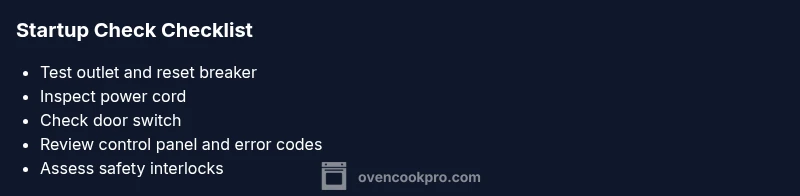
Most likely causes for an oven that won’t turn on are a power or circuit issue, a damaged power cord, or a faulty door switch. Quick fixes: verify the wall outlet is live, reset the circuit breaker, and unplug/plug the unit back in. If it still won’t start, follow the diagnostic flow for deeper checks.
Common Causes and Quick Fixes
When your oven will not turn on, the problem is often related to power, safety interlocks, or worn components. According to Oven Cook Pro, the most frequent culprits are a tripped circuit, a damaged cord, or a door switch that signals the oven is open. Start with the simplest checks and move toward deeper diagnostics. In many homes, a quick outlet test and breaker reset resolves the issue without tools. If the oven still won’t start, proceed with the diagnostic flow below to identify the exact cause and safe solution.
Safety First: Immediate Actions to Take
Before poking around live electrical parts, power down and unplug the oven if it is safe to do so. Keep children and pets away; avoid touching heating elements. Use a flashlight to inspect the cord and plug for visible damage. If you smell burning, hear buzzing, or see smoke, stop and call a professional immediately. These precautions protect you and prevent further damage to the unit.
Power Supply and Circuit Protection
A failure to turn on is often as simple as a dead outlet or a tripped breaker. Start by plugging a lamp or radio into the same outlet to confirm power. If the outlet is live, reset the circuit breaker and try again. If the breaker trips repeatedly, you may have a shared circuit overload or a short elsewhere in the house. In that case, address the external circuit first before reloading the oven.
Inspect the Oven Power Cord and Plug
Examine the power cord for cracks, cuts, or frayed insulation. A damaged cord can prevent the oven from receiving power even when the outlet works. If you notice any damage, replace the cord with an OEM or compatible replacement. Do not splice or tape the cord. After replacement, test the oven again to confirm power is reaching the unit.
Verify the Door Switch and Door Latch
Many ovens require the door to be fully closed for startup. A faulty door switch or misaligned latch may keep the oven from turning on. Listen for a faint click when you close the door, or test the switch with a multimeter if you have one. If the switch is defective, replacing it typically resolves startup issues.
Control Panel, Display, and Error Codes
A non-responsive panel or blank display can block startup. Check for blinking codes or error messages listed in your user manual. Reset the control board by powering the unit off for at least 60 seconds, then back on. If error codes persist, note them and consult the service manual or contact support. A misbehaving clock or control board is a common startup fault.
Safety Interlocks and Child Lock
Some ovens include safety interlocks or a child lock feature that prevents startup if engaged. If you notice a padlock icon, a lit indicator, or a frozen control panel, follow the manual to deactivate the lock. Incorrectly engaged interlocks can mimic a power problem and stop the oven from starting.
Advanced Checks: When to Stop and Call a Pro
If you have verified power, cords, switches, and the display but the oven still won’t start, the fault likely lies with internal wiring or the control board. Do not attempt deep internal repairs unless you are qualified. Schedule a professional diagnostic to avoid electric shock and ensure proper replacement parts. This guidance reflects best practices as of 2026, keeping homeowners safe while diagnosing startup faults.
Preventive Maintenance to Avoid Future Outages
After restoring startup, schedule regular inspections of cords, outlets, and door mechanisms. Keep the area clean, avoid exposed wiring, and replace worn parts promptly. Document any startup signs you notice, so you can share a concise history with a technician next time. Regular maintenance reduces the odds of a future oven outage and keeps your kitchen running smoothly.
Steps
Estimated time: 60-90 minutes
- 1
Test outlet and breaker
First, verify the outlet is live by plugging in a lamp or radio. If there is no power, reset the breaker serving the oven and test again. If the outlet still fails, there may be a circuit issue beyond the kitchen.
Tip: Do not use an extension cord to test power; a direct outlet test is more reliable. - 2
Inspect the oven power cord
Unplug the oven if it is safe to do so and visually inspect the cord for cracks, cuts, or exposed wires. A damaged cord can prevent startup even when the outlet works. Replace with an OEM cord if you find damage.
Tip: Only replace with the correct cord type for your model. - 3
Check the door switch and latch
Close the door and listen for the switch click. If there is no click or the latch looks misaligned, test or replace the switch. A faulty switch can falsely indicate the door is open and block startup.
Tip: Avoid forcing the door; damage can create safety hazards. - 4
Reset the control panel
Power the unit off for at least 60 seconds, then back on. Look for any error codes and note them. If codes persist, refer to the manual or contact support.
Tip: A full reset clears temporary glitches and may restore startup. - 5
Check safety interlocks/child lock
If a lock indicator is active, deactivate it according to the manual. A locked panel can prevent startup even when power is okay.
Tip: Ensure you fully deactivate any lock before troubleshooting further. - 6
Decide on professional help
If power, cords, switches, and locks are functioning but the oven still won’t start, internal faults are likely. Schedule a licensed technician to diagnose the control board and wiring safely.
Tip: Internal faults require expert service to avoid shocks or further damage.
Diagnosis: Oven won't turn on
Possible Causes
- highPower outage or tripped circuit breaker
- mediumDamaged or loose power cord
- mediumDoor switch/interlock failure
- lowFaulty control board or clock panel
Fixes
- easyTest the outlet with a known-good device and reset the circuit breaker if needed
- easyInspect the power cord for damage and replace if necessary
- easyCheck the door switch and latch; replace if faulty
- mediumCheck for error codes on the control panel and perform a controlled reset; call a pro for persistent codes
Questions & Answers
What is the most common reason an oven won't turn on?
Power issues and tripped breakers are the most frequent causes. Start with a quick outlet test and breaker reset before moving on to other checks.
Power issues and tripped breakers are the usual suspects. Start with the outlet test and breaker reset, then proceed with other checks.
Can I replace a damaged power cord myself?
Only if you have the right cord type and model-specific instructions. Otherwise, hire a licensed technician to ensure safe installation.
Only replace if you know the exact cord spec; otherwise call a qualified technician.
Can a faulty door switch really stop startup?
Yes. A defective door switch can prevent the oven from starting even if power is present. Test and replace as needed.
Yes, a bad door switch can stop startup. Test it and replace if needed.
What do error codes on the display mean?
Error codes point to specific faults in the control system. Refer to the manual, reset the panel, and note codes for service if they persist.
Error codes indicate faults in the control system. Check the manual and reset; call for service if codes stay.
When should I call a professional?
If basic checks don’t restore startup or you’re uncomfortable working with electrical components, schedule a professional diagnostic.
Call a pro if basics don’t fix it or you’re not comfortable with electrical work.
Watch Video
Main Points
- Check power first—outlet and breaker reset.
- Inspect the cord, door switch, and control panel for faults.
- Use a controlled reset before suspecting the control board.
- Call a pro for persistent or internal faults.