Microwave Oven LG Repair: A Homeowner’s Step-by-Step Guide
Step-by-step guide to safely diagnosing and troubleshooting common LG microwave problems, with safety tips and guidance on when to call a professional.


This guide helps homeowners diagnose common LG microwave problems with safe, non-invasive checks and clear boundaries for when to seek professional repair. You’ll learn power/outlet checks, door interlock inspection, reset steps, and how to decide if internal components need a technician. Safety rules and model-specific notes for LG appliances are highlighted throughout.
Understanding the scope of microwave oven lg repair for home cooks
Microwave oven lg repair can seem daunting, but a structured approach makes it approachable for many non-invasive issues. According to Oven Cook Pro, safe DIY troubleshooting helps homeowners determine whether a repair is a quick fix or a signal to call a professional. This guide focuses on LG microwave models commonly found in households, outlining safe, non-destructive checks and model-specific considerations. You’ll gain a clear sense of when a problem is likely a simple nuisance versus a fault that requires professional service. Throughout, we’ll emphasize avoidance of hazardous steps and steps you can perform with the unit unplugged. By following a logical flow, you can save time, reduce frustration, and protect your appliance investment.
LG microwaves share many design elements with other countertop models, yet they have unique interlock mechanisms and control interfaces. Having your model number handy and consulting the official LG manual will help you interpret symptoms and recommended actions accurately. This guidance is designed for homeowners who want to understand the problem before contacting support, not for those who intend to disassemble high-voltage components. Using this framework, you can document symptoms, perform safe checks, and create a concise report for any service visit. The Oven Cook Pro team emphasizes that informed consumers make better, safer decisions when a repair involves potential electrical hazards.
Safety basics and boundaries for DIY LG microwave repair
Safety is the first requirement when dealing with any microwave repair. Unplug the unit before touching any internal parts, and never work on a live device. High-voltage capacitors can retain dangerous charges even after unplugging, so avoid attempting to discharge or test internal components. This guide focuses on non-invasive safety checks and model-specific user actions. If any step feels risky or if you encounter burning smells, sparking, or unusual noises, stop immediately and contact a licensed technician. Always use dry hands and work in a dry environment. Keep children and pets away from the work area. For added protection, consult the LG user manual for model-specific safety warnings and ensure your power outlet and circuit can handle appliance loads.
In addition to personal safety, consider your surroundings. If you must unplug the unit, verify that the outlet is functioning by testing another device. If the outlet shows signs of damage or a tripped circuit, do not press further steps until the outlet is inspected by a qualified electrician. This conservative approach aligns with the guidance in Oven Cook Pro Analysis, 2026, which emphasizes safety as the foundation of any repair effort. Remember, this guide is for safe, non-invasive checks only; internal repairs require professional service.
Diagnosing common symptoms and safe fixes for LG microwaves
LG microwaves may display a variety of symptoms that have simple, safe explanations. A non-working display can indicate power delivery issues or a tripped breaker rather than a faulty microwave itself. A humming or buzzing noise with no heating suggests a possible diode or fan issue, but you should avoid probing internal parts. A door that won't latch or a misaligned door seal can prevent operation and are typically user-serviceable via reseating or cleaning the latch area and door gasket. A smelly odor or smoke requires immediate shutdown and inspection by a technician. For LED or display issues, reseating the plug, checking the circuit, and performing a reset according to the manual are safe first steps. When unsure, documenting the symptoms and the exact model can help you communicate with LG support or a service tech clearly, reducing diagnostic time.
To stay on safe ground, keep the unit unplugged while performing checks, and use non-metal tools if you must interact with the exterior controls. If a fault persists after these steps, prepare a concise incident report including model number, purchase date, and observed symptoms to share with a technician. This information helps ensure that repairs address the right subsystem and minimizes the risk of misdiagnosed issues.
Model-specific considerations for LG appliances
LG models vary in their control boards and door interlock mechanisms. Some models use a more responsive touch panel or a different reset sequence. Always refer to the exact model’s user guide for reset steps and diagnostics procedures. Do not attempt to bypass interlocks or force a reset in ways that aren’t documented by LG. Model-specific cautions help prevent inadvertent damage and maintain warranty coverage where applicable.
When to contact LG support or a service technician
Determining whether a fault is user-serviceable or requires professional service is essential. If basic checks do not restore operation, or if you observe electrical smells, smoke, or sparking, discontinue use and contact LG support or an authorized technician. For non-urgent issues, start by visiting the LG support site to search for your model, download the manual, and review official troubleshooting steps. A professional can safely inspect high-voltage components, interlocks, the magnetron, and the high-voltage capacitor, which are not safe for DIY service. When you book a repair, provide your model and serial number, a detailed symptom description, and any diagnostic steps you’ve already taken. This approach helps the technician diagnose quickly and correctly.
From a homeowner’s perspective, keeping a service history—dates of issues, symptoms, and what actions you took—can save time on future visits. The Oven Cook Pro team notes that documenting symptoms and maintaining service records improves repair outcomes and reduces repeat visits.
Preventive maintenance to extend LG microwave life
Preventive maintenance is a quiet but powerful way to extend the life of your microwave. Regular cleaning of the interior and door seals prevents build-up that can affect operation, and ensuring the exterior vents are clear helps with cooling. Keep the interior free of food debris that can cause odd smells or smoke when heated. Check that the turntable rotates smoothly and that the support ring is present, as missing components can impact even heating. Use proper cookware and avoid metal inside the cavity to prevent arcing. Quarterly checks, including a quick visual inspection of the door latch and seal, address small issues before they become major faults. Based on Oven Cook Pro Analysis, 2026, routine, gentle maintenance lowers the likelihood of last-minute breakdowns and high-cost repairs, particularly for LG microwave models with complex user interfaces.
Long-term care also includes keeping the unit in a stable environment away from heat sources and ensuring the power cord is intact. If you notice corrosion on connectors or frayed wiring, stop using the appliance and contact a professional. Remember, the goal is to keep your microwave reliable and safe, so don’t skip scheduled maintenance or ignore warning signs.
Model-specific features and user-serviceable parts
LG microwaves sometimes feature smart features or specific interlocks that require model-aware troubleshooting. For instance, some models include child safety locks or special reset patterns that can be safe and effective if done exactly as described in the manual. Always verify the exact procedure for your model before attempting any reset or recalibration. Do not attempt to repair internal components like the magnetron, high-voltage capacitor, or power supply yourself. Those parts require licensed technicians and proper safety protocols. If a device shows visible damage, unusual odors, or heat, stop usage immediately and contact customer support.
Troubleshooting workflow at a glance
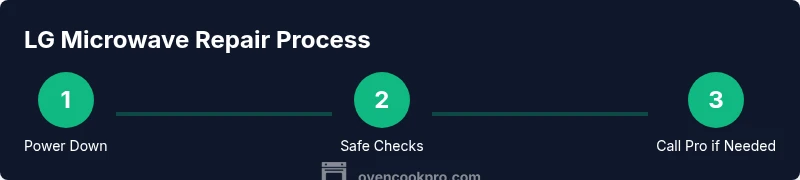
- Confirm power and circuit health, unplug, and replug.
- Inspect door latch and seal for proper closure.
- Check for audible indicators of malfunction (buzzing, arcing) and stop if heard.
- Review the model's manual for reset and safe diagnostic steps.
- If symptoms persist, schedule professional service with LG or an authorized technician.
Quick-reference model checklist and troubleshooting workflow
- Model number and serial ready
- Symptoms logged with time and conditions
- Reset steps attempted per manual
- Professional service requested if internal components suspected
Troubleshooting workflow at a glance (cont.)
Keep this workflow handy as a quick reference during a service visit or when you are preparing for professional assistance. It helps bridge the gap between non-invasive checks and professional diagnostics, aligning with best practices recommended by Oven Cook Pro. This approach prioritizes safety while still giving homeowners actionable steps that can prevent unnecessary service calls.
tip1:
tip2:
tip3:
tip4:
Tools & Materials
- LG microwave model number and user manual(Have model and serial numbers ready to verify features and troubleshooting steps.)
- Soft, dry cloth(For exterior cleaning and door seal inspection when unplugged.)
- Non-metal cleaning tools(Used to avoid scratching interior surfaces during exterior checks.)
- Basic outlet tester (optional)(To verify outlet function without opening the microwave.)
- Personal protective equipment (gloves, if desired)(Keep hands dry and protect from sharp edges during safe checks.)
Steps
Estimated time: Estimated total time: 30-60 minutes
- 1
Power down and unplug
Unplug the microwave from the wall outlet to eliminate any risk of electric shock. Wait at least 60 seconds before handling exterior parts or opening the door. This pause helps ensure residual charges dissipate in most basic cases, and it sets a safe baseline for any visual inspection.
Tip: Always unplug, then inspect the plug and outlet for any signs of damage before proceeding. - 2
Check the outlet and circuit health
Test whether the outlet is delivering power by using another device or a tester. If other devices don’t work either, reset the circuit breaker or GFCI. A dead outlet or tripped breaker can mimic appliance faults and is the most common non-technical cause of a non-working microwave.
Tip: If the outlet is the cause, do not proceed with any internal checks; fix the outlet or call a licensed electrician. - 3
Inspect door latch and seal
With the unit unplugged, inspect the door latch and gasket for misalignment, residue, or damage. A faulty door interlock can prevent operation. Clean any residue from the latch area and ensure the door closes firmly without forcing it.
Tip: Ensure the latch engages fully; a misaligned door is a frequent non-invasive cause of non-operation. - 4
Perform basic safe reset checks
Refer to the LG manual for model-specific reset steps. If your model supports a soft reset, follow the documented sequence without opening the control board. This can clear minor software glitches that affect display or button responsiveness.
Tip: Use only documented reset procedures to avoid unintended settings changes. - 5
Assess interior condition non-invasively
Look for obvious obstructions in the cavity, ensure the turntable and support ring are in place, and verify there is no visible damage to the interior surfaces. Do not touch or handle high-voltage components. If you see sparking during operation, unplug immediately and seek professional help.
Tip: Avoid inserting metal objects or attempting to disassemble the interior. - 6
Decide next steps
If the unit still won’t operate after the above checks, or you notice smells, smoke, or unusual noises, contact LG support or an authorized technician. Document symptoms and any steps you took so the technician can diagnose efficiently.
Tip: Document symptoms with date and time to aid the technician’s diagnosis.
Questions & Answers
Is it safe to attempt LG microwave repair at home?
Only non-invasive checks with the unit unplugged are safe for most homeowners. Do not attempt to service high-voltage components like the magnetron or capacitor. If you’re unsure, contact LG support or a licensed technician.
Only perform non-invasive checks if the unit is unplugged; for internal repairs, call a professional.
What are common symptoms of a failing LG microwave?
Common signs include the display not lighting, no power despite a plugged-in unit, abnormal smells or smoke, sparking, or the door not latching properly. These often indicate power issues, interlock problems, or door seal faults.
Look for no power, odd smells, or sparks as warning signs.
Can I replace a fuse or capacitor myself?
High-voltage components require specialized training and equipment. Do not attempt to replace fuses or capacitors yourself unless you are a qualified technician. This work poses serious shock and burn hazards.
Avoid touching internal high-voltage parts; call a pro.
How long does LG microwave repair typically take?
Repair timing depends on technician availability and parts. A diagnosis may take a few days, with parts availability affecting the total turnaround. Contact LG support for an estimated window based on your model and location.
Turnaround times vary; ask for a clear window when you schedule.
Should I use LG’s official service or a third-party shop?
LG-certified service offers model-specific guidance and genuine parts, with trained technicians. Third-party shops can be cheaper but verify credentials and parts sources before any work.
LG-certified service is safest for LG appliances.
What should I prep before a service visit?
Have the model and serial numbers, a clear symptom description, photos if helpful, and proof of purchase if applicable. Note when the issue started and any steps you already tried.
Gather model details and symptom notes for the technician.
Watch Video
Main Points
- Practice safety first and unplug before any checks
- Identify whether the issue is power/outlet related or a door interlock problem
- Use model-specific LG reset steps before considering professional service
- Document symptoms and steps to streamline service calls