Panasonic Microwave Oven Repair: Safe Troubleshooting and Step-by-Step Guide
Learn safe, step-by-step Panasonic microwave oven repair techniques. This guide covers non-invasive diagnostics, error-code interpretation, and when to call a professional for high-voltage components.


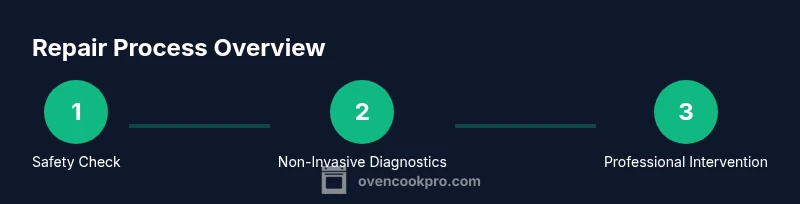
Panasonic microwave oven repair can be approached safely by starting with a safety check, verifying power, and reading any error codes. Focus on non-destructive diagnostics like door interlock tests, exterior power supply, and control panel responses. For any high-voltage components or internal disassembly, contact a qualified technician.
Why Panasonic Microwave Oven Repair Requires Care
Panasonic microwave oven repair can be tempting for simple, common issues, but it is a task that blends electrical safety with appliance mechanics. Homeowners often want a quick fix for problems like not heating or odd noises, yet a microwave houses high-voltage parts and a magnetron that can cause serious injury if mishandled. The goal is to identify symptoms, confirm safe conditions, and know when a professional is needed. According to Oven Cook Pro, the majority of avoidable hazards come from bypassing safety interlocks or attempting to open the cabinet while the unit is energized. Practically, you’ll gain confidence by learning model-specific error codes, verifying power at the outlet, and performing only non-invasive checks on exterior components. In Panasonic models, a few recurring faults occur due to worn door switches, a tripped circuit, or a dirty vent that triggers thermal cutout. A careful, safety-focused approach reduces risk and preserves the life of your appliance.
Common Panasonic Microwave Problems and Quick Fixes
Many homeowners encounter a handful of familiar issues. Not heating or turning on at all can point to a power supply problem, a blown fuse, or a door interlock fault. If you hear the magnetron hum but don’t hear the usual clicking or see no light, the problem may involve the control board or a safety interlock not allowing the unit to energize. Sparking or arcing is another red flag that should prompt immediate safety checks and, if persistent, professional inspection. Error codes on the display can guide you toward the relevant subsystem, but since codes vary by model, always reference your Panasonic manual. For convection or smart features, software glitches can occasionally mimic hardware faults. When you narrow the issue to a non-energized state (no power, no response, no display), focus on safety steps first and then non-destructive diagnostics before any internal inspection.
Safety First: When to Stop and Call a Pro
If you smell burning plastic, hear buzzing, or notice smoke, unplug the unit immediately and do not operate it again until it’s evaluated by a professional. High-voltage components, including the high-voltage capacitor and magnetron, can retain dangerous charges even after unplugging. Do not attempt to access the internal high-voltage parts. If the display shows multiple error codes that you cannot clear, or if door interlocks or switches feel loose or worn, consult an authorized service technician. The goal is to prevent electric shock, fire, and further damage to the control circuitry. Always work on a non-conductive surface and keep liquids away from any exposed electrical parts.
How to Prepare for a Repair Attempt
Preparation is the foundation of safe troubleshooting. Start by gathering the model number, the user manual, and any error codes. Ensure the unit is unplugged and placed on a dry, stable surface away from the edge of the counter. Have a few basic tools on hand—non-contact voltage tester, digital multimeter, and insulated screwdrivers—so you can perform basic, non-invasive checks without exposing yourself to live circuitry. If your model has a reset option, document the steps required to reset its memory and test the keypad after a cold boot. By organizing information and safety gear ahead of time, you’ll minimize risk and maximize your ability to observe meaningful symptoms during the diagnostic process.
Basic, Non-Invasive Diagnostics You Can Do
These checks avoid opening the cabinet and focus on exterior and user-accessible subsystems. Start by verifying power at the wall outlet with a tester or by plugging in another device to confirm the outlet is live. Inspect the door latch and interlock visually for wear, cracks, or misalignment, and ensure the door seals tightly when closed. Check the turntable for smooth rotation and clear any food debris or foreign objects from the cavity that could cause uneven cooking or overheating. Review the control panel for unresponsive keys or erratic behavior, and perform a controlled reset (unplug for 60 seconds, then plug back in) to clear transient software errors. If the unit operates only intermittently, observe when it stops—during cooling cycles, during magnetron use, or while a sensor triggers a protection circuit. Finally, document any error codes and the sequence of events to share with a technician.
When to Replace vs Repair
Not every fault warrants a repair, especially for older units with persistent symptoms. If your Panasonic microwave is more than 5–7 years old and exhibits repeated failures that recur after repairs, it may be more cost-effective to replace rather than repair. Consider factors such as the cost of parts, service calls, and the appliance’s energy efficiency. If the unit is under warranty or under an extended service plan, check coverage terms before scheduling a repair. For newer models or issues limited to software glitches, a service visit or a guided reset might restore full functionality at a reasonable cost. Weigh the projected lifespan and reliability to decide between repair and replacement.
What a Professional Service Will Do
A qualified technician will begin with a safety assessment, verify that all interlocks and switches are functioning, and confirm that the unit is not energized during any inspection of internal components. They will use model-specific diagnostic tools to interpret error codes, test high-voltage circuits with specialized equipment, and if necessary, replace defective safety interlocks, door switches, or the control board. Technicians will also inspect venting, cooling, and fan operations to prevent overheating. For magnetron or high-voltage capacitor faults, professional service is essential, as improper Handling can cause electric shock or further damage. The service visit typically includes a thorough inspection, a written diagnostic report, and cost estimates before any replacement parts are ordered.
Preventive Care for Panasonic Microwaves
Prevention is far cheaper than repair. Keep the interior clean to prevent arcing and reduce heat buildup, check the exterior door seal regularly, and ensure the microwave sits on a level, vibration-free surface. Clean the vents and anti-spark components to avoid overheating, and perform periodic resets to refresh software if you notice odd behavior. When not in use, unplug the unit if you’re leaving the home for an extended period. If your model includes smart features, update the firmware according to the manufacturer’s schedule. Finally, follow the manufacturer’s maintenance intervals for professional inspections, especially after any service to high-voltage components or the door interlock system.
Step-by-Step Quick Reference for Safe Checks
This section provides a distilled sequence that mirrors the formal step-by-step instructions. It emphasizes safety and non-invasive checks first, then deeper diagnostics if you are qualified to proceed. Always start by unplugging the unit and confirming there is no power at the outlet. Next, inspect the door interlock and outer seals, then verify display operation and basic control pad responsiveness. If you observe any abnormal odors, smoke, or heat, stop immediately and seek professional service. When in doubt, stop, document the symptoms, and consult the Panasonic service manual or a certified technician. This quick reference is designed to keep you safe while you perform essential checks that can reveal non-invasive signs of trouble.
Our Verdict
For most homeowners, basic safety checks and non-invasive diagnostics will clarify whether a Panasonic microwave is a candidate for repair or replacement. If the unit is relatively new and the fault is isolated to a door interlock or a control error, a technician can often restore full function at a reasonable cost. If the appliance is older or the issue recurs after a repair, replacement may offer better reliability and energy efficiency. The Oven Cook Pro team emphasizes safety as the top priority and suggests consulting a professional for any high-voltage concerns or internal disassembly. A careful, well-documented approach helps you make the best long-term decision for your kitchen equipment.
Tools & Materials
- Non-contact voltage tester(Verify outlet power without direct contact with conductors)
- Digital multimeter(Used for basic continuity checks on non-live circuits only)
- Insulated screwdriver set(For safe fastener access on exterior components)
- Safety glasses(Eye protection during inspection and handling)
- Dry, non-conductive workspace(Keep tools and unit on a stable, dry surface)
- Owner’s manual for your Panasonic model(Model-specific wiring diagrams and error codes)
Steps
Estimated time: 45-90 minutes
- 1
Power down and unplug
Ensure the unit is completely disconnected from power. If the outlet is controlled by a wall switch, switch it off. Do not rely on the kitchen switch if you’re uncertain about the circuit. Wait at least 60 seconds to allow any residual charge to dissipate before touching exterior components.
Tip: Use the outlet tester to confirm zero voltage before proceeding. - 2
Inspect door interlock and latch
Visually examine the door seal for damage and ensure the latch engages fully when closed. If the interlock feels loose or triggers when you gently depress it, note this as a potential fault for a professional to verify. Do not try to force the interlocks or bypass safety features.
Tip: Take a photo of the latch alignment to show a technician. - 3
Check exterior power and circuit
Test the wall outlet with a non-contact tester and verify the circuit breaker hasn’t tripped. If other devices fail in the same outlet or circuit, address the home wiring first. Never test high-voltage components with power connected.
Tip: Plug a small lamp into the same outlet to confirm stable power before continuing. - 4
Review display codes and reset
Note any error codes displayed and consult the model’s manual for their meanings. If a reset option exists, perform a controlled reset by unplugging, waiting 60 seconds, and plugging back in. After resetting, test basic functions to observe if the issue recurs.
Tip: Document codes with timestamps for technician reference. - 5
Perform a safe system reset
With power disconnected, reassemble only what is externally accessible and reapply power for a basic functional check of the control panel. Do not open the cabinet or touch internal components unless trained to do so. Observe whether the unit responds to basic commands (clock, timer, and start/stop).
Tip: If the keypad is unresponsive, do not press harder; move on to professional evaluation. - 6
Decide next steps
If the microwave still does not operate normally, or if you encounter unusual smells, smoke, or sizzling sounds, it is time to contact a qualified technician. Gather the model number, error codes, and a brief symptom log to share during the service call.
Tip: Do not attempt high-voltage component replacement yourself.
Questions & Answers
Is it safe to attempt Panasonic microwave repair yourself?
Only perform non-invasive checks and exterior inspections. Do not touch high-voltage components or disassemble the interior. When in doubt, contact a qualified technician.
Only do non-invasive checks yourself; avoid high-voltage parts. If unsure, call a professional.
What does an error code on a Panasonic microwave indicate?
Error codes point to specific subsystems or safety checks. Refer to the manual for code definitions and follow model-specific guidance; if codes persist, consult a technician.
Error codes point to the likely faulty subsystem. Check the manual and consider professional help if they repeat.
Can door interlocks cause not heating even when the unit powers on?
Yes. A faulty door interlock can prevent the magnetron from energizing. If the door switch shows wear or test failures, a service visit is advised.
A bad door interlock can stop heating. Have a pro check it if tests suggest it’s faulty.
When should I replace versus repair a Panasonic microwave?
If the unit is old and faults recur after professional servicing, replacement may offer better reliability and efficiency. For newer models with isolated software or minor issues, repair can be cost-effective.
Replace if it’s old and keeps failing; repair for newer models with isolated problems.
Will DIY repairs void the warranty?
DIY repairs may affect warranty coverage; check the terms and consult the manufacturer or retailer. Authorized service often preserves warranty validity.
DIY fixes can affect your warranty; read terms or contact the maker for guidance.
Is magnetron or high-voltage work safe to attempt?
No. Magnetron and high-voltage components require trained technicians with proper isolation and safety protocols.
High-voltage work is not safe for non-professionals; seek a technician.
Watch Video
Main Points
- Unplug before any inspection to ensure safety.
- Start with non-invasive checks; avoid high-voltage components.
- Document error codes and symptoms for technicians.
- Call a professional for magnetron, HV capacitor, or sealed-unit diagnostics.