Troubleshooting a Broken Oven: A Step-by-Step Guide
Urgent, practical guide to diagnose and fix a broken oven. Learn safe DIY checks, common causes, and when to call a pro. Oven Cook Pro analysis shows heating-element and thermal-fuse failures are among the most frequent culprits.


Most broken ovens fail to heat due to a blown thermal fuse, a faulty bake element, or a sensor fault. Start by confirming power, door latch, and control settings. If the timer or display works but no heat appears, unplug and check the thermal fuse and bake element for continuity, then inspect wiring and safety switches.
What typically breaks in an oven and how it affects performance
A broken oven can manifest in several ways: it may refuse to heat, heat unevenly, or display error codes. The most common culprits are electrical components and safety devices that shut the oven down to protect you. In many households, failures involve the heating element (bake or broil), the thermal fuse, or sensors that tell the control board what temperature you want. When any of these parts fail, you’ll notice a lack of heat, inconsistent cooking, or delayed responses from the display. Understanding these failure modes helps you triage safely without needless replacement. If you’re a homeowner following Oven Cook Pro’s guidance, you’ll approach diagnosis methodically: verify power, confirm settings, then test individual components rather than replacing large assemblies. Remember that a broken oven is not always a dramatic fault; a simple wiring issue or loose connection can produce the same symptoms. Additionally, door switches and interlock latches can prevent heating if the oven thinks the door is open or not fully closed. Self-cleaning cycles can also introduce problems if residues interfere with sensors.
Immediate safety steps you should take
If your oven shows signs of malfunction, safety comes first. Begin by disconnecting power; if you can’t unplug, switch off the circuit breaker feeding the appliance. Keep children and pets away and avoid touching hot surfaces. Do not attempt to service internal components while the unit is plugged in. After powering down, wait for the oven to cool completely before inspecting exterior wiring or panels. If you smell burning insulation, hear buzzing, or notice exposed wires, stop and call a licensed technician immediately. When in doubt, err on the side of caution and treat any broken oven like a potential electrical hazard. Following these steps protects you while you narrow down the fault.
Visual and physical checks you can perform safely
Look for obvious signs of damage: melted insulation around wiring, scorch marks on the back panel, or broken door seals. Check the door latch and hinge alignment—an improperly closed door can prevent heating cycles from starting. Inspect visible wires for fraying or loose connections, especially near the bake and broil elements. If you see liquid spills or corrosion around terminals, wipe and dry with the unit unplugged. A simple visual sweep often reveals loose connectors or burnt components that explain a lack of heat without requiring disassembly. If a component appears damaged, do not attempt replacement unless you have proper tools and training; for most homeowners, this signals a service call is needed.
Electrical and power checks
Verify the oven is receiving proper power. If you have a standard 120/240V appliance, confirm the outlet and circuit breaker supplying the oven are not tripped. If the display is dead or erratic, that can indicate a control board or power supply issue beyond a simple fuse. If you are comfortable using a multimeter, check for a stable voltage at the outlet and ensure the oven’s power cord is intact. Do not touch live wiring. If the outlet tests ok but the oven still won’t heat, the problem likely lies inside the appliance—thermal fuse, heating element, or control circuitry—requiring professional service. Always follow local electrical codes and safety guidelines when working near live circuits.
Sensor, control board, and timer diagnostics
Many modern ovens rely on a temperature sensor or thermistor and a control board to regulate heat. If the display shows error codes or temperatures drift, the sensor may be stuck or miscalibrated. Some models require reading error codes from the display or internal diagnostic modes; consult your user manual for model-specific steps. A faulty temperature sensor can prevent heat from reaching the setpoint, even if power is present. In these cases, replacing the sensor or recalibrating the control board is often necessary. If you notice intermittent heating or random temperature jumps, it’s a strong sign that a sensor or control board issue exists and professional evaluation is advisable.
Most common fixes you can attempt at home (non-destructive)
Before you open any panels, ensure power is disconnected. Simple, non-destructive fixes include reseating the oven’s connection plugs, resetting the control via power cycle, and cleaning control panels that may be intermittently sticking. If the bake or broil element shows obvious damage, replacement is usually required, but testing for continuity with a multimeter is recommended before buying a new part. Do not attempt to remove or replace high-voltage components unless you’re qualified. For many homeowners, the safest, earliest fix is a power reboot and rechecking the door switch and latch. If the oven still won’t heat, that’s a sign to bring in a pro. Avoid DIY fixes that involve exposed wiring or exposed heating elements; these are hazardous.
Step-by-step diagnostic flow overview
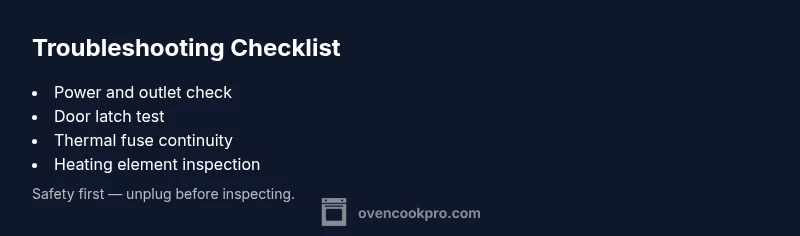
This section maps symptoms to likely causes and practical fixes, helping you navigate safely from initial checks to targeted interventions. Start with power, then door status, then control settings. If heat still doesn’t come, assess thermal fuse and heating element continuity, inspect door switch wiring, and finally consider sensor or control board faults. If you reach a point where internal components require disassembly or testing with specialized tooling, pause and contact a licensed technician. This approach minimizes risk while guiding you toward a resolution.
Preventive maintenance to reduce future breakage
Proactive care lowers the chance of future outages. Regularly clean vents and door seals to maintain proper heat circulation. Inspect door gaskets for wear and replace them if they are cracked or loose. Schedule periodic checks of the oven power supply and ensure cords are intact. Keep the interior dry and free of spills that can corrode electrical terminals. By performing light checks quarterly and a more thorough inspection every 6–12 months, you’ll catch issues before they become major failures and extend the life of your oven.
When to escalate and what to expect from professionals
If you have confirmed no power or obvious external damage but the oven still won’t heat, it’s time to call a qualified technician. Common service calls involve testing the thermal fuse, replacing a damaged bake element, or diagnosing a faulty control board. A pro will typically perform resistance and continuity tests, measure voltage supply, and verify safety interlocks. Expect parts costs, diagnostic fees, and a written estimate before any work begins. Early escalation is prudent when you notice signs of arcing, burning smells, or exposed wiring.
Common mistakes to avoid during troubleshooting
Don’t skip unplugging the unit before starting any inspection. Avoid relying on visual cues alone; electrical faults often require meter testing. Do not attempt to replace heating elements without confirming the correct part number for your model. Finally, never ignore safety warnings or operate the oven with visible damage; this can lead to electric shock or fire hazards. Staying patient and methodical reduces risk and improves your odds of a correct, lasting fix.
Steps
Estimated time: 60-90 minutes
- 1
Power down and safety check
Unplug the oven or switch off the circuit breaker. Wait for the unit to cool completely. This step prevents shock during inspection and allows safe reseating of any connectors you touch later.
Tip: If you cannot access the plug easily, turn off the breaker at the panel and lock it out. - 2
Verify basic functionality
Plug back in or restore power and check if the clock/display lights up. If the display remains dark, the issue likely involves power delivery or the control board rather than a heating element.
Tip: If the display is working but heat is missing, continue with the next steps to isolate components. - 3
Inspect heating elements and fuses
Access the back panel or lower bake area to visually inspect for damage. If you have a multimeter, test thermal fuse and bake element for continuity. Replace any open or shorted components with matching parts.
Tip: Only perform this if you are comfortable with electrical testing and have the right tools. - 4
Check door latch and switches
Ensure the door closes fully and that interlock switches are engaged. A faulty door switch can prevent heat from starting even when power is present.
Tip: Gently press on the door while the unit is powered to see if heat resumes, indicating a switch issue. - 5
Test sensors and control logic
If available, access the temperature sensor or thermistor and verify it reads within expected ranges. Review error codes in the display per your model’s manual and perform any model-specific resets.
Tip: Document any error codes before you reset so you can reference them if you call a pro. - 6
Decide on next steps
If you’ve confirmed simple issues and replaced one component, reassemble and test. If the oven still won’t heat after these steps, stop and contact a licensed technician for a proper diagnosis.
Tip: Professional service is recommended for high-voltage components or suspected control-board faults.
Diagnosis: Oven won't heat
Possible Causes
- highPower supply issue (outlet or circuit breaker)
- highBlown or failed thermal fuse
- mediumFaulty bake/broil heating element
- mediumDoor switch/interlock or control board fault
Fixes
- easyCheck outlet and circuit breaker; reset if tripped and verify 120/240V supply as applicable to your model
- mediumInspect thermal fuse for continuity (requires multimeter); replace if open circuit
- mediumTest bake and broil elements for continuity and visible damage; replace faulty element
- mediumTest door switch or interlock wiring; reseat connectors or replace faulty switch
- hardIf control board shows errors or no voltage regulation, consult a professional for diagnostics and potential replacement
Questions & Answers
Why won't my oven heat at all?
Several issues can prevent heating, including power supply problems, a blown thermal fuse, or a faulty heating element. Start with power and control checks, then test the fuse and element if you have the right tools. If you’re unsure, a technician can diagnose safely.
Common causes are power or fuse issues, or a bad heating element. Start with power checks, then test the fuse and element; if unsure, contact a professional.
Is it safe to test my oven's heating element with a multimeter?
Testing with a multimeter is possible but involves high voltage areas. If you’re not trained in electrical testing, hire a professional. Improper testing can cause shock or damage.
Testing with a multimeter is possible but risky. If you’re not trained, it’s safer to call a pro.
How can I tell if the thermal fuse is blown?
A blown thermal fuse will show an open circuit when tested with a continuity meter. It prevents the oven from heating even if other components are fine. Replacement should be done with a matched part and professional help is recommended if you’re not experienced.
A blown thermal fuse shows open continuity. Replacing it should be done with care, ideally by a pro.
When should I replace the bake element?
Replace a bake element if it shows visible damage or no continuity on a meter test. Always disconnect power before inspection and ensure you have the correct part for your model.
Replace the bake element if it’s damaged or lacks continuity. Disconnect power first and match the model.
Can I troubleshoot a broken oven without unplugging it?
For safety, always disconnect power before inspecting. If you can't unplug, switch off the circuit at the breaker and avoid touching live components. This reduces risk during troubleshooting.
Always disconnect power before troubleshooting. If you can’t unplug, turn off the breaker and stay safe.
Watch Video
Main Points
- Check power and basic controls first
- Test heating elements and thermal fuse if safe
- Door switches and sensors are common culprits
- Call a pro for high-voltage or board issues