Why Ovens Won’t Auto-Off: Practical Troubleshooting
Urgent, step-by-step guide to diagnose why ovens don’t turn off automatically. Learn common causes, a diagnostic flow, and safe fixes you can perform at home, with professional help tips.


If you're wondering why don't ovens turn off automatically, you're not alone. According to Oven Cook Pro, this usually points to a stuck timer or a faulty control relay rather than a simple switch. Start with a quick power cycle, verify the timer and clock settings, and test basic responses. This fast, structured approach helps you identify whether you can safely fix the issue at home or if professional service is needed.
Understanding the auto-off issue
If you're wondering why don't ovens turn off automatically, you're not alone. According to Oven Cook Pro, this problem typically signals a control fault rather than a faulty switch. Ovens are designed to shut down at the end of a cycle and enter a safe cooldown state, but a stuck or misconfigured control can keep heating elements energized. The first step is to prioritize safety: never bypass built-in protections or leave a hot oven unattended while you troubleshoot. In this block, we unpack the behavior you should expect, the quick-aid checks you can perform safely, and how these symptoms map to likely root causes. By understanding the general pattern, you can avoid misdiagnosis and unnecessary parts replacement, saving time and reducing risk while you work toward a reliable fix.
Quick check: confirm model behavior and safety baseline
Different ovens handle auto-off differently: some complete a cool-down phase after the cycle ends, others may keep surface elements energized briefly for safety. Before you begin, ensure your kitchen is safe: unplug the unit or switch off the circuit, then verify there is no gas smell or unusual heat while you inspect. If your model has a self-clean cycle, know that some safety features can create longer cooldown times or appear as if the oven remains on. Always consult your manual for model-specific behavior. This quick baseline helps you distinguish normal behavior from a fault.
The role of settings and controls in auto-off behavior
A frequent cause of continued operation is a mis-set timer or clock. If the timer is stuck or the clock is misconfigured, the control system may misread the end of a cooking cycle. An additional contributor can be a door switch that fails to signal the control, prompting the oven to stay energized. In more complex cases, a faulty relay on the control board can keep power routed to the heating element regardless of user input. By familiarizing yourself with these common culprits, you can structure your troubleshooting with confidence and avoid unnecessary disassembly.
When self-diagnosis reaches its limit
If simple checks reveal nothing conclusive, the problem might be a more advanced fault such as a failing control board or a sensor relay. At this stage, continuing to probe electrical components without proper tooling can be risky. So, while some models allow a service-mode reset or firmware refresh under manufacturer guidance, many fixes require professional inspection. Remember: your safety and the oven’s gas/electric safety systems come first, so don’t press on with aggressive DIY if you’re unsure.
Summary of what to do next
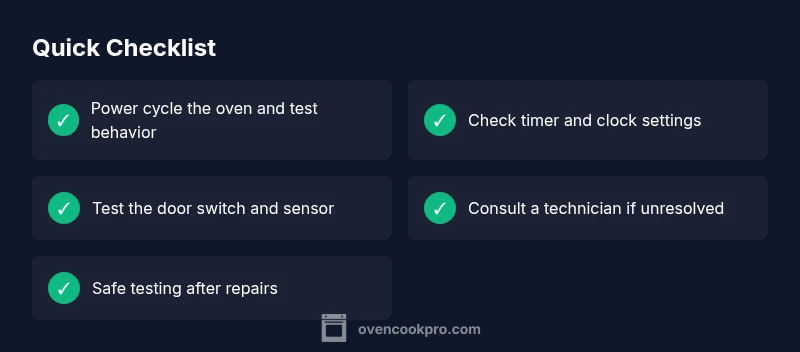
Document the symptoms you observe, including how long the oven stays on, whether it responds to the clock or button presses, and if any cycle (like bake, broil, or self-clean) behaves differently. Use this checklist when you call a technician or consult the manual. Take photos of any error codes displayed and note the exact model and age of the oven. This information helps a technician diagnose faster and reduces the chance of unnecessary parts replacement.
Steps
Estimated time: 60-90 minutes
- 1
Power cycle and baseline checks
Turn off power to the oven, wait for a full minute, then restore power. Confirm no gas smell or unusual heat during this process and verify basic clock behavior once powered back up.
Tip: Always disconnect power before inspecting electrical components. - 2
Check timer and clock settings
Review the timer and clock settings on the display. If the timer is set to a perpetual bake mode or the end time is misconfigured, adjust to a standard bake cycle and observe if auto-off works after a normal cycle.
Tip: Consult the user manual for exact keypad sequences to reset the clock. - 3
Test the door switch
With the oven off, gently press the door switch by hand and verify it depresses fully when the door is closed. If it feels stiff or missing tension, it may need adjustment or replacement.
Tip: Only test with non-metal tools and avoid applying force to wiring. - 4
Inspect the control panel and relays
Look for obvious signs of damage or stuck buttons on the control panel. For digital boards, a visual inspection of relays may reveal scorching or corrosion; these parts often require professional replacement.
Tip: Do not attempt to desolder or replace relays unless you’re trained. - 5
Reset firmware or service mode (if applicable)
Some models offer a service menu or firmware reset. Use manufacturer guidance to perform this safely; incorrect resets can worsen issues.
Tip: Only perform service-mode resets if you have explicit model-specific instructions. - 6
Know when to call a professional
If the oven still won’t auto-off, a professional technician should evaluate the control board, wiring, and safety interlocks to avoid risks from electrical shock or gas connections.
Tip: Provide the technician with model, age, and observed symptoms to speed up diagnosis.
Diagnosis: Oven won’t turn off automatically after a cycle ends; heating element remains energized
Possible Causes
- highStuck timer or mis-set clock
- mediumFaulty door switch that fails to signal shutdown
- lowStuck relay or faulty control board
- lowSoftware/firmware issue on digital models
Fixes
- easyPower cycle the oven (unplug or circuit off for 60 seconds, then restore power) and recheck behavior
- easyVerify timer/clock settings and recalibrate per model manual; ensure the end-of-cycle action is correct
- mediumInspect the door switch for sticking or misalignment and test the button/joint action with the door closed
- hardIf behavior persists, consult a licensed technician to test the control board/relay safely
Questions & Answers
Why does my oven stay on after a cycle ends?
Most often a stuck timer or relay fault; perform a power cycle and check timer settings first. If unresolved, a technician should assess the control board.
Oven staying on is usually caused by timer or control issues. Start with power cycling and timer checks, then call a pro if needed.
Could self-cleaning mode cause the oven to stay hot after finishing?
Yes, self-cleaning cycles can leave the oven hot for longer and may appear as if it’s still on. Wait for cooldown and verify end-of-cycle indicators.
Self-cleaning cycles can extend cooldown time; ensure the cycle finishes fully before assuming a fault.
Is it safe to fix a faulty control board myself?
No. Control boards carry high voltage and safety interlocks. A licensed appliance technician should diagnose and replace faulty boards.
It’s not safe to repair the control board yourself; contact a professional for this component.
What should I do if the oven won’t turn off in a safe manner after following these steps?
If the oven still won’t shut off, unplug from power and contact a licensed technician immediately. Do not leave it unattended.
If the issue persists, unplug and call a professional for a safe assessment.
How can I prevent auto-off problems in the future?
Regular maintenance, correct timer settings, and cautious testing after cycles help prevent recurrence. Note any codes or unusual behavior for the technician.
Prevention comes from regular checks and following your model’s manual for safe operation.
When should I call a technician for an auto-off issue?
Call when basic checks don’t reveal a fix or when you encounter control-board symptoms, heat, or electrical concerns. Timely professional help reduces risk.
If basic steps don’t fix it, a professional should inspect the control circuitry.
Watch Video
Main Points
- Start with power cycle and timer checks
- Door switch and control board are common culprits
- Follow model-specific manuals for resets
- Call a professional if in doubt or if the issue persists