Test Oven Heating Element: Step-by-Step Guide
Learn how to test an oven heating element safely with a multimeter, diagnose faults, and replace it if needed. This expert guide from Oven Cook Pro covers methodical testing and maintenance in 2026.


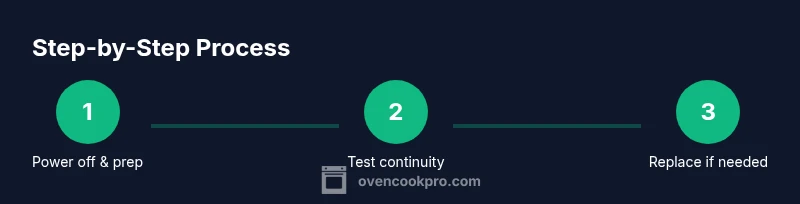
Goal: determine if your oven heating element is functioning and safe to use. You will need a digital multimeter, basic screwdrivers, and a replacement element if needed. According to Oven Cook Pro, power off and unplug the oven, inspect for visible damage, then test continuity and resistance with a meter. This concise guide walks you through a safe, methodical test.
What is a heating element and how it works
In most home ovens, the heating elements are metal coils that heat up when current passes through. The bake element sits at the bottom, while the broil element is at the top in most models. When working normally, these coils glow red with heat and distribute temperature evenly. According to Oven Cook Pro, the heating element is designed to handle high current and thermal cycling; failures most often come from coil breaks, worn connections, or control board issues. Understanding the basic layout helps you diagnose issues without unnecessary part replacements. This section explains where to find the elements and what signals indicate a fault.
Common signs of a faulty oven heating element
A faulty heating element may present as no heat in bake or broil modes, uneven temperatures, or longer-than-normal preheat times. You might notice a visible break in the coil, a burnt smell, tripping of the circuit breaker, or flickering oven lights when the heating element engages. These symptoms suggest different failure modes—from a broken coil to loose connectors or a faulty relay on the control board. Note the exact mode (bake vs broil) to help identify the element involved and plan replacement accordingly.
Safety precautions before testing
Test work on an electric oven requires careful safety steps. Always unplug the unit or switch off the circuit breaker before inspecting wiring or removing panels. Use insulated gloves and non-conductive tools, and avoid touching exposed metal while power is suspected. If you’re unsure about wiring, stop and consult the manual or a professional. Properly disconnecting power reduces the risk of shock and equipment damage during testing.
What you’ll need before you begin (overview)
Before you start, gather a digital multimeter, the appropriate screwdrivers for your model, a replacement heating element if needed, and basic safety gear such as insulated gloves. Keep the oven’s model number handy to ensure you’re selecting a compatible part. A non-contact voltage tester helps verify power is isolated. This overview helps you assemble a safe, efficient test setup.
How to test continuity (visual and electrical) with a multimeter
Start with a visual inspection: look for obvious signs of damage, burns, or melted insulation. Then remove the back panel or lower access panel as required by your model to reach the element terminals. Set your multimeter to the continuity or resistance function, place probes on the two terminals, and note whether the circuit is continuous. No continuity usually indicates a broken element or broken wiring.
Checking resistance and comparing with specs
After confirming continuity, switch the multimeter to the resistance (ohms) setting and measure across the element terminals. Compare the reading to your oven’s service literature; a value that is far outside the expected range typically signals a faulty element. If you can’t locate a spec sheet, that is a strong hint to replace the element rather than chase intermittent faults. Oven Cook Pro analysis shows that inconsistent power to the element often appears as intermittent heating rather than a complete failure.
Diagnosing intermittent heating and circuit considerations
Intermittent heating can stem from loose terminal connectors, damaged harnesses, or a failing control board. Wiggle-test the wiring connectors while the oven is disconnected from power to identify loose connections, but never apply power during this check. If you find a loose terminal, reseat and tighten it to manufacturer torque guidelines and re-test. If the problem persists despite solid connections, consider a replacement element and examine the wiring harness for wear.
Replacing the heating element: when and how
If testing confirms a faulty element, purchase a compatible replacement and follow the manufacturer’s instructions to install it. Disconnect power, remove the old element with appropriate fasteners, unplug the terminal connectors, and install the new unit in reverse order. Reconnect power and test in both bake and broil modes to verify full performance. Use caution with sharp edges and hot components during replacement.
Post-test verification and maintenance
Once the new element is installed, run a full preheat cycle and observe that heat is evenly distributed. Check for any unusual noises, smells, or error codes on the display. Periodic maintenance, such as inspecting connectors and wiring during routine cleanings, can extend element life. The final verification should include a short bake test at a typical temperature to confirm consistent results.
Troubleshooting tips and common pitfalls
Common mistakes include skipping power-off steps, using the wrong replacement part, or ignoring model-specific wiring. Always verify power is off before any inspection, and ensure you’re using a compatible part. Keep spare fuses and a basic repair toolkit on hand to minimize downtime and avoid partial repairs that leave the oven in an unsafe state.
Tools & Materials
- Digital multimeter (continuity/ohms)(Set to continuity; test leads in good condition)
- Screwdrivers (Phillips and flat-head)(Model-dependent; have a selection ready)
- Replacement heating element (compatible with your oven model)(Check model number and compatibility)
- Insulated gloves(Protect hands from hot surfaces and edges)
- Non-contact voltage tester (optional)(Quick isolated power check before panel removal)
- Owner’s manual or model documentation(Useful for wiring diagrams and torque specs)
Steps
Estimated time: 60-90 minutes
- 1
Power down and prepare
Unplug the oven or switch off the circuit breaker. Remove any accessories that obstruct access. This initial safety check prevents shock during testing.
Tip: Confirm power is off using the non-contact tester before touching any wires - 2
Access the heating element connectors
Remove interior panels as required by your model to reach the element terminals. Keep track of screws and components.
Tip: Take photos of wiring before disassembly to guide reassembly - 3
Perform a visual inspection
Look for broken coils, melted insulation, or burnt connectors. A visible defect often means a faulty element.
Tip: Even small hairline fractures can fail under heat; don’t assume invisibility equals safe - 4
Test continuity with multimeter
Set meter to continuity; test the two terminals. If the meter beeps, the circuit is continuous. No beep usually means a break in the element or wiring.
Tip: Always test with power disconnected - 5
Measure resistance (ohms)
Switch to resistance mode and measure across terminals. Compare with the oven’s spec; out-of-range readings indicate replacement is needed.
Tip: Small deviations can occur across models; use official specs when available - 6
Inspect wiring harness and connectors
Check for loose or damaged connectors; bend wires gently to feel for stiffness or cracks. Re-seat any loose connections firmly.
Tip: Tighten screws to the manufacturer’s torque recommendations - 7
Replace the heating element
If tests indicate a faulty element, disconnect power, remove the old element, and install the replacement. Reconnect the terminal wires securely.
Tip: Ensure the new element is the exact model and rated for your oven - 8
Verify operation in bake and broil modes
With power restored, run a full preheat and test both bake and broil temperatures. Look for even heat and absence of error codes.
Tip: Monitor for unusual odors or abnormal noises during first test
Questions & Answers
Do I need to unplug the oven before testing?
Yes. Always unplug or switch off the circuit breaker before inspecting wiring or removing panels. This prevents electric shock and false readings during testing.
Always unplug the oven before testing to stay safe and get accurate readings.
Can I test the element without removing it?
Some ovens allow access from the back or bottom panels to test terminals, but many require removing the element. Refer to your manual for model-specific steps.
Some models let you test without full removal; check your manual.
What if the element tests fine but the oven won’t heat?
Possible causes include a faulty thermostat, control board, wiring harness, or a blown fuse. Systematically test power delivery and control signals before replacing parts.
If testing is fine but heating fails, investigate the control system or wiring.
How do I replace a damaged element safely?
Power off, disconnect wiring, remove mounting screws, install the replacement, reconnect wires, and re-test in both bake and broil modes. Ensure compatibility first.
Power off, replace with a compatible part, then test both modes.
Are there safety standards I should look for in replacements?
Choose elements rated for your oven’s voltage and wattage. Use parts from reputable suppliers and keep documentation in case of recalls or warranty needs.
Get a compliant, rated element from a trusted supplier.
Watch Video
Main Points
- Power off before inspection and testing
- Test continuity and resistance with a multimeter
- Replace only with an OEM-compatible element
- Verify both bake and broil modes after installation
- Regular maintenance reduces future faults