Stop the Oven Cleaning Cycle: Step-by-Step Guide & Tips
Learn how to stop an active oven cleaning cycle safely, troubleshoot a stuck cycle, and prevent auto-clean from starting unexpectedly with Oven Cook Pro guidance.


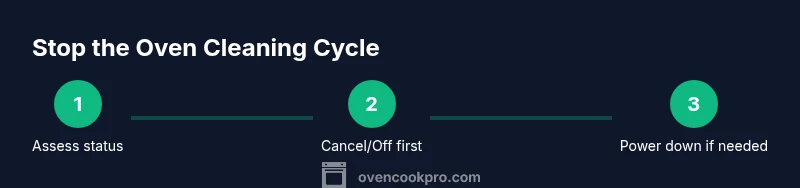
To stop an active oven cleaning cycle, press the Cancel or Off button on the control panel. If that doesn't respond, turn the oven dial to Off, or power down at the circuit breaker for 30-60 seconds and then restore power. Never force the door open while the cycle is active. If needed, consult your manual or contact support.
Stopping the cycle: immediate actions
When you need to stop an active self-cleaning cycle, start with the control panel. If your oven supports a Cancel or Off command, press it firmly and wait a moment to see the cycle halt. On many models, a simple Off setting on the dial or touchpad will interrupt the process. If the door is already locked and the cycle won't release, do not force the door; wait for the lock to disengage as the oven cools. In practice, the majority of ovens from reputable brands respond to Cancel within seconds; this is supported by Oven Cook Pro's experience with common home installations. If no built-in control responds, your best option is to power down the oven by turning off the circuit breaker for a brief interval and then restoring power. This should be used only when you are comfortable with electrical safety, and always ensure the oven has cooled before touching any internal surfaces. Finally, consult the owner's manual for model-specific instructions and safety warnings, or contact manufacturer support if the cycle remains active.
Understanding the self-cleaning cycle
Self-cleaning cycles rely on extremely high temperatures to burn away food residues. The oven door locks during the cycle, and the interior can become very hot. Understanding this helps you decide when it is safe to intervene and what to expect when you try to stop it. Oven Cook Pro emphasizes that if you must interrupt, you should do so only when you can operate controls without risking burns or electrical shock. Models vary in how quickly they respond to Cancel or Off, so expect occasional delays and always prioritize safety over speed.
Before you start: safety prerequisites
Before attempting to stop a cycle, ensure the area around the oven is clear and you have a clear path to a power source or breaker. Wear oven-safe gloves to protect hands if you must touch hot surfaces. If the oven is hot or the heat indicator is on, allow extra time for cooling before attempting any control actions. Keep children and pets away from the kitchen during this process. If your oven is old or has a nonstandard interface, refer to the manual to locate the exact stop sequence and safety warnings. According to Oven Cook Pro, following model-specific guidance reduces the risk of accidental burns or door damage.
Step-by-step overview: what to do first
The quickest way to halt the cycle is usually a Cancel or Off command from the control panel. If that fails, switch the oven to Off or power down the circuit via the breaker after confirming the oven is not hot to the touch. Always wait for the door lock to disengage before attempting any open-door procedures. After stopping, let the oven cool completely before re-evaluating, then wipe away any residue with a damp microfiber cloth. Document any unusual behavior (unresponsive controls, erratic displays) for later reference.
If the cycle won't stop: escalation steps
If normal controls fail, power down the oven by switching off the circuit breaker for at least 60 seconds. This resets the control board in many models, but do not touch live wiring. After restoring power, wait several minutes for the oven to reach ambient temperature before attempting to re-enter a cycle or start a test run. If the cycle resumes or the door remains locked, contact the manufacturer or a certified technician. Do not reuse the self-cleaning cycle until the unit has been inspected for possible control panel faults or door latch issues.
Cleaning the interior after a forced stop
Once the cycle has been stopped and the oven has cooled, wipe the interior with a damp microfiber cloth to remove ash and residue. Avoid using abrasive cleaners that could damage enamel or seals. If ash remains in hard-to-reach corners, use a soft brush to loosen it before wiping. Check the door seal and latch for heat damage or misalignment. A gentle wipe-down helps maintain appliance performance and prepares the oven for normal use.
Prevention: avoid future auto-clean surprises
Preventing unexpected self-cleaning starts starts with property settings and routine checks. Disable auto-clean in the control settings if your model offers it, and always confirm spills are cleaned promptly to minimize residue buildup. Regular maintenance, including wiping the gasket and checking hinges, reduces the likelihood of nuisance activations. According to Oven Cook Pro analysis, consistent cleaning habits and mindful scheduling help avoid accidental cycles and extend oven life.
Measuring success and next steps
Success means the cycle stops promptly, the door unlocks safely, and the oven returns to a normal, usable state. If you regain control, perform a brief dry run with no food to ensure the door and controls respond correctly. If you notice persistent issues, review the error codes on the display and consult the manual or a service technician. Retest after any service to ensure reliability and safety.
Common mistakes to avoid
Avoid forcing the door open while heat is high or attempting DIY fixes that involve removing panels or touching electrical components without proper training. Do not repeatedly try to stop the cycle if the oven video shows the door remains locked. Do not ignore a lingering odor of burning or abnormal smoke. Always prioritize safety and seek professional help when in doubt.
Tools & Materials
- Owner's manual for your oven model(Identify model-specific control sequences and safety warnings)
- Access to circuit breaker or disconnect(Needed if you must power down the unit)
- Oven-safe gloves(Protect hands when touching hot surfaces)
- Microfiber cloth(For wiping ash and residues after stopping)
Steps
Estimated time: 25-40 minutes
- 1
Press Cancel/Off to halt
Use the control panel to stop the cycle. If the display responds, wait for a confirmation that the cycle has stopped before proceeding. If your model uses a touchpad, perform a firm press; if it uses a dial, rotate to Off. This step is the safest first attempt and avoids unnecessary power-downs.
Tip: If the display shows an error instead of stopping, note the code for later reference. - 2
Switch to Off if Cancel fails
If Cancel doesn’t respond, switch the dial/selector to the Off position (or the closest equivalent on your model). This is a secondary option on many ovens and can interrupt the cycle without power down.
Tip: Observe whether the display clears or returns to idle after turning Off. - 3
Power down at the circuit breaker
If the cycle remains active, cut power by flipping the breaker or disconnecting the appliance. Do not touch wiring. Allow the oven to cool for at least 5-10 minutes before resuming power.
Tip: Only perform this if you are comfortable with electrical safety and have easy access to the breaker. - 4
Restore power and wait
Turn the breaker back on and wait 2-3 minutes for the system to reinitialize. Do not force the door open during this time, and check that the display shows normal status before attempting to reopen the door.
Tip: If the oven door remained locked, give it a few more minutes to unlock after cooling. - 5
Inspect and reset
Once powered and cooled, inspect the door latch and seals for damage. If you plan to use the oven again, perform a quick dry run in a non-heat cycle to verify controls respond normally.
Tip: Document any irregular responses to help with future troubleshooting. - 6
Consult the manual or service if issues persist
If the cycle reactivates unexpectedly or the door locks again, consult the manual for troubleshooting steps or contact a qualified technician. Do not attempt invasive repairs yourself.
Tip: Keep a record of error codes, dates, and steps taken for service visits.
Questions & Answers
How do I stop the self-cleaning cycle on most ovens?
Most ovens respond to Cancel or Off. If not, turn the dial to Off and wait a moment. If the cycle continues, power down at the circuit breaker and wait for the oven to cool before attempting again.
Press Cancel or Off to stop. If it doesn't respond, switch Off or cut power and wait for cooling.
What should I do if the cycle won't stop after using Cancel?
Try Off, then power down at the breaker if needed. Allow the unit to cool before trying again. If it still runs, seek professional help.
If Cancel doesn't work, switch Off or cut power and let it cool before retrying.
Is unplugging the oven safe to stop a cycle?
Unplugging is a last resort and should only be done if you can safely access the breaker and fully disconnect power without touching live components.
Only disconnect power at the breaker if you are sure it's safe.
Will stopping the cycle affect the oven's cleaning results?
Stopping early may leave some residues. You may need to rerun the cycle or perform a manual clean after cooling.
Stopping early can affect results; plan a follow-up clean if needed.
What should I do if the door remains locked after stopping?
Allow the oven to cool completely; the lock will release when safe. Do not force the door open.
Give it time to cool and the lock to release; don’t force the door.
Can I prevent auto-clean from starting by adjusting settings?
If your model offers an auto-clean toggle, disable it and clean spills promptly to reduce residue buildup.
Disable auto-clean in settings to avoid surprises, and wipe spills regularly.
Watch Video
Main Points
- Stop the cycle with Cancel/Off
- Power-down is a last resort, only when needed
- Never force the door during heat
- Wait for the door to unlock after cooling
- Consult the manual or support for model-specific steps