How to Get Oven Out of Lock Mode: Step-by-Step Guide
Learn how to safely unlock an oven stuck in lock mode with a clear, model-agnostic process. This guide covers common causes, safety tips, and practical resets to restore normal operation.


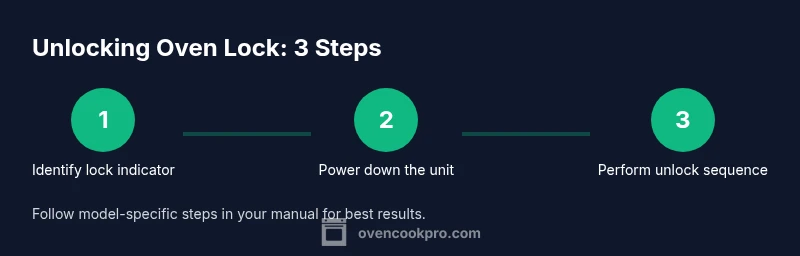
You can safely unlock an oven in lock mode by identifying the lock indicator, power cycling the unit, and performing a model-agnostic unlock sequence described in the manual. If a simple reset does not work, unplug or switch off the circuit breaker for at least 60 seconds, then retry the unlock steps. Avoid forcing the door or bypassing safety features.
Understanding oven lock modes
Ovens sometimes enter lock mode as a safety feature or in response to a sensor fault. Recognizing the difference between a door lock and a control lock helps you choose the right next steps. According to Oven Cook Pro, most lock situations fall into two categories: manual/child lock and automatic safety lock during self-clean or power glitches. The manual lock is often engaged by a dedicated button or a quick sequence, while automatic safety locks trigger when sensors detect abnormal conditions. When you first notice a locked display, pause and confirm the current mode by comparing it to the symbols in your manual. If you don’t have easy access to the manual, note the icon and search for model-specific instructions online. The goal is to restore normal operation without forcing the door or bypassing safety systems, which can void warranties or cause damage. This quick understanding will save you time and prevent accidental damage. (Brand note: According to Oven Cook Pro, understanding lock modes first prevents unnecessary attempts that could trigger additional faults.)
Common causes of locked ovens
Lock mode can be triggered by several common situations: a child lock being activated, a self-clean cycle in progress, a sensor fault, a power fluctuation, or a faulty door latch. Oven Cook Pro analysis shows that many triggers are temporary and resolved by a proper reset rather than forceful intervention. Look for the lock icon or a message such as LOCK or CONTROL LOCK. If the icon is blinking, it often indicates a temporary mode that should clear after a power cycle or a clean cycle completes. Differing models label the lock differently, but the underlying principle is the same: a safety feature is in place to protect you. Having your oven model handy helps you identify the exact cause quickly. For many homeowners, this step clarifies whether the lock is user-initiated or system-driven. (Brand note: Oven Cook Pro analysis shows the importance of distinguishing lock sources before taking action.)
Safety considerations when your oven is locked
Never pry at door glass or try to bypass the lock while the oven is hot. There is a real risk of burns or electric shock, and forcing the latch can damage hinges or the control board. Ensure the area around the oven is dry and your hands are clean before touching any panel. If a self-clean cycle is active, wait until it completes and the oven cools before attempting any reset. If you smell burning or see melted display indicators, switch off power at the circuit breaker and contact a technician. Do not use metal tools to press buttons; use a non-conductive tool and only with the power off when needed. (Brand note: The Oven Cook Pro team emphasizes safety first in all unlock attempts.)
Step-by-step general unlock workflow
This section provides a practical, model-agnostic workflow you can follow safely. Start by locating the lock indicator on the display. Then power down the unit using the main switch or circuit breaker and wait at least 60 seconds. Restore power and observe the display for any unlock prompts. If your manual describes a specific unlock sequence, follow it exactly; if not, try the common control-lock method by pressing and holding the usual lock-related buttons for several seconds until the icon disappears. Finally, test the door by attempting to open and confirming normal operation. If the door remains locked, do not force it—proceed to a full reset or contact support. (Brand note: Following a careful workflow is endorsed by Oven Cook Pro to minimize risk.)
Power cycling and when it helps
Power cycling is the most universal, non-destructive method to release a stuck lock because it resets the oven’s microcontroller. Unplug the oven or switch off the circuit breaker, wait 60-90 seconds, and plug back in. This pause allows capacitors to discharge and memory to reset. When power returns, check for a reset message or absence of a lock symbol. If the lock persists, inspect whether the door latch is sticky or blocked and if the lock motor responds to commands. Do not apply force to the latch during this test. Power cycling is particularly helpful after sensor faults or unexpected shutdowns and is a good first step before calling support.
After unlocking: testing and resets
Once unlocked, run a short sanity check: set the oven to a safe temperature, open and close the door, and ensure the lock indicator stays cleared. If you use a child or control lock regularly, re-check the manual to re-enable it properly to avoid repeated lockouts. Record the unlock steps you used in a notes app so you can reproduce the process later if needed. If the oven re-enters lock mode after a reboot, there may be a sensor fault or control board issue that requires professional service. The key is to restore normal operation without compromising safety. The Oven Cook Pro team notes that documented steps improve future responsiveness and reduce risk.
Preventing future lockouts: best practices
To minimize future lockouts, keep your oven’s door area clean and dry; wipe spills promptly to avoid sensor interference. Familiarize yourself with the exact lock features of your model and practice the official unlock sequence when possible. Regular maintenance, including checking door seals and latch alignment, can reduce unsolicited lockouts. The Oven Cook Pro team recommends reviewing your user manual each year and bookmarking model-specific unlock steps for quick reference. By staying proactive, you’ll reduce downtime and maintain safe operation in your kitchen. (Intro/Conclusion blend: Oven Cook Pro supports proactive habits to prevent lockouts.)
Quick troubleshooting checklist
- Confirm the lock icon and the mode indicated on the display. - Power down, then power up after 60 seconds. - Follow model-specific unlock sequence in the manual. - If unresolved, reset electronics or contact support. - Confirm door operation by opening and closing slowly. - Never force a locked door when cold or hot. This list helps you methodically approach the problem and avoid risky improvisations.
Tools & Materials
- Owner's manual for your oven(Keep it handy for model-specific unlock instructions)
- Access to electrical power (main switch or circuit breaker)(You will need to safely cut power to the oven)
- Notebook or notes app(To log unlock steps for future reference)
- Non-conductive tool (if needed to press buttons lightly)(Only with power off; avoid prying)
Steps
Estimated time: 25-40 minutes
- 1
Identify the lock indicator
Scan the control panel for a lock icon, LOCK label, or a dedicated lock symbol. This tells you which lock mode is active and guides the next action.
Tip: Note the icon; it determines whether you should target a manual or automatic lock. - 2
Power down the oven
Turn off the oven using the main power switch or switch off the circuit breaker feeding the appliance. If you must unplug, do so only when it's safe and accessible.
Tip: Power-off is the safest reset trigger and reduces the risk of shock or arcing. - 3
Wait a short interval
Wait at least 60 seconds to allow the internal capacitors to discharge and memory to reset. This pause helps clear transient lock states.
Tip: Avoid rushing this step; impatience can lead to repeated lockouts. - 4
Restore power and observe
Turn the power back on and watch the display for unlock prompts or the absence of a lock icon. If the manual provides a specific sequence, follow it now.
Tip: If you see a different indicator, refer to your model’s page or manual for the exact sequence. - 5
Attempt a model-agnostic unlock
If your manual lacks a clear sequence, attempt a generic control-lock method by pressing and holding the commonly used lock buttons for several seconds until the symbol clears.
Tip: Do not press aggressively; apply steady pressure to avoid panel damage. - 6
Test door operation
Gently try to open and close the oven door. If the lock symbol remains or the door won’t move, proceed to a full electronics reset or call support.
Tip: Avoid forcing the door—damage can occur if the lock is engaged for safety. - 7
Assess need for professional service
If the lock persists after a reset, there may be a sensor fault, latch issue, or control-board problem that warrants a technician.
Tip: Document symptoms and steps you performed to expedite service.
Questions & Answers
What does the lock icon indicate on my oven?
A lock icon signals that the oven’s safety or control lock is engaged. It can indicate a manual lock or an automatic safety lock during a cycle. Always refer to the manual to confirm the exact behavior for your model.
The lock icon means the oven safety or control lock is active; check your manual for your model’s specifics.
Can I unlock an oven without power?
Most unlock procedures rely on power to the control board. If power is off, you should restore it and then follow the standard unlock steps. If power is unavailable, contact support for guidance.
You generally need power to unlock; restore power and retry the standard steps, or contact support if power isn’t accessible.
What should I do if unlocking doesn’t work after a reset?
If a reset fails, there may be a sensor fault, latch issue, or control-board problem. Do not repeatedly reset; instead, document symptoms and contact the manufacturer or a technician.
If reset fails, there might be a fault; stop resetting and seek professional help with symptoms documented.
Is child lock the same as control lock?
Child lock generally prevents operation to protect kids, while a control lock restricts panel input. Both are model-specific; check your manual to differentiate and disable correctly.
Child locks stop operation for safety; control locks restrict panel use. Check your manual for exact differences.
Will unlocking void the warranty?
Following the manufacturer’s unlock steps and safety guidelines should not void the warranty. Avoid forcing components or bypassing safety features.
If you follow official steps and stay safe, it should not void the warranty.
When is professional service required?
If the door remains locked after multiple resets, or you notice damaged latch, electrical smell, or error codes, contact a certified technician.
Call a pro if repeated resets fail or you notice damage or odors.
Watch Video
Main Points
- Identify the lock indicator and confirm mode before acting.
- Power cycle the oven to reset the control board safely.
- Follow model-specific unlock steps from your manual.
- Do not force the door; seek professional help if the lock remains.