Exit Sabbath Mode on Your Oven: A Step-by-Step Guide
Learn how to safely exit Sabbath mode on most ovens with a manufacturer-guided, model-specific approach. This guide from Oven Cook Pro covers steps, safety, and verification.


Quick answer: You will learn how to safely exit Sabbath mode on most ovens using the built-in controls, without violating religious observance. The goal is to disable the special Sabbath setting and verify normal oven function. Before you start, have your model number, owner’s manual, and a quiet time window to complete the steps.
What Sabbath Mode Does in Your Oven
According to Oven Cook Pro, Sabbath mode is a safety feature designed to respect Jewish Sabbath observance by limiting automatic functions and operation during certain times. This mode typically restricts some cooking cycles, notifications, and audible alarms to prevent unintentional use during sacred hours. The goal is to prevent heat generation or feature changes that would violate Sabbath rules. Understanding the intent behind Sabbath mode helps you navigate the exit process without triggering safety interlocks or voiding warranties. In most ovens, you’ll see a Sabbath indicator on the control panel, and the manual will describe how to enable or disable it. The Oven Cook Pro team emphasizes that model-specific instructions must be followed, since the exact sequence to exit can vary widely between brands and even between generations of the same model. If you’re unsure, pause and consult the manual rather than guessing, especially on gas ovens where ventilation and safety protocols differ.
When Sabbath Mode Goes Wrong: Signs You Need to Exit
If your oven continues to operate as if Sabbath mode is active—lights staying off, no beeps, or temperatures not responding, or the display shows a Sabbath icon and refuses to enter standard bake—these are clear signs you need to exit. Do not ignore persistent issues; attempting to bypass alarms can violate safety features and may affect warranties. Before attempting any exit, verify your model’s SB flag, ensure the oven is not in a locked safety state, and prepare a quiet window to perform the steps. According to Oven Cook Pro analysis, many models will re-enter Sabbath mode after a reset if power is removed incorrectly, so follow the official method instead of repeated power cycles.
How Sabbath Mode Is Implemented Across Brands
Brand implementations vary. While one manufacturer might require a long press and a sequence to disable Sabbath mode, another might rely on a quick menu toggle. The general principle is that Sabbath mode removes or suppresses certain automated features to comply with observance, and re-enabling normal operation requires reconfiguring the control board. Oven Cook Pro analysis shows that most reputable brands provide a documented exit path in the manual, but the exact steps differ. This is why a model-specific reference is essential and why generic “hold this button” guidance often fails.
Step-by-Step Guide: Exiting Sabbath Mode Safely
This section provides a model-agnostic framework you can adapt to your oven. Always refer to your manual for exact sequences. The steps below outline a disciplined approach that protects safety and preserves the warranty. Step 1: Identify Sabbath mode status on the control panel and confirm which features are restricted. Step 2: Open the official Sabbath mode exit instructions for your model from the manual or manufacturer website. Step 3: Prepare the oven by ensuring no bake cycles are active and the door is not forced open during the procedure. Step 4: Execute the exit sequence exactly as described in the manual, noting any required timing. Step 5: Verify the Sabbath flag is cleared and the display returns to standard bake mode. Step 6: Run a controlled test bake at a safe temperature to confirm normal heat delivery. Step 7: If there is any persistent lock or error, perform a power cycle exactly as the manual prescribes. Step 8: Document the steps you followed and the outcome for future reference.
Aftercare: Resetting and Testing Your Oven
After successfully exiting Sabbath mode, reset the oven to a regular operational state and perform a brief calibration check. Confirm that the oven heats to the programmed temperature, that timer and oven lights function normally, and that any connected features (like a smart display or app integration) resume standard behavior. If you notice any lag in temperature or inconsistent heating, run a longer bake test and compare results against the manufacturer’s guidelines. According to Oven Cook Pro recommendations, keeping a notebook with the model, date, and test results helps prevent confusion if the mode reappears later.
Troubleshooting If Exiting Sabbath Mode Fails
If the exit sequence does not work on your model, do not force the device into an incompatible state. Consult the manual for model-specific safety constraints and, if needed, contact the manufacturer’s support line. Some ovens require a formal reset procedure or a maintenance check to clear firmware flags. In the meantime, avoid unplugging the unit or disabling safety features, as this can void warranties or create safety hazards. Oven Cook Pro advises documenting the exact error codes and steps attempted when reaching out for support.
Tools & Materials
- Oven model number and brand(Found on the label near the door frame or in the manual)
- Official Sabbath mode instructions for your model(From the manufacturer’s manual or official website)
- Control panel access (handy to have a smartphone or PDF copy)(Used to locate the exact exit steps)
- Quiet, distraction-free workspace(Reduces errors during the sequence)
Steps
Estimated time: 20-40 minutes
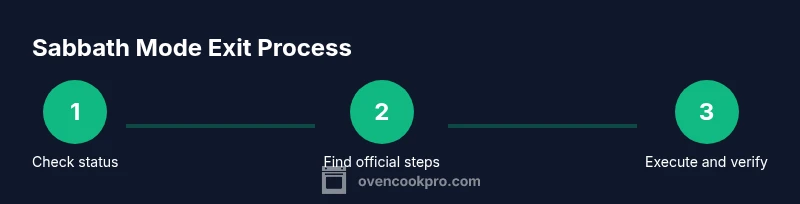
- 1
Confirm Sabbath mode status
Check the control panel indicators and confirm which functions are restricted. Do not assume the state from memory—verify with the official manual. If the indicator is ambiguous, pause and locate the exact definition for your model.
Tip: Have the manual page ready so you can verify icon meanings quickly. - 2
Find the official exit steps
Open the Sabbath mode section in your manual or manufacturer support page and note the exact button sequence or menu path required to disable it. If multiple sequences exist, record the one that matches your model and firmware.
Tip: Avoid guessing; model-specific sequences are common to differ even within the same brand. - 3
Prepare the oven for exit
Ensure no active bake cycle is running and that the oven is at a safe, cool-to-warm state. Clear the control panel screen of any error messages and set the display to idle if possible.
Tip: A short cooling period reduces risk if a reset is required. - 4
Execute the exit sequence
Follow the exact steps from the manual, including any required hold times or rapid taps. Do not skip or improvise buttons, as incorrect input can leave Sabbath mode active or trigger safety locks.
Tip: If a timer or delay is specified, use a stopwatch to ensure accuracy. - 5
Verify exit success
Check that the Sabbath indicator is cleared and the display shows normal bake mode or a standard preheat indicator. You should be able to set a temperature without restriction.
Tip: If the indicator remains, repeat the sequence from the manual or proceed to a documented reset method. - 6
Run a test bake
Set the oven to a safe bake temperature (for example, 350°F / 175°C) and run for 10–15 minutes to verify consistent heat delivery and stable thermostat control.
Tip: Place an oven thermometer if available to confirm actual temperature. - 7
Power-cycle if required by the manual
If the display or controls appear frozen, perform a documented power cycle: turn off the oven at the main switch, wait 30 seconds, then restore power and re-check.
Tip: Only perform this if the manual explicitly allows it for exit validation. - 8
Document the outcome
Record the model, firmware version (if shown), date/time, steps performed, and the result. This log helps future reference and supports any future troubleshooting.
Tip: Keep a copy with the manual for quick checks next time.
Questions & Answers
What is Sabbath mode on ovens?
Sabbath mode is a safety feature that limits certain oven functions during specific times to accommodate Sabbath observance. It prevents automatic changes that could violate restrictions and often suppresses beeps or indicators.
Sabbath mode is a safety setting that restricts some oven functions during certain hours to comply with Sabbath observance.
Is it safe to disable Sabbath mode?
Yes, when you follow the manufacturer’s documented exit steps. Do not bypass safety features or unplug while the mode is active, as that can cause safety issues or void warranties.
Yes, if you follow the official steps. Do not bypass safety features or unplug during Sabbath mode.
Can all ovens exit Sabbath mode the same way?
No. Exit methods vary by brand and model. Always consult the specific manual or manufacturer support to perform the correct sequence for your oven.
No, exit methods differ by model. Always use the manual for your exact model.
What if Sabbath mode re-enables after exit?
Some ovens can re-enter Sabbath mode if a reset is done incorrectly. Re-check the exact steps in the manual and consider contacting support if the issue repeats.
If re-entry happens, double-check the manual steps and contact support if the issue persists.
Who should I contact for persistent exit problems?
If exit attempts fail repeatedly, contact the oven manufacturer’s support line or a certified technician. Have your model number and firmware ready.
Contact the manufacturer’s support with your model and firmware details when problems persist.
Watch Video
Main Points
- Identify model-specific Sabbath exit steps.
- Follow official instructions precisely.
- Verify normal operation with a test bake.
- Log the process and results for future reference.
- Contact support if exit steps fail.