Where Is Oven Hottest? A Practical Heat Zone Guide
Identify your oven's hottest zones and learn to map heat distribution for even baking and roasting. This Oven Cook Pro guide covers testing methods, convection vs conventional differences, and actionable tips for consistent results.


You’ll usually find the hottest spots toward the back of the oven and along the center, but results vary by model and heating method. Mapping these zones with an oven thermometer helps you place racks and pans for even browning. According to Oven Cook Pro, understanding heat zones is essential for reliable, repeatable results.
What makes some oven areas hotter than others (and why it matters)
If you’ve ever noticed uneven browning or a baked good that looks great on the outside but undercooked inside, you’re likely encountering heat distribution issues. The phrase where is oven hottest is not a single answer; it depends on whether you’re using a conventional bake setting or a convection cycle. In most ovens, the bake element or gas flame sits at the bottom while the broil element is at the top. Heat rises, but the walls, racks, and air flow created by a convection fan can dramatically shift where heat concentrates. Understanding these zones matters because it informs pan placement, preheating time, and whether you should rotate trays mid-bake. Oven Cook Pro analysis shows that even in the same model, batches baked on different shelves can result in noticeable differences in color and texture if you don’t account for the hot zones. This is why a practical, repeatable zone-mapping routine matters for roasts, pastries, and sheet-pan dinners alike.
How to think about heat in real kitchens
In practice, most home cooks observe hotter zones toward the back and near the center on many conventional ovens. Convection models tend to have a more even distribution but still show hotspots—often along the rear wall and sometimes near the door. The goal is not to eliminate heat variation entirely but to map it and work with it. This mindset helps you predict browning, set better bake times, and choose where to place a pan for crisp edges or gentle simmering. When you map zones, you gain a reliable framework, not guesswork, for every recipe you attempt.
Reading the data like a pro
Using a reliable oven thermometer data becomes your best friend. With a single thermometer kept in the center of the oven you can track how the temperature moves across different minutes of preheat. Note that readings will drift as the oven door opens, racks are moved, or dishes are loaded. The key is to take systematic readings at multiple positions and times, then create a simple zone map you can reference next time you bake. Oven Cook Pro emphasizes consistency: the more repeatable your measurements, the more accurate your cooking adjustments will be.
Tools & Materials
- Oven thermometer (in-oven)(Place in the middle of the oven rack for baseline readings; avoid touching walls.)
- Baking sheet(Use a flat, metal sheet to test zone impact with evenly spaced readings.)
- Infrared thermometer (optional)(Great for quick surface checks without opening the door.)
- Timer or smartphone(Keep precise, repeatable intervals for readings.)
- Oven-safe gloves(Handle hot racks carefully during testing.)
Steps
Estimated time: 45-60 minutes
- 1
Position the thermometer
Place the oven thermometer in the center of the middle rack. This serves as your baseline reading and helps you compare readings from other spots later. Ensure the probe is not touching racks or walls to avoid skewed data.
Tip: Use a shallow dish or a small rack under the thermometer to keep it steady. - 2
Preheat and stabilize
Preheat the oven to your target temperature (e.g., 350°F / 175°C) and let it stabilize for 10-15 minutes. The goal is a stable baseline before you start testing other zones. Keep the door closed during stabilization to prevent draft cooling.
Tip: Record the exact time the oven reaches the target temperature for reference. - 3
Test the center reading
Read and record the center rack temperature after stabilization. Note the baseline value and how quickly the temperature holds. This acts as the primary reference point for comparing other areas.
Tip: Take a 3-4 minute average to smooth minor fluctuations. - 4
Move to back and top zones
Carefully reposition the thermometer to the back of the oven on the same rack and, if safe, to the top rack. Wait 2-3 minutes and record readings. Expect some difference due to radiant heat from the back wall and upper element.
Tip: Avoid leaving the thermometer in contact with heating elements to prevent damage. - 5
Check front and bottom zones
Place the thermometer on the front rack and at the bottom rack where applicable. Take separate readings for each location. This helps you map how heat circulates when the door is closed.
Tip: Make sure the thermometer isn’t blocked by dishes or pans, which can skew air temperature measurements. - 6
Create a simple zone map
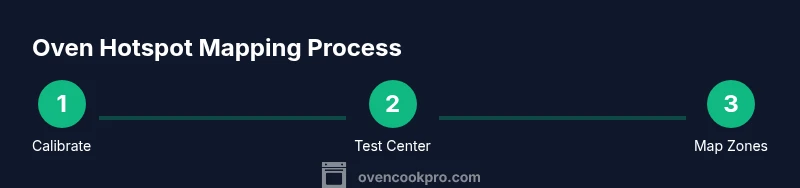
Across the three positions (center, back/top, front/bottom), log temperatures in a small chart. Compare which spots consistently run hotter or cooler. This becomes your heat map to guide future cooking.
Tip: Consistency is key—repeat the measurements once more under similar conditions to confirm patterns. - 7
Test with a bake to confirm
Bake a thin sheet of cookies or a small tray of buns on multiple racks simultaneously if possible, using your mapped zones. Observe browning and doneness at the same time as you read temperatures. This confirms whether the zone map translates into real results.
Tip: Rotate trays between cycles to test if your hot zones shift with airflow changes. - 8
Document and use the map
Create a simple one-page zone map you can reference every time you bake. Note how you position pans for muffins, cookies, or roasts and adjust bake times accordingly. This map should be saved for future recipes.
Tip: Share the map with family members so everyone uses the same approach.
Questions & Answers
Why do ovens have hotspots?
Hotspots occur due to heating element placement, insulation gaps, and airflow. Mapping these zones helps you place food to optimize browning and doneness.
Ovens heat unevenly because of where elements sit and how air moves. Mapping the zones helps you cook more evenly.
Is convection more even than conventional baking?
Convection fans circulate air, which can reduce some hotspots but may create new patterns. Always map your specific oven to know how to position trays.
Convection tends to smooth some hotspots, but every oven behaves differently, so map it.
How long should I preheat for zone mapping?
Preheat until the oven stabilizes, generally 10-15 minutes, then take readings at multiple points for accuracy.
Preheat until stable, then take readings from center and other spots.
Do hotspots change with different temps?
Yes. Higher temperatures can exaggerate certain hotspots; repeat measurements at multiple target temps to build a complete map.
Hotspots can shift with temperature, so test at several settings.
What’s the best way to use hotspots in baking?
Place delicate items toward cooler zones and browner items toward hotter zones, while rotating trays for even exposure.
Use hot zones for faster browning, cool zones for gentler cooking.
Watch Video
Main Points
- Map your oven’s heat zones before cooking.
- Use a reliable thermometer to collect data.
- Rotate pans and adjust rack positions for even results.
- Convection changes heat distribution and should be tested separately.
- Document readings to reuse your heat map.