Smart Oven Mastery: A Step-by-Step Guide
A comprehensive how-to on using a smart oven for precise, energy-efficient cooking. Learn setup, app pairing, presets, and safety tips to maximize performance.


Learn how to use a smart oven to bake with precision, save energy, and automate cooking. This guide covers setup, Wi‑Fi/app pairing, selecting presets, adjusting temperature and time, and basic troubleshooting. You’ll need the oven’s manual, a stable power supply, a connected smartphone, and the manufacturer app for full functionality.
Why a Smart Oven Matters
In modern kitchens, a smart oven can transform how you cook, track, and manage meals. It uses sensors, network connectivity, and intelligent presets to improve precision and consistency. For homeowners and home cooks, this means less guesswork and better repeatable results with less effort. According to Oven Cook Pro, integrating a smart oven into your kitchen can lead to notable improvements in cooking accuracy and user experience. The Oven Cook Pro team found that automation and recipe-learning capabilities align with everyday meal routines, from weeknight roasts to weekend bakes. This guide will help you leverage these capabilities safely and effectively, while highlighting practical steps and common pitfalls.
Core Features You Should Leverage
Smart ovens come with a range of features that influence results and convenience. Here are the ones that matter most for home cooks:
- Preset cooking programs that auto-adjust time and temperature
- Sensor-based doneness that detects when food is ready
- App control for remote monitoring, scheduling, and alerts
- Voice assistant compatibility for hands-free operation
- Firmware updates that improve accuracy and add recipes over time
- Energy-efficient modes that minimize preheat and keep temps stable
- Safety features like auto shut-off and door lock during critical phases
Understanding these features helps you build reliable workflows and avoid overcooking or undercooking.
How Smart Ovens Detect Doneness
Modern models combine temperature sensors, moisture readings, and time-based cues to decide when food is cooked. When you select a program, the oven may adjust heat distribution, fan speed (for convection), and preheat behavior based on the food category. This hybrid approach reduces guesswork and improves repeatability across batches.
Note that doneness indicators are guidelines; for many proteins, a built-in thermometer or an external probe still provides the best accuracy. Always verify with a quick internal check, especially for large roasts or poultry.
Connectivity and App Ecosystem
Pairing your oven to a dedicated app unlocks the majority of smart features. Begin by downloading the manufacturer app, creating an account, and following the guided pairing steps. Ensure your phone and oven remain on the same Wi-Fi network during setup. After pairing, you can:
- Load presets, save favorites, and share recipes across devices
- Monitor current temperature and remaining time in real time
- Receive progress alerts and pause or adjust remotely
If your model supports voice assistants, you can add simple voice commands for essential actions like start, pause, or preheat.
Practical Cooking Scenarios with a Smart Oven
Take advantage of adaptive cooking for common tasks:
- Roasting vegetables: select a preset, or set a moderate temperature and use convection to promote even browning
- Baking breads and pastries: use a precise warm-up, stable oven temp, and an earlier signal for proofing drafts
- Cooking meat: pair with a thermometer to hit target internal temperatures without overcooking
These workflows become second nature as you build presets for your favorite recipes, turning smart oven usage into a routine rather than a ritual.
Safety, Energy, and Maintenance Best Practices
To maximize safety and longevity:
- Place the oven on a heat-resistant surface and provide adequate clearance around the back and sides
- Use insulated gloves and follow manufacturer safety instructions
- Keep the door seal clean to prevent heat loss and ensure accurate readings
- Update firmware when prompted to access security improvements and new features
- When not in use, disable remote access if you share the device with guests
For energy efficiency, preheat only when necessary and leverage bake-path presets that minimize warm-up time.
Choosing a Smart Oven: Buying Guide
When shopping, consider compatibility (app and ecosystem), number and type of presets, sensor quality, and build quality. Price ranges can vary widely by features, with mid-range models offering robust automation and good energy profiles. If you rely on convection, verify the oven supports uniform fan-assisted cooking and reliable temperature control. Read reviews that mention real-world reliability and support. Remember that a smart oven is an investment in convenience and consistency; choose a model that fits your kitchen workflow and your preferred recipes.
Authority Sources
- FDA Food Safety: https://www.fda.gov/food-safety
- U.S. Department of Energy on Energy Efficient Appliances: https://www.energy.gov/eere/buildings/articles/getting-started-energy-efficient-kitchen-appliances
- CPSC Consumer Product Safety Commission: https://www.cpsc.gov/
These sources provide safety, energy efficiency, and consumer guidance relevant to smart ovens.
Bonus: Maintenance and Long-Term Care
To keep your smart oven performing well, schedule regular maintenance, clean door gaskets, and keep sensors free of residue. Avoid harsh chemicals that can damage seals and LED displays. Regularly review app permissions and security settings to protect your network and personal data. Finally, store user manuals and firmware release notes for future reference.
Tools & Materials
- Smart oven(Ensure model supports Wi-Fi/app control)
- Stable power outlet(Dedicated circuit preferred)
- Smartphone with manufacturer app(iOS or Android, latest OS)
- Wi-Fi network(2.4 GHz typically supported)
- User manual(Keep for reference)
Steps
Estimated time: 1 hour 15 minutes – 1 hour 45 minutes
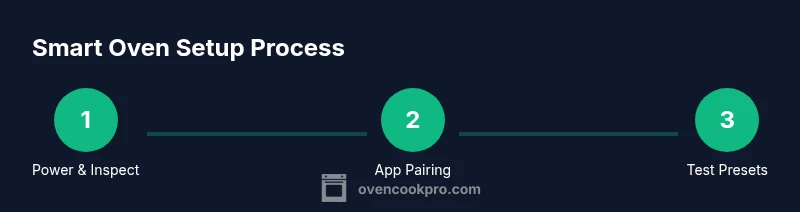
- 1
Power up and inspect
Unbox the unit, place it on a heat-resistant surface, and verify the power connection. Check the screen, sensors, and door seal for any damage before first use to prevent unsafe operation.
Tip: Double-check voltage and plug type; use a surge protector if recommended by the manufacturer - 2
Install app and register
Download the official app, create an account, and pair the oven using the on-screen prompts. Grant required permissions for notifications and location if needed for setup.
Tip: Use a strong password and enable two-factor authentication if available - 3
Connect to Wi-Fi and update firmware
Join the oven's network through the app and run any available firmware update. This ensures compatibility with presets and sensors.
Tip: Prefer a 2.4 GHz network if the device supports it for reliability - 4
Calibrate sensors and probe
Follow on-screen instructions to calibrate temperature sensors and any built-in probe. Accurate readings improve timing and doneness.
Tip: Allow the oven to cool a bit before calibrating and use room temperature foods for testing - 5
Create and test presets
Program common recipes as presets or profiles, including temperature, time, and rack position. Run a test bake to verify results.
Tip: Name presets clearly (e.g., Roast Chicken 400F Top rack) for quick recall - 6
Run a supervised bake
Start a bake with live monitoring via the app. Watch for alerts and adjust if the oven drifts from target temperature.
Tip: Keep a thermometer handy to validate doneness in real time
Questions & Answers
What exactly is a smart oven?
A smart oven connects to apps and the internet to automate cooking, monitor progress, and adjust settings in real time. It uses sensors and presets to improve precision.
A smart oven connects to apps and the internet to automate cooking and monitor progress.
Do I really need a dedicated app for basic baking?
Not always. Basic baking can be done with manual controls, but the app adds convenience, presets, and remote monitoring that helps with repeatability.
The app adds convenience, presets, and remote monitoring, but you can still bake using manual controls.
Can a smart oven replace my regular oven?
A smart oven can handle most common tasks, but some specialized or heavy-duty cooking may still benefit from a traditional oven in certain scenarios.
It can cover most tasks, but may not replace all functions.
Is a smart oven energy efficient?
Smart ovens optimize preheating and temperature control through presets and adaptive cooking, which can reduce waste and energy use.
Yes, presets help reduce wasted energy by avoiding overcooking.
What safety features should I look for?
Auto shut-off, child lock, door sensors, and alert notifications improve safety during use and when unattended.
Auto shut-off, door sensors, and child lock improve safety.
How often should I update firmware?
Check for updates monthly or when prompted. Updates fix bugs, improve reliability, and may add new features.
Check for updates regularly to keep the oven secure and capable.
Watch Video
Main Points
- Master app pairing for reliable control
- Use presets to improve consistency
- Calibrate sensors for accurate timing
- Run test bakes before important meals