LG Microwave Oven: A Comprehensive How-To Guide for Home Cooks
Master your lg microwave oven with a comprehensive step-by-step guide covering safety, presets, maintenance, and troubleshooting to cook confidently and save time in the kitchen.


By following this guide, you will safely install, operate, and maintain your lg microwave oven, using built-in presets, sensor cooking, and simple maintenance routines. You’ll learn essential safety checks, how to choose the right power level for different foods, and practical troubleshooting to keep meals hot, evenly cooked, and free from odors. This approach emphasizes accuracy, efficiency, and confidence in daily use.
What makes the lg microwave oven stand out
The lg microwave oven line is known for delivering reliable, even heating through inverter technology and sensor-assisted cooking. Inverter systems provide steadier power than traditional microwave models, which helps prevent overcooking at the edges while keeping the center moist. Sensor cooking further improves results by adjusting time and power based on the food’s moisture output, reducing guesswork. Many LG models also offer a user-friendly interface, quick-start presets, and a compact footprint that fits in most kitchen layouts. For someone upgrading from a basic unit, these features translate into fewer failed reheats, faster weeknight meals, and better control over texture and flavor. As you explore models, note which features are most relevant to your routine—reheating leftovers, preparing frozen dinners, or cooking fresh ingredients.
Model comparisons: LG vs other brands
When you compare LG with other popular brands, focus on three areas: power delivery, sensor accuracy, and ease of use. LG tends to emphasize even heating with inverter technology and more responsive sensor cooking, which translates to more predictable results for delicate foods like fish or sauces. Some competitors rely on traditional fixed power levels that can lead to uneven outcomes. LG often includes intuitive controls and well-placed presets that align with common kitchen tasks such as popcorn, beverages, and defrosting. If you frequently cook for a crowd, consider models with larger interior space and a more robust turntable or a flatbed option. Always check for compatibility with your existing kitchen setup, especially if you need a built-in or over-the-range unit.
Essential safety features and how they work
Safety should come first with any microwave. Look for features such as a child lock to prevent accidental operation, an automatic door detection that stops cooking when the door is opened, and an interior cavity that closes off heat promptly when the timer ends. LG models often include a durable door latch, non-slip feet, and a steam vent that reduces pressure buildup during heavy steaming. Understanding how these safeguards function helps you train family members to use the appliance responsibly and minimizes the risk of burns or accidental activation. Always keep the user manual accessible and review the safety notes before trying a new feature or preset.
Installation and power requirements
Most LG microwaves are designed for standard 120-volt household outlets, but it’s important to verify your unit’s specific requirements in the manual. Place the microwave on a stable, level surface with at least a few inches of clearance on all sides to dissipate heat. If you’re upgrading from an older model, measure your countertop or cabinet clearances and confirm venting (if any) won’t be obstructed. Avoid using extension cords unless the manufacturer explicitly allows it. Regularly inspect the outlet and cord for wear, and never operate a damaged appliance. Proper installation promotes longevity and safe operation.
Step-by-Step: Daily Use Basics
Starting with a clean slate makes using an lg microwave oven straightforward. Power on, set the clock if needed, and familiarize yourself with the most-used presets. Place food in microwave-safe containers, ensuring no metal objects or aluminum foil are present. For many everyday tasks, the default high-power setting works well, but you’ll get more consistent results by applying the appropriate power level and adjusting time based on the weight and density of the food. Avoid overcrowding the interior to maintain even heating.
Maximizing presets and sensor cooking
Presets simplify common tasks, but their effectiveness depends on selecting the right starting point. Use the popcorn, beverage, and defrost presets as a baseline, then fine-tune time and power based on your results. Sensor cooking detects steam and moisture to modulate cooking duration, which is especially helpful for reheating leftovers or reheating sauces without scorching. If your dish seems undercooked or overheated, reset with a shorter interval and monitor closely. Keeping track of which presets work best for your favorite foods helps you build a personalized cooking library.
Reheating, defrosting, and cooking guidance
Reheating is one of the most common microwave tasks. Start with lower power settings for dense foods, and use a microwave-safe lid to trap steam while preventing splatters. For defrosting, plan on shorter, evenly spaced intervals and rotate or stir as needed to prevent cold centers. When cooking from raw, always check internal temperatures with a food thermometer. For even results, rotate or reposition dishes halfway through cooking. Finally, allow a brief standing time after cooking to let heat distribute evenly.
Cleaning routine for interior and exterior
A clean microwave performs better and smells fresher. Wipe the exterior with a soft cloth dampened with mild dish soap, avoiding harsh abrasives. Clean the interior by simmering a cup of water with a few tablespoons of lemon juice for a few minutes, then wipe away loosened residue. Remove and wash the turntable periodically to prevent food buildup. For stubborn stains, use a non-abrasive sponge and a gentle cleaner. Regular cleaning reduces odors and ensures consistent heating.
Maintenance: Checkups and longevity tips
Routine maintenance extends the life of your lg microwave oven. Periodically inspect the door seal for damage and replace if necessary. Listen for unusual noises and check that the fan vents freely. Keep the interior dry after cleaning to prevent mold. If your unit has smart features, ensure firmware updates are installed when available. A well-maintained microwave will perform reliably for years, helping you avoid unexpected repairs.
Troubleshooting common error codes
Error codes often indicate a specific issue, such as an unstable door latch, overheating, or a sensor fault. Start with the basics: unplug for a few minutes, then plug back in and reset the clock. If the problem persists, consult the user manual’s error code table or contact customer support with your model number and a short description of what happened. Avoid operating the microwave if the door latches don’t appear secure or if there is visible damage.
When to call support and warranty tips
If you notice persistent performance issues, contact LG customer support or your retailer for warranty coverage and service options. Have your model number, purchase date, and a concise description of the issue ready. Some issues may be resolved with a firmware update or service visit, while others require replacement parts. Keep your receipt and reference the warranty terms to understand coverage limits and troubleshooting steps.
Tools & Materials
- LG microwave oven user manual(Keep for reference during setup and troubleshooting.)
- Power outlet with appropriate circuit(Ensure outlet can handle continuous use; avoid using extension cords unless specified.)
- Non-scratch sponge(For exterior cleaning and interior wipe-downs.)
- Mild dish soap(Gentle cleaning solution for exterior and interior surfaces.)
- Thermometer for foods(Optional tool to verify internal temperatures when unsure.)
- Dry microfiber cloth(For streak-free exterior polishing and interior wipe-downs.)
- Measuring cup(Useful for defrosting guidance and water tests.)
Steps
Estimated time: 45-60 minutes
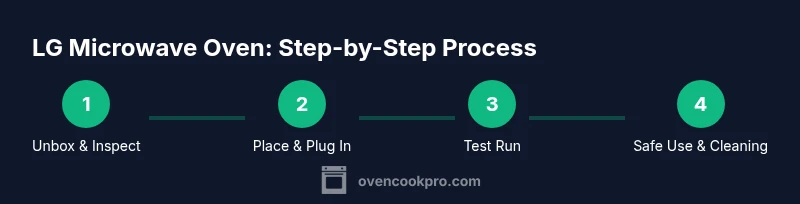
- 1
Unbox and inspect the unit
Carefully remove packaging and inspect the microwave for any damage. Confirm that all accessories are present and the turntable rotates smoothly. If you find damage, contact the seller before use.
Tip: Document any shipping damage with photos and report it quickly to the retailer. - 2
Choose a proper placement
Place the microwave on a stable, level surface with several inches of clearance on all sides. Ensure the power cord reaches a dedicated outlet without strain. If you’re replacing an older unit, measure the available space to avoid fitting issues.
Tip: Avoid placing on soft surfaces or near heat sources to prevent tipping or heat damage. - 3
Plug in and set the clock
Connect to a grounded 120V outlet. Use the keypad to set the current time so presets align with real-time cooking. This helps with day-to-day use and ensures alert sounds are accurate.
Tip: If the clock loses power, reset it to maintain accurate timers. - 4
Run a quick water test
Place a cup of water in a microwave-safe container and run a 1–2 minute high-power cycle. Observe even heating and check for unusual noises. This validates power delivery before cooking real foods.
Tip: If the water is barely warm, power settings or time may need adjustment. - 5
Explore presets and manual power
Familiarize yourself with common presets (popcorn, beverages, reheat) and learn how to override with manual power levels. For denser foods, start with lower power and longer times, then adjust as needed.
Tip: Keep a simple log of successful presets for repeatable results. - 6
Handle meals and defrost intelligently
Use appropriate containers (microwave-safe) and avoid metal. For defrost, use the sensor or set manual time with a lower power. Rotate or stir midway to ensure even thawing.
Tip: Cover foods loosely to allow steam to escape without splatter. - 7
Clean after each use
Wipe splashes with a damp cloth after cooling. Remove the turntable for thorough cleaning and dry all surfaces to prevent odor buildup. Schedule a deeper clean weekly for best performance.
Tip: A quick wipe after every use reduces buildup and makes deep cleans easier.
Questions & Answers
What safety features should I look for in an LG microwave oven?
Look for a child lock, automatic shut-off, door interlock, and a clean venting system. These safeguards help prevent accidental operation and overheating. Always review the manual for any model-specific protections.
Look for child lock, auto shut-off, and a secure door interlock to prevent unintended use and overheating.
Can I install an LG microwave oven above a stove?
Some models are designed for over-the-range installation, but always check the installation guide for venting requirements and clearance. Ensure adequate space and proper mounting hardware before proceeding.
Check the model’s guide for over-the-range suitability and required venting.
How do I use sensor cooking on an LG microwave?
Sensor cooking uses moisture detection to adjust time and power. Start with a recommended preset and monitor results, adjusting time in small increments if needed.
Sensor cooking adjusts time automatically based on moisture; start with a preset and tweak as needed.
What should I do if the microwave stops working after a power outage?
Unplug the unit, wait a minute, then plug back in and reset the clock. If it still won't operate, consult the manual or contact support for diagnostics.
Unplug, wait a minute, plug back in, and reset the clock; contact support if it still won’t operate.
Does LG microwave oven have a preheat function?
Microwave ovens generally don’t have a traditional preheat like an oven, but some LG models offer a preheat-like mode for specific dishes. Use the appropriate preset or manual power to simulate preheating when needed.
LG microwaves don’t truly preheat like ovens, but presets can simulate preheating for certain foods.
How often should I clean the interior of my LG microwave?
Clean the interior regularly to prevent odors and residue buildup. Wipe after spills and perform a deeper clean weekly or as needed based on usage.
Wipe spills after each use and do a deeper clean weekly for best performance.
Watch Video
Main Points
- Master core lg microwave oven features and usage
- Prioritize placement, safety, and proper containers
- Use presets and manual power for consistent results
- Keep interior and exterior clean to prevent odors and odor transfer
- Check for firmware updates and manufacturer guidelines for maintenance
- Know when to contact support and reference warranty terms