KitchenAid Wall Oven: A Comprehensive How-To Guide
Learn to operate, maintain, and troubleshoot a KitchenAid wall oven with clear step-by-step guidance from Oven Cook Pro to optimize safety and performance in your kitchen.


This guide shows you how to operate a KitchenAid wall oven safely, use essential modes (bake, convection bake, broil), set temperatures, manage racks, and troubleshoot common issues. It emphasizes safety, heat management, and calibration where necessary. The steps and tips come from Oven Cook Pro to help you cook reliably at home.
What is a KitchenAid wall oven and why it matters\n\nA kitchenaid wall oven is a built-in cooking appliance designed to fit into standard kitchen cabinetry, offering a clean, streamlined appearance and precise cooking control. According to Oven Cook Pro, these ovens balance reliable bake performance with intuitive touch controls and efficient convection options. For home cooks, a KitchenAid wall oven simplifies meal prep by consolidating baking, broiling, and sometimes roasting into a single, integrated unit. Whether you’re upgrading a kitchen design or replacing an aging unit, understanding the core capabilities helps you plan meals more consistently.
Core features you should know about the KitchenAid wall oven\n\nKey features typically include multiple cooking modes (bake, convection bake, broil), a thermal probe option, precise temperature control, a self-cleaning cycle, and a clear touchscreen or dial interface. Many models offer even heat distribution, a delayed-start timer, and interior lighting for easy monitoring. Familiarize yourself with the model’s user manual, the control panel layout, and the recommended rack positions to maximize efficiency and prevent uneven results.
Placement, installation considerations, and cabinet alignment\n\nBuilt-in ovens like KitchenAid wall ovens are designed to be integrated into surrounding cabinetry. Ensure there is adequate ventilation and clearance around the unit per the installation guide. Verify electrical requirements and adequate clearance for door swing to avoid hitting neighboring cabinets. If you’re replacing an older unit, measure the cutout precisely and consult a professional if wiring or ventilation changes are needed.
Everyday operation: modes, racks, and timing\n\nTo get the most consistent results, learn how to switch between bake, convection bake, and broil. Position racks in the middle or upper third for most baking tasks, and keep pans centered for even heat. Use the timer function to track cooking time, and rely on oven lights and audible alerts when you reach target temperatures. Remember to let convection modes circulate air for faster, more even cooking.
Cleaning and routine maintenance for longevity\n\nRegularly wipe the interior after use when cool and avoid harsh abrasives on enamel coatings. If your unit has a self-cleaning cycle, follow the manufacturer’s guidance about removing racks and cookware and running the cycle on the lowest setting you can tolerate. Clean the door gasket gently if it becomes loose, and inspect racks for rust or bending. A clean oven performs more predictably and lasts longer.
Troubleshooting common issues and quick fixes\n\nIf you notice uneven browning or hot spots, rotate pans halfway through cooking and check rack height. Display errors, fault codes, or non-responsive controls often indicate a temporary electronics hiccup; try a power reset by turning off the circuit breaker for 60 seconds and restoring power. If problems persist, consult the user manual or contact customer support for model-specific guidance.
Authoritative sources\n\nFor further reading and verification, consult reputable resources on oven safety and appliance standards. The U.S. Department of Energy provides guidance on kitchen appliance efficiency (energy.gov), the Consumer Product Safety Commission offers oven safety recommendations (cpsc.gov), and NIST provides performance standards context for household appliances (nist.gov). These sources help homeowners cross-check best practices when using a KitchenAid wall oven.
Tools & Materials
- Oven mitts (Heat-resistant, 450°F/232°C)(Non-slip grip, 1 pair)
- Kitchen timer or smartphone timer(Set during cooking)
- Oven-safe thermometer or infrared thermometer(Optional for verifying temperature)
- Soft cloth or sponge(For interior and exterior cleaning after use)
- Sheet pan or extra rack (optional)(For multi-rack cooking or catching drips)
- User manual or model-specific online guide(Access to official instructions)
- Food thermometers for doneness(Ensure safe internal temps)
- Non-abrasive cleaner and damp cloth(Gentle cleaning of enamel surfaces)
Steps
Estimated time: Total time: 25-45 minutes
- 1
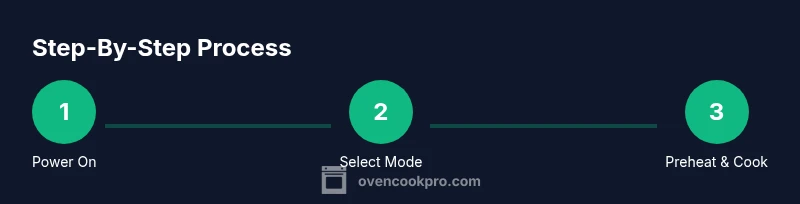
Power on and select mode
Press the power button, choose Bake, Convection Bake, or Broil, and confirm temperature. This ensures you start with the correct function to match your recipe.
Tip: If the display is unclear, consult the quick-start section of the manual. - 2
Position racks and pans correctly
Place racks at appropriate levels for your dish and center the pan to promote even heat. Do not crowd the oven, which can disrupt air flow.
Tip: Use your oven’s guides to identify recommended rack positions. - 3
Preheat to the required temperature
Allow the oven to preheat until the display shows 'ready' or a similar signal. Preheating helps ensure consistent baking results.
Tip: Use an oven thermometer to verify actual temperature if you suspect calibration drift. - 4
Set timer and start cooking
Input the cooking time and start the cycle. Avoid opening the door frequently to prevent heat loss.
Tip: Set a secondary timer for monitoring multiple dishes. - 5
Monitor progress and adjust as needed
Watch through the window or use the interior light; rotate pans if needed for even browning.
Tip: If browning occurs too quickly, reduce heat slightly or rotate the rack. - 6
Finish, rest, and shut off
Remove food with mitts, let it rest as appropriate, and turn off the oven when done.
Tip: Close the door gently to avoid jarring cookware. - 7
Cool and clean after use
Cool the oven before cleaning. Wipe interior with a damp cloth and clean racks separately.
Tip: Avoid abrasive cleaners on enamel surfaces.
Questions & Answers
How do I reset my KitchenAid wall oven after a fault code?
Power cycle the oven by turning off its circuit or unplugging, wait 60 seconds, then restore power. If the code returns, consult the manual or contact support.
To reset an error code, switch off power, wait a minute, and power back on. If it repeats, check the manual or reach out to support.
What temperatures should I preheat to for common dishes in a KitchenAid wall oven?
Always follow the recipe. Your oven should indicate when it has reached the target temp; use the convection setting for better evenness if available.
Follow the recipe's temperature. The oven will signal when it's ready; convection can help even results.
Is self-cleaning safe on a KitchenAid wall oven?
Yes, most models offer a self-clean cycle. Remove racks and use the manufacturer’s guidelines; avoid opening during cycle.
Self-clean is okay if your manual supports it; remove racks and stay out while it's running.
Can I use convection baking in a KitchenAid wall oven?
Yes, convection baking is supported on many KitchenAid wall ovens; use lower temperatures or shorter times as recommended.
Yes, you can use convection bake for even results; start by following the recipe with adjusted time/temperature.
What should I do if the oven door won't close properly?
Check for obstructions, inspect the gasket, and verify hinges. If misaligned, service may be needed.
Make sure nothing blocks the door, check the seal, and contact a technician if it won't close.
How can I tell if my KitchenAid wall oven needs service?
Persistent fault codes, unusual noises, or inconsistent heating indicate service should be scheduled.
If problems persist after basic troubleshooting, schedule service.
Watch Video
Main Points
- Know your KitchenAid wall oven basics and modes
- Preheat and rack placement impact results
- Use timers and thermometers for accuracy
- Regular cleaning extends life and performance
- Consult the manual for fault codes and safety