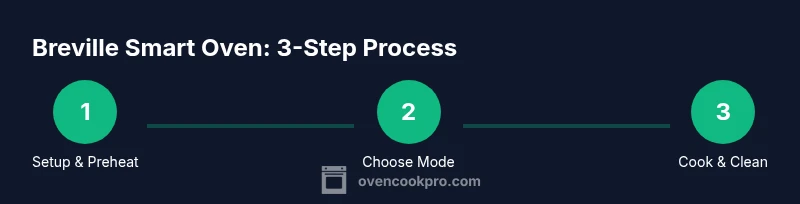
Breville Smart Oven: A Complete How-To Guide
A comprehensive, step-by-step guide from Oven Cook Pro on using the Breville Smart Oven for reliable results, including setup, preheating, baking, air frying, broiling, cleaning, and troubleshooting.


Learn to set up and use the breville smart oven for reliable, kitchen-wide results. This step-by-step guide covers unboxing, placement, preheating, baking, air frying, broiling, and easy maintenance. You’ll get practical tips, safety warnings, and troubleshooting to maximize performance and consistent outcomes every time. From choosing presets to calibrating temperature, this guide helps home cooks achieve crispy, evenly baked results.
Overview of the Breville Smart Oven
According to Oven Cook Pro, the Breville Smart Oven is a compact countertop solution that combines precision convection with smart temperature control. The device leverages Element IQ technology to distribute wattage among the heating elements, delivering consistent browning and even cooking across a range of foods. With multiple presets and adjustable time settings, the breville smart oven is designed to mimic the results of a traditional oven in a smaller footprint, which is ideal for kitchens with limited space or for cooks who want fast, reliable heat without heating a full oven. In practice, this means you can toast slices evenly, bake cookies with uniform spread, or roast vegetables with crisp edges, all within a single countertop appliance. The breville smart oven also features a timer, a dedicated bake and broil mode, and simple control dials or a digital interface depending on the model. Understanding these fundamentals helps you optimize performance for everyday meals and special-occasion dishes alike.
Core Features That Improve Everyday Cooking
The Breville Smart Oven offers a suite of features designed to simplify cooking while improving results. Element IQ distributes power to the heating elements to maintain stable temperatures across presets, which reduces hotspots and helps you achieve even browning. Twin convection fans circulate air for faster, more uniform cooking—especially valuable when you’re baking cookies, roasting vegetables, or air-frying foods that benefit from crisp edges. The unit’s presets cover common tasks such as Toast, Bagel, Bake, Roast, Broil, Pizza, and Air Fry, while manual temperature and time controls give you fine-grain adjustments. Many models also include a dedicated Keep Warm setting and a timer with audible alerts, so you can plan multi-dish meals without overcooking. When used consistently, these features translate into repeatable results and less guesswork for busy home cooks. For best outcomes with the breville smart oven, preheat to the target temperature and allow a few extra minutes for the oven to stabilize if you’re switching from a cold to a hot temperature.
Safe Setup and Proper Placement
Before you start cooking, ensure the breville smart oven sits on a stable, heat-resistant surface with at least a few inches of clearance on all sides. Avoid placing the oven near curtains or backsplashes that can trap heat. Plug it into a properly rated outlet, and avoid using extension cords, which can affect performance and safety. If the model includes a crumb tray, remove it and clean it before first use to prevent smoke from dust or manufacturing residues. Always use approved bakeware; the breville smart oven accommodates standard trays and pans, but oversized items may block vents and cause uneven heating. Finally, keep children and pets away from the unit during operation to prevent accidents. Following these setup steps ensures safe operation and optimal heating consistency with the breville smart oven.
Achieving Accurate Preheats and Even Cooking
Accurate preheating is crucial when you want predictable results from the breville smart oven. Start by selecting the desired preset or manual temperature, then wait for the preheat indicator to confirm stabilization. If your food browns unevenly, consider adjusting the rack position—the upper rack is ideal for broiling or finishing touches, while the middle rack suits most baking tasks. Remember that convection can speed cooking, so you may need to reduce the recommended time by a few minutes the first time you cook a recipe. Calibrating tilt, if your model offers it, or comparing with a calibrated thermometer installed near the center of the food can help you lock in accuracy. For best outcomes with the breville smart oven, avoid opening the door during the first portion of baking, as interruptions can lower air circulation and lead to longer cook times.
Practical Cooking Scenarios: Toasting, Baking, Roasting, and Air Frying
The breville smart oven shines across several common tasks. Toasting uses a high heat and quick air movement to bronze bread evenly without scorching. When baking cookies, choose a sheet with a uniform edge, rotate halfway through, and keep an eye on browning due to edge variance. Roasting vegetables benefits from a hot initial sear and a mid-rack placement for even caramelization. Air frying in the breville smart oven delivers crisp textures with less oil than traditional methods. Use a wire rack for air frying meals to maximize exposure to circulating hot air. For complex meals, you can combine presets—start with Bake, switch to Roast or Air Fry as needed, and adapt the time based on color and texture. By practicing these scenarios, you’ll learn how to harness the full versatility of the breville smart oven.
Cleaning, Maintenance, and Longevity
Maintaining the breville smart oven is essential for consistent performance. After cooking, remove trays and racks for washing with warm, mild soap and a non-abrasive sponge. Wipe the interior with a damp cloth to clear splatters, avoiding harsh chemicals that could damage coatings. Regularly check the door seal and hinge to ensure a tight seal, and inspect the power cord for any signs of wear. If your model includes a crumb tray, empty and clean it frequently to prevent smoke or odors. Periodically run a short, empty bake at a moderate temperature to burn off any buildup, but never exceed user-recommended times. With proper cleaning and routine checks, the breville smart oven will remain responsive and reliable over time.
Troubleshooting Common Issues and Where to Start
If you notice uneven browning, start by verifying that the oven is level and that the rack is positioned correctly for the task. A simple misalignment can create hotspots. If preheat indicators fail to appear, confirm the outlet supplies power and that the unit isn’t overheating due to blocked vents. For stubborn smoke or off-odors, run a brief cleaning cycle with a high heat and no food to burn off residues, then re-check the bakeware and temperature settings. Check for firmware updates if your model supports them, since software can affect presets and temperature accuracy. If problems persist, consult the user manual or contact customer support for guidance specific to your breville smart oven model.
Advanced Tips and Custom Presets
Once you’re comfortable with the core presets, you can create personalized cooking sequences to speed up weekly meals. Note the temperature and time you use most frequently, then apply them as a manual preset if your model supports it. For more even results, slightly reduce high-heat recipes by a few minutes to compensate for the oven’s efficiency and airflow. Use a reusable silicone mat or parchment for easy cleanup, and always store trays and racks in the oven’s designated guides to prevent damage. Finally, consider pairing your breville smart oven with a digital thermometer to monitor meat and poultry temperatures precisely, ensuring safety and consistency.
Using Presets Effectively and Temperature Calibration
Presets simplify cooking by letting you select a task and let the breville smart oven take care of the heat profile. When accuracy matters, use a calibrated thermometer to compare the internal temperature of your food with the target. If results are consistently off, adjust the oven temperature by small increments and document the change for future reference. This practice helps you build a reliable mental map of how your unit responds to different foods and loads. With disciplined calibration and familiarization with the breville smart oven, you can achieve professional-like results at home without guesswork.
Tools & Materials
- Oven mitts (heat-resistant)(At least 450°F handling)
- Non-slip silicone mat(Under the oven or tray to prevent slips)
- Measuring cup and spoons(For precise bake times and temperatures)
- Oven-safe thermometer(To verify internal temps if needed)
- Baking tray or sheet(Original Breville tray works for most tasks)
- Cooling rack(For air circulation when resting foods)
- Kitchen timer or smart device(To track preheat and cook times)
Steps
Estimated time: 60-90 minutes
- 1
Position the unit on a stable surface
Place the Breville Smart Oven on a heat-resistant, flat surface with clear space around it. Plug into a properly rated outlet and ensure the cord is not stretched. This setup prevents tipping and ensures consistent power delivery.
Tip: Keep at least 4 inches of clearance on all sides. - 2
Check airflow and load your trays
Open the door and verify that vents are unobstructed. Load trays with food in a single layer, leaving space for air to circulate. Overcrowding can lead to uneven cooking and longer times.
Tip: Use a rack or pan to maximize airflow for even browning. - 3
Power up and select a mode
Turn on the oven and choose the appropriate preset or manual mode. For most tasks, start with Middle rack position and the Bake or Roast setting before fine-tuning.
Tip: Convection speed affects cook time; anticipate a 5–10% reduction. - 4
Preheat and verify stabilization
Allow the oven to preheat until the indicator shows it's ready. Don’t rush the process; a stable temperature yields more predictable results.
Tip: If your recipe requires a specific crust, give extra preheat time for an even start. - 5
Cook with monitoring and adjustments
Start cooking, then monitor color and texture. Rotate trays if using multiple levels to promote even browning. Adjust time or temperature sparingly based on observed results.
Tip: Reserve a few minutes for finishing steps like broil to add browning. - 6
Safety check and cooling
When finished, carefully remove hot trays with oven mitts and set on a heat-safe surface. Allow foods to rest briefly before serving and let the oven cool before cleaning.
Tip: Never touch hot surfaces directly; use the handle and tools provided. - 7
Clean and maintain
Let the oven cool completely, then remove racks and trays for washing. Wipe the interior with a damp cloth and check seals and hinges during routine maintenance.
Tip: Regular cleaning prevents buildup and preserves heat efficiency. - 8
Document your presets for future meals
Keep notes on temperatures and times that work best for your favorite dishes. Apply these as custom presets if your model supports it to save time later.
Tip: Consistency builds confidence and repeatable results.
Questions & Answers
What is the Breville Smart Oven and what can it do?
The Breville Smart Oven is a countertop appliance that uses convection and smart controls to perform tasks like toasting, baking, roasting, broiling, and air frying. It’s designed to deliver consistent results with presets and manual adjustments.
The Breville Smart Oven is a countertop convection oven with presets for common tasks, helping you cook more consistently.
How do I preheat correctly in the Breville Smart Oven?
Select your mode and temperature, then allow the oven to reach the target temperature before adding food. Use the preheat indicator and avoid opening the door during the initial preheat to maintain even heat.
Choose your setting and temperature, wait for the preheat indicator, and don’t open the door until ready.
Can I bake multiple trays at once?
Yes, you can bake with multiple trays, but space and airflow matter. Leave space between trays and rotate them halfway through for even browning.
You can bake with more than one tray; just keep them spaced and rotate for even results.
Is the Breville Smart Oven energy efficient?
Countertop convection ovens like the Breville Smart Oven use energy efficiently for smaller tasks, reducing the need to heat a full-size oven. Use presets and avoid over-preheating to maximize efficiency.
It’s energy efficient for small tasks because you’re not heating a full oven; use presets to save energy.
How do I recalibrate the temperature if needed?
If results are consistently off, compare with an oven-safe thermometer and adjust the set temperature slightly. Keep notes on adjustments for future reference.
Compare with a thermometer and tweak the temp a bit, then record the change.
How do I clean the interior without damage?
Unplug the unit, let it cool, remove racks, and wipe the interior with a damp, non-abrasive cloth. Avoid harsh chemicals and keep the door seals intact.
Let it cool, then wipe the interior with a damp cloth and avoid harsh cleaners.
Watch Video
Main Points
- Master preheating for reliable results
- Use convection with care to avoid overcooking
- Keep presets organized for speed
- Clean regularly to maintain performance
- Position food for even airflow